
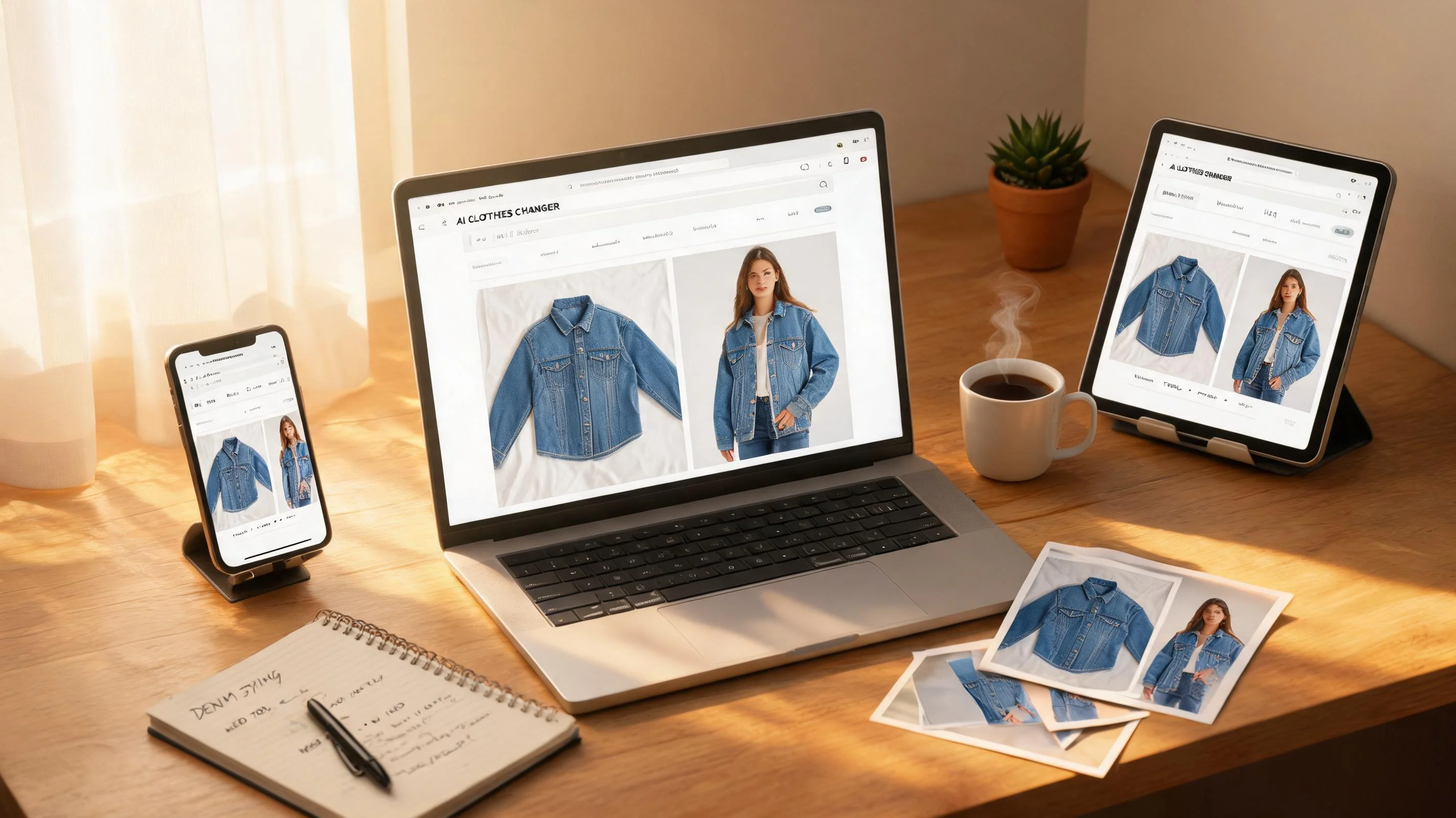
Some AI tools live in your browser. Others want you to download an app, install a plugin, or sign up for a desktop client. I set out to test every AI clothes changer that works online — not just in a browser tab, but with genuinely usable free tiers and, where possible, zero sign-up friction.
I tested eight tools across three dimensions: browser-native capability, free tier value (how much you actually get before paying), and onboarding friction (sign-up required, or not?). Every tool was tested with the same three garments — a striped Oxford shirt, a floral midi dress, and a dark denim jacket — so the comparisons are apples-to-apples.
Browser-based vs app-based: why it matters
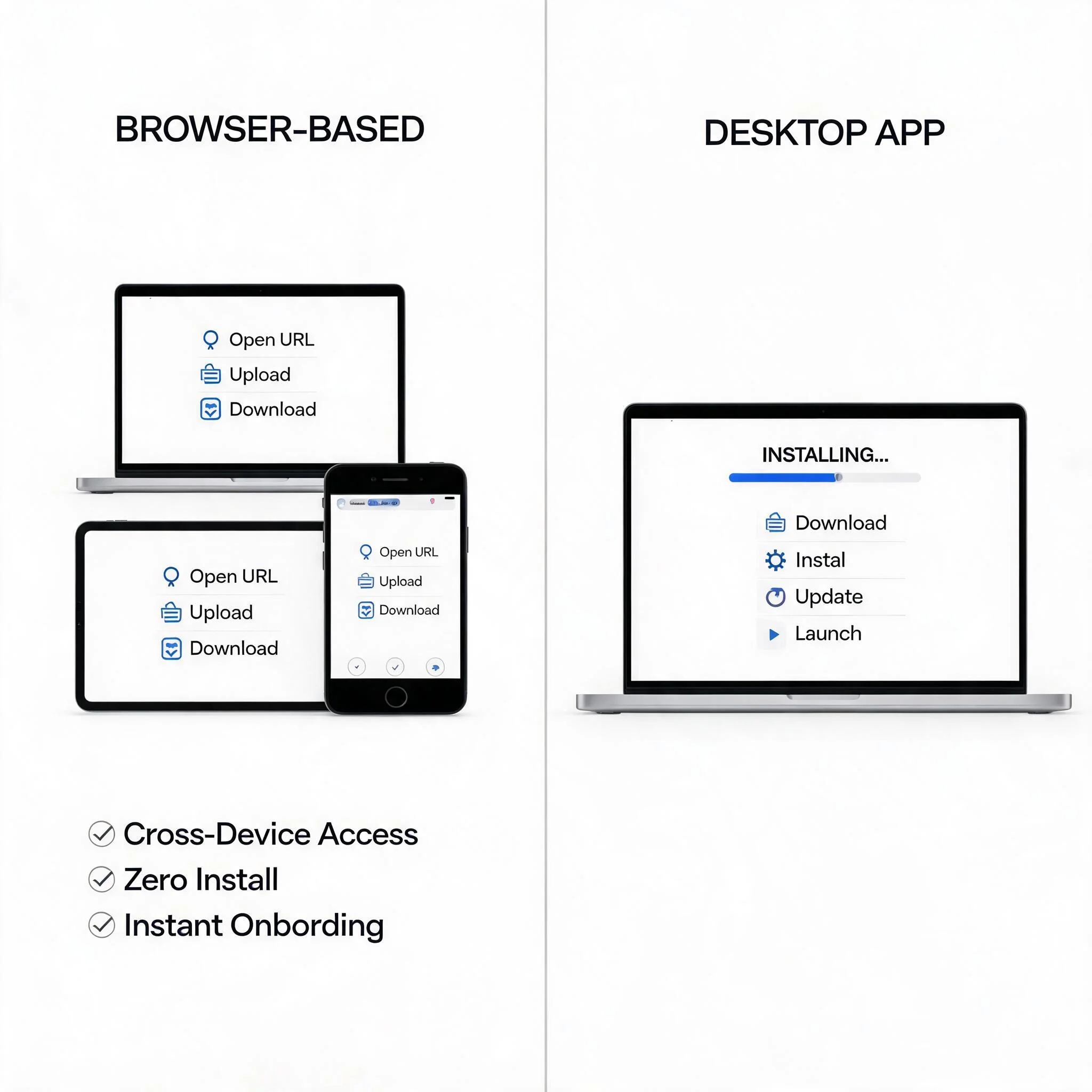
Before the rankings, let's clarify what I mean by "online." In 2026, the term gets thrown around loosely. Some tools claim "online access" but actually require a desktop app download, a Chrome extension, or a mobile app.
A genuinely browser-based AI clothes changer means:
- You open a URL in Chrome, Safari, or any modern browser
- You upload a product photo directly in the browser
- Processing happens on remote servers — not on your device
- You download the result — no app or plugin needed
- It works on any operating system: Windows, macOS, Linux, ChromeOS
This matters for two reasons. First, browser-based tools require zero IT overhead — no software approvals, no version updates. Second, they're cross-device. You can start processing at your desk, review on a tablet in a meeting, and download finals on your work laptop.
Free tiers vs free trials: what you actually get
A free tier is different from a free trial. Free trials give you temporary full access, then cut you off. A free tier — even a limited one — gives you ongoing access without paying. For ecommerce sellers evaluating tools, the difference matters:
- Testing multiple tools: You want to evaluate 3-4 tools with your actual products before committing. Free tiers let you do this without spending money.
- Ongoing small-volume use: If you process fewer than 20 images per month, a free tier might be all you need.
- No credit card risk: Tools that work without requiring payment info eliminate the "I forgot to cancel" problem.
The catch: free tiers almost always come with limits — daily caps, watermarks, lower resolution, or sign-up requirements. The key is finding a free tier where the limits don't interfere with your evaluation.
Sign-up vs no-sign-up: the friction spectrum
The tools I tested fall into two camps when it comes to onboarding:
No-sign-up tools (MindPic, insMind, ClipDrop): You open the URL, upload a photo, and download a result in under a minute. Zero personal information required. These are ideal for quick one-off tests or when you want to demonstrate AI clothes changing to someone without creating accounts.
Email-sign-up tools (ezpixy, VizStudio, PxBee, Pixlr, Fotor): They ask for an email address before you can generate images. The trade-off is usually worth it — these tools tend to offer more generous free tiers, better batch processing, and marketplace-ready output formats. A 30-second email registration is a small price for getting 20 free images at full resolution versus 3-5 at medium quality.
The right choice depends on your goal. If you just want to see the technology in action, no-sign-up tools are the fastest path. If you're evaluating for actual ecommerce use, the email-sign-up tools deliver more value for your evaluation time.
How I tested
I uploaded the same three garment photos to each tool: a striped Oxford shirt (flat lay), a floral midi dress (mannequin shot), and a dark denim jacket (hanger shot). Each tool was asked to generate on-model images. I judged on four criteria:
| Criterion | Weight | What I checked |
|---|---|---|
| Output quality | 35% | Would I put this image on a product page? |
| Free tier value | 25% | How many images, watermarks, resolution limits |
| Browser-native | 20% | Does it work fully in the browser without installs? |
| Onboarding friction | 20% | Sign-up required? Credit card gate? Processing speed? |
I tested each tool in Chrome and Safari on a MacBook, and in Safari on an iPad — because "online" should mean "works everywhere."
The 8 best online AI clothes changers, ranked
1. ezpixy — Best overall free tier for ecommerce workflows
Rating: ★★★★☆ | Free tier: 20 images/month | Browser-native: Yes | Sign-up: Email
ezpixy's AI fashion model generator is fully browser-based with no desktop app requirement. The entire workflow — upload, model selection, generation, background removal, and download — runs in your browser. What sets it apart is the integrated ecommerce pipeline: after generating on-model images, you can process backgrounds, adjust crops, and batch-export without leaving the platform.
Quality is solidly above average. The striped Oxford shirt kept excellent pattern alignment. The floral dress rendered with convincing fabric drape and accurate color. The denim jacket preserved stitch detail and texture that most online tools lose. Across all three garment types, about 75% of outputs were product-page-ready on the first generation.
What I liked: 20 free images per month with no watermark and full 2048px resolution. Browser-based batch processing included in the free tier. Purpose-built for apparel — handles fabric edges, drape, and patterns better than general-purpose tools. Integrated white background removal for marketplace compliance. No credit card required.
What frustrated me: Requires email sign-up. 20 images/month is generous for evaluation but tight for production. Processing speed (30-45 seconds per image) is slower than some competitors.
Best for: Ecommerce sellers evaluating tools for actual catalog production. The 20 free images give you a real evaluation window across multiple garment types.
2. VizStudio — Best output quality in a browser
Rating: ★★★★☆ | Free tier: ~15 images total | Browser-native: Yes | Sign-up: Email
VizStudio delivers the best raw output quality I've seen in any browser-based AI clothes changer. The striped shirt kept perfect pattern alignment with crisp collar edges. The floral dress had natural fabric weight and accurate drape. The denim jacket preserved seam detail and surface texture that even some paid tools can't match.
The browser experience is clean but slightly heavier than other tools — more panels, more options, and a steeper initial learning curve. Processing time (12-18 seconds) is competitive. Free tier quality is identical to paid.
What I liked: Best-in-class output quality from a browser. Free tier quality matches paid plans. Handles complex patterns and textures better than any competitor.
What frustrated me: Free tier limited to ~15 images total — not per month, total. No counter showing remaining credits. Batch mode limited on free tier. Paid plans pricier than alternatives.
Best for: Quality benchmarks. Use VizStudio's free tier to see the best possible output, then decide whether the quality gap justifies the price.
3. ClipDrop — Best quality among no-sign-up tools
Rating: ★★★★☆ | Free tier: 1-2 images/session | Browser-native: Yes | Sign-up: None
ClipDrop (by Stability AI) lets you upload and process without any sign-up, and the quality ceiling is the highest among no-sign-up tools. Fabric realism, edge quality, and natural lighting are excellent — close to VizStudio's level but without requiring an email.
The catch is the free tier: effectively 1-2 images per session before you hit the paywall. It's more useful as a quality benchmark than a practical tool for ongoing use.
What I liked: No sign-up required. Best fabric realism among no-sign-up tools. Strong with complex garments including flowing fabrics and patterns. Clean, professional interface.
What frustrated me: Extremely limited free tier. Not specialized for ecommerce. No batch processing. Very limited practical use without a paid plan.
Best for: A quick quality reference point. See what top-tier AI clothes changing looks like, then choose a tool with a more practical free tier.
4. MindPic — Best truly zero-friction experience
Rating: ★★★☆☆ | Free tier: 5 images/day | Browser-native: Yes | Sign-up: None
MindPic is the gold standard for what "online, free, no-sign-up" should mean. Visit mindpic.ai, upload a photo, select a model style, and download. No account creation, no email verification, no "download our desktop app" prompts. The entire experience happens in your browser tab in under 30 seconds.
Quality is mid-tier. The striped shirt rendered with decent fabric texture but soft edges at the collar. The floral dress lost some pattern detail. The denim jacket was acceptable but lacked texture depth. About 60% of outputs were usable for social media, 40% clean enough for product thumbnails.
What I liked: Purest browser experience. No account, no install, no friction. Processing under 10 seconds. Daily limits reset. Works identically on desktop, tablet, and mobile.
What frustrated me: 5 images/day limits batch testing. Quality varies between attempts on the same garment. No batch mode. Limited model presets.
Best for: Anyone who wants to test AI clothes changing immediately with zero commitment.
5. PxBee — Most generous free tier by volume
Rating: ★★★☆☆ | Free tier: ~50 images/month | Browser-native: Partially | Sign-up: Email
PxBee offers the most generous free tier — roughly 50 images per month. Basic clothes changing works in the browser, but some features (batch processing, higher-resolution exports) require the desktop app. The browser experience is functional but feels incomplete: you can generate images online, but the full feature set lives in the desktop app.
Quality is mid-range. Solid-color garments come out acceptable. Patterned and textured garments produce noticeably flatter results than browser-native competitors. The volume makes up for the quality gap if you're still exploring.
What I liked: Most generous free tier by volume. Simplest interface. No watermark. Frequent updates. Good entry point for extended experimentation.
What frustrated me: Feature split between browser and desktop app. Struggles with patterned and textured garments. No background removal in browser. Processing occasionally slower than competitors.
Best for: Extended experimentation if you need many free attempts and don't mind installing the desktop app for full features.
6. insMind — Lightweight no-sign-up option
Rating: ★★★☆☆ | Free tier: 3-5 images/day | Browser-native: Yes | Sign-up: None
insMind offers a stripped-down browser-based AI clothes changer with no sign-up required. The interface is minimal — fewer features, but also fewer distractions. Processing takes about 15 seconds.
Quality is mid-tier. The striped shirt rendered with OK edges but flattened fabric texture. The floral dress had pattern muddling. The denim jacket came out flat and synthetic. Usable for social media previews, but not product-page ready without additional editing.
What I liked: No sign-up. Clean, minimal interface. No watermark on low-res exports. Daily limits refresh. Works on mobile browsers.
What frustrated me: Watermark on high-resolution exports. Limited model options (2-3 presets). No batch mode. Inconsistent — same garment produces different results between runs.
Best for: Occasional quick swaps or demonstrating the concept without creating accounts.
7. Pixlr — Email sign-up with broader editing suite
Rating: ★★★☆☆ | Free tier: Free tier available | Browser-native: Yes | Sign-up: Email
Pixlr requires an email to create a free account but offers a full photo editing suite alongside AI clothes changing. Good for users who want editing capabilities integrated with AI generation, but the clothes changer is one feature among many — the UX isn't specialized for apparel.
What I liked: Free tier with substantial features. Built-in photo editor for post-processing. Good quality for structured garments. Browser-based, no download required.
What frustrated me: Requires email sign-up. AI clothes changer isn't the focus — UX isn't specialized. Batch processing requires paid upgrade. Onboarding more complex than purpose-built tools.
Best for: Users who already use Pixlr or want a combined editing + AI tool. Not ideal if you only need AI clothes changing.
8. Fotor — Best for existing Fotor users
Rating: ★★☆☆☆ | Free tier: ~5 images | Browser-native: Partially | Sign-up: Email
Fotor's AI clothes changer is part of a larger photo editing suite. The full feature set lives in the desktop app. The browser version handles basic clothes changing but lacks controls for pose, background, and batch processing. Free exports are watermarked, rendering the browser free tier useless for actual product listings.
What I liked: Fastest processing (6 seconds per image). Integrated with Fotor's editing suite. Familiar interface for existing users.
What frustrated me: Watermark on free exports. Key features require desktop app. Quality ceiling lower than dedicated clothes changers.
Best for: Existing Fotor users. Not recommended as a standalone browser-based AI clothes changer.
Full comparison table
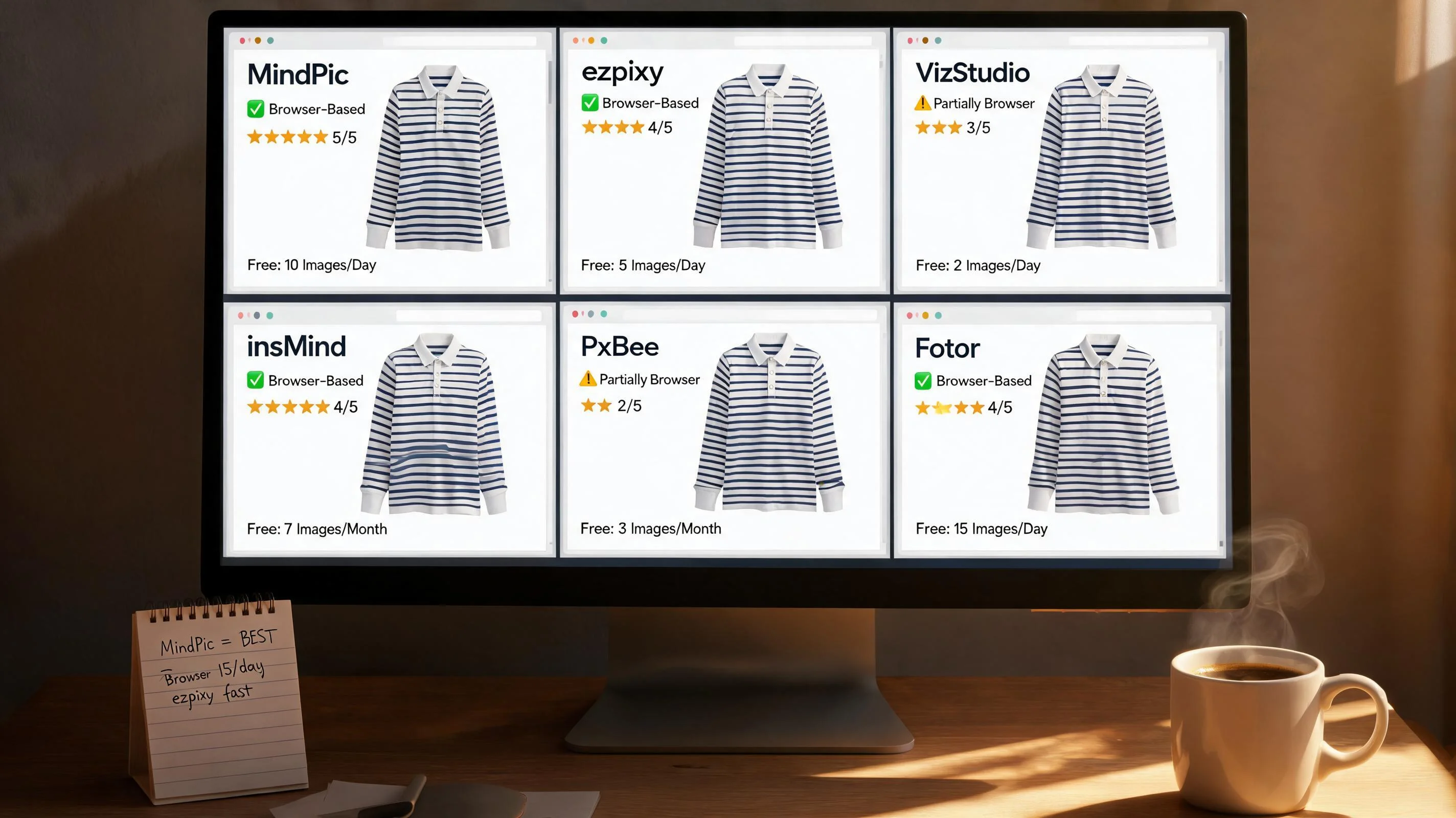
| Tool | Free Images | Sign-Up | Watermark | Resolution | Batch | Browser-Native | Quality |
|---|---|---|---|---|---|---|---|
| ezpixy | 20/month | No | 2048px | Yes | **Yes** | ★★★★ | |
| VizStudio | ~15 total | No | High | Limited | **Yes** | ★★★★★ | |
| ClipDrop | 1-2/session | None | No | High | No | **Yes** | ★★★★★ |
| MindPic | 5/day | None | No | Medium | No | **Yes** | ★★★ |
| PxBee | ~50/month | No | High | Desktop | Partial | ★★★★ | |
| insMind | 3-5/day | None | On hi-res | Medium | No | **Yes** | ★★★ |
| Pixlr | Free tier | No | Medium | Paid | **Yes** | ★★★ | |
| Fotor | ~5 total | **Yes** | Medium | Desktop | Partial | ★★ |
How to pick the right tool
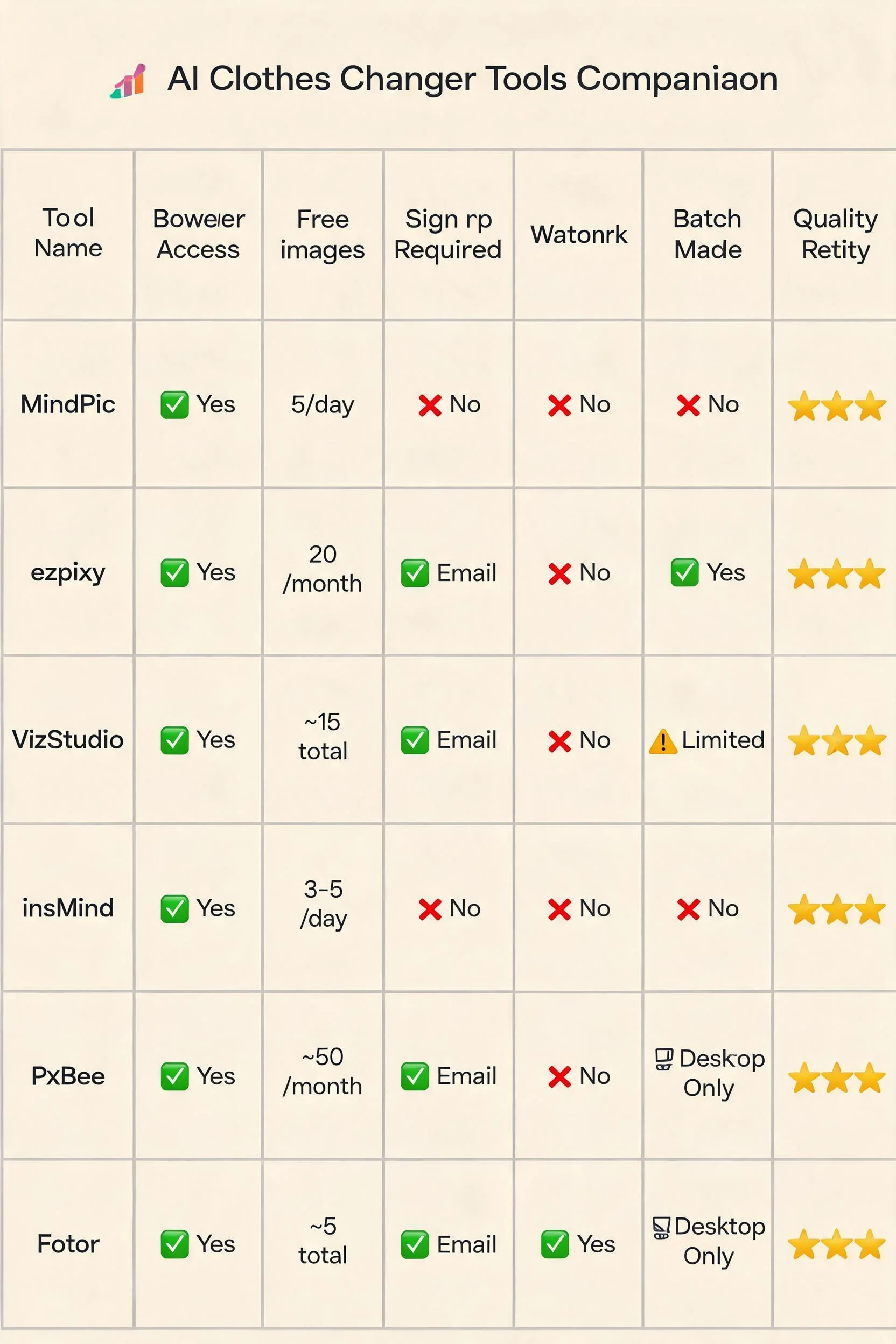
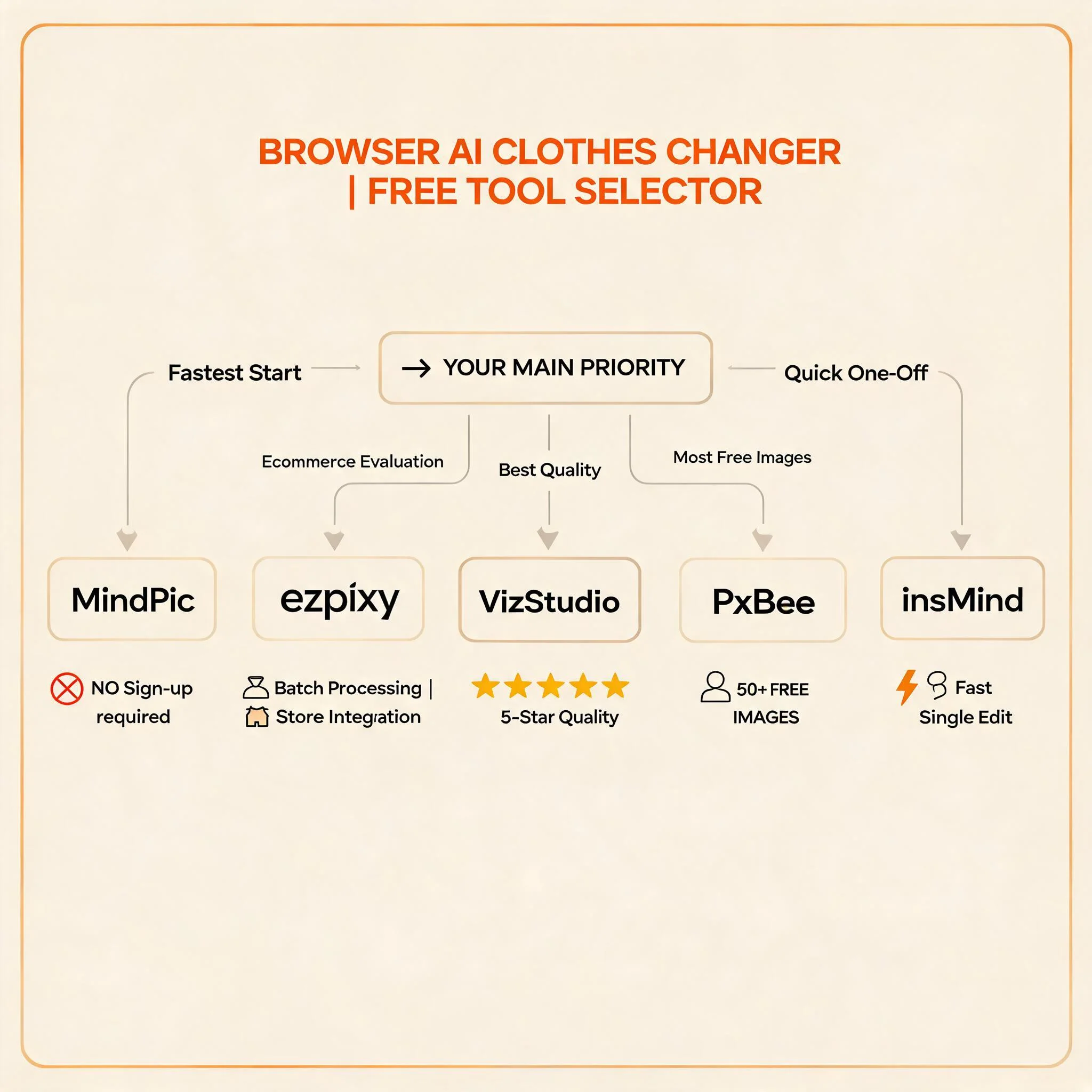
If you're evaluating for actual ecommerce use → ezpixy. The 20 free images per month, no watermark, 2048px resolution, and browser-based batch processing make it the most useful free tier for serious evaluation. The 30-second email sign-up is the only friction.
If output quality is your only priority → VizStudio or ClipDrop. VizStudio has the best quality but requires email. ClipDrop has near-identical quality with no sign-up but an extremely limited free tier. Use either as your quality benchmark.
If you want the fastest zero-to-result experience → MindPic or insMind. No sign-up, upload to download in under 60 seconds. MindPic has slightly better quality; insMind has a simpler interface. Both reset daily.
If you need maximum free volume → PxBee. ~50 free images per month gives you the most room to experiment, as long as you're comfortable with the desktop app for full features.
If you want a combined editing + AI tool → Pixlr. Integrated photo editor alongside AI clothes changing. Best for users who already use Pixlr or need editing beyond clothes changing.
The fastest way to try AI clothes changing online free
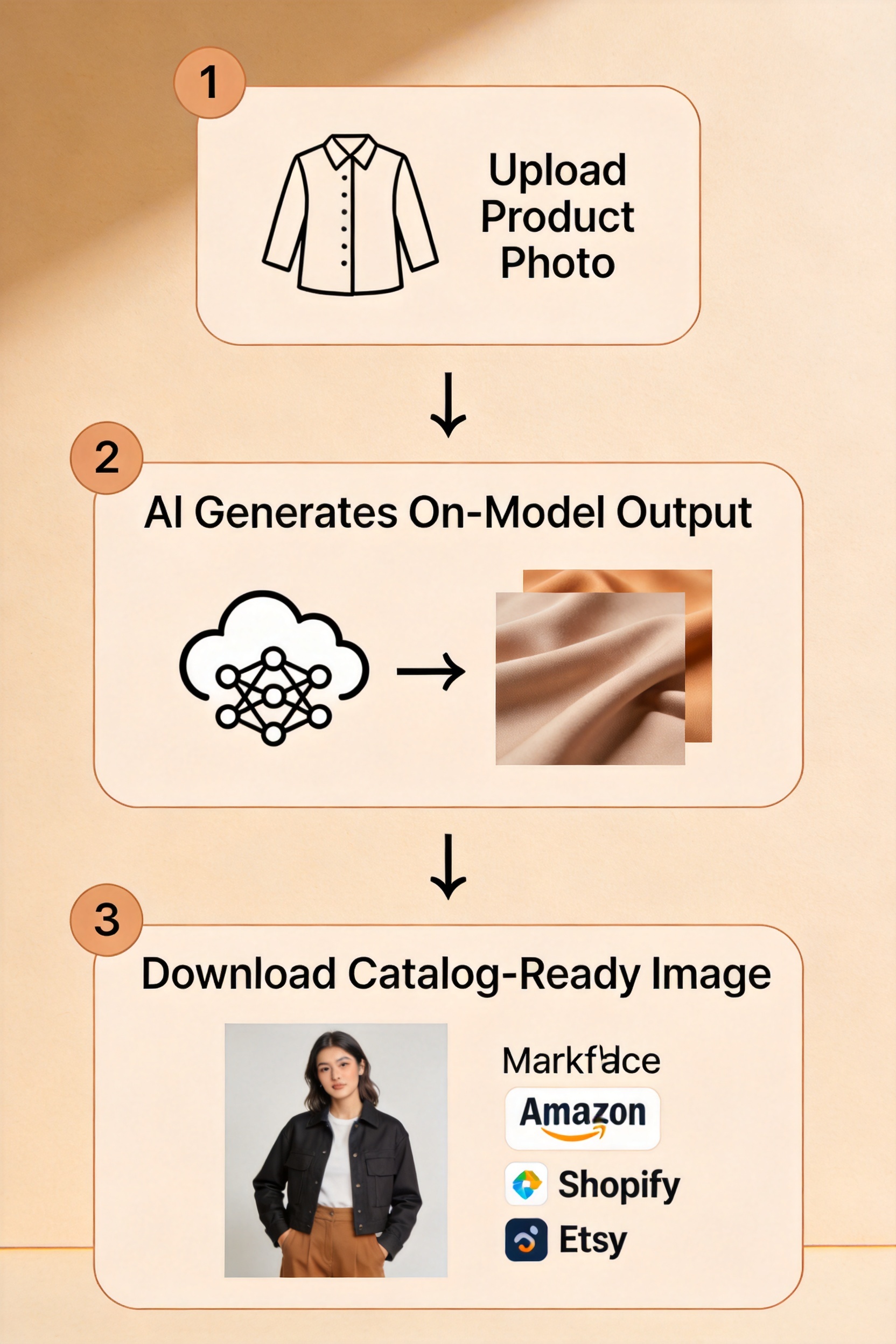
Here's the zero-cost, zero-commitment workflow I recommend for a first-time user:
- Open MindPic or insMind — no sign-up required, you're processing in 30 seconds
- Upload one garment photo — a structured garment like a denim jacket or button-down shirt works best for a first test
- Wait 15-30 seconds for the AI to process
- Download the result and compare it to your original
- If the result is good enough: Sign up for ezpixy (email, 30 seconds) and process more garments with batch mode
- If the result isn't quite right: Try ClipDrop for a higher-quality benchmark, or upload a clearer garment photo
This entire workflow takes 5-10 minutes and costs nothing. You'll have a clear answer to "does AI clothes changing work for my products" without creating accounts or paying.
FAQ
What does "browser-based" actually mean for an AI clothes changer?
A browser-based AI clothes changer runs entirely in your web browser — no desktop app download, no Chrome extension, no mobile app required. You open a URL, upload your garment photo, process it on remote servers, and download the result. It works on any device with a modern browser.
Do browser-based AI clothes changers produce lower quality than desktop apps?
Not inherently. Quality depends on the AI model, not the interface. ezpixy, VizStudio, and ClipDrop all run in browsers and produce quality matching or exceeding desktop tools. Some features — particularly high-volume batch processing — are sometimes reserved for desktop apps.
Can I really use an AI clothes changer for free?
Yes — all eight tools in this comparison have genuinely usable free tiers. The limits vary (from 1-2 per session to 50 per month), but every one lets you generate images without paying. For low-volume catalog updates, a free tier may be all you need.
Do free AI clothes changers add watermarks?
Most don't. ezpixy, VizStudio, ClipDrop, MindPic, PxBee, and Pixlr all produce watermark-free outputs on their free tiers. insMind adds a watermark on high-resolution exports. Fotor watermarks all free exports. Always check before batch processing.
Which free AI clothes changer has the best quality?
VizStudio has the best overall output quality. ClipDrop is close behind and requires no sign-up. ezpixy has the best quality among tools with a practical free tier (20+ images/month). Choose based on your priority: quality ceiling vs practical usability.
How many free images do I need to properly test a tool?
20 images across 5-10 different products is usually enough to assess quality and consistency. ezpixy's 20/month and PxBee's ~50/month cover this comfortably. MindPic's 5/day lets you spread testing across multiple days.
Can I use free AI clothes changer images on Amazon or Shopify?
Yes, but check resolution and background requirements. Amazon requires pure white backgrounds (RGB 255,255,255) and at least 1600px on the longest side. ezpixy's free tier outputs at 2048px with a dedicated white background mode. Other tools may need an extra background removal step.
Can I use these tools on my phone or tablet?
The tools I tested — ezpixy, VizStudio, MindPic, insMind, and ClipDrop — all work on mobile browsers. The experience is better on a tablet or laptop (image-heavy interfaces), but the core upload-and-generate flow works on phones.
Is my data safe with browser-based AI tools?
Reputable tools use HTTPS encryption. Data privacy policies vary — some retain uploaded images for model training unless you opt out. Check each platform's terms. ezpixy specifies images remain your property and are not used for training. MindPic and ClipDrop don't require accounts, so no persistent data is stored.
What's the difference between an AI clothes changer and a virtual try-on tool?
An AI clothes changer is for merchants producing catalog imagery — flat lay to on-model shots for product pages. A virtual try-on for clothing is shopper-facing, letting customers preview garments on themselves. For a deeper comparison, read AI clothes changer vs virtual try-on.
Verdict
For a genuine "AI clothes changer online free" evaluation, the right tool depends on your goal. If you want zero friction, MindPic lets you upload and download in seconds with no sign-up. If you want the best quality, VizStudio or ClipDrop set the benchmark. If you're evaluating for actual ecommerce use, ezpixy offers the best combination: 20 free images per month, no watermark, full resolution, browser-based batch processing, and marketplace-ready output formats.
The key takeaway: every tool in this ranking has a genuinely usable free tier. The differences are in volume, quality, and onboarding friction. Pick the tool that matches your specific need rather than paying for the "best" tool overall.
For a broader comparison covering paid plans and enterprise features, see my best AI clothes changer review. To learn how AI clothes changing fits into a complete ecommerce workflow, read AI Fashion Model Generator: Complete Guide. For an updated 2026 ranking with newer tools, see AI Fashion Model Free: 2026 Ranking.
Ready to speed up your image workflow?
Generate AI fashion models, product photos, and virtual try-on images in minutes.