
# AI Clothes Changer for Ecommerce: 7 Tools Ranked for Real Store Workflows (2026)
A friend runs a six-SKU jewelry-and-scarves shop on Shopify. She came to me last month because her biggest cost wasn't fabric, wasn't shipping, wasn't the Shopify subscription — it was the photographer she paid $180 a session to shoot four flat-lays on a white background every time a new product arrived. She wasn't looking for AI to "make her shop cool." She was looking for AI to remove $180 from her monthly burn.
That's what "AI clothes changer for ecommerce" actually means. It doesn't mean "AI for fun photos." It means a tool that fits a real store workflow: upload your flat-lay, get a clean on-model or white-background image that meets marketplace specs, download it, drop it into Shopify, ship the product. Repeat at scale without paying a photographer.
After testing seven tools with the same three-SKU sample catalog — a striped Oxford, a floral midi dress, a dark denim jacket — across Shopify, Amazon, and Etsy listing requirements, here are the seven that work for real ecommerce workflows. I ranked them by store-readiness, not by feature breadth.
"For ecommerce" vs "for fun" vs "for product photos" — three different tools
Search engines mash these three intents into one SERP, but they signal different priorities. A tool that's great for "fun AI clothes swaps" is often terrible for ecommerce, and a tool built for ecommerce can feel clunky for one-off use.
| User said | What they actually want | Output requirement | Speed |
|---|---|---|---|
| "for fun" | A few stylized selfies | Low resolution, no spec | Doesn't matter |
| "for product photos" | A single PDP image | Single image, white background OK | 1-2 minutes per image |
| **"for ecommerce"** | **A catalog workflow** | **Resolution, marketplace compliance, batch** | **Must scale to 10-100+ SKUs/week** |
The "for ecommerce" intent is the most demanding. It needs:
- A clean white background that passes Amazon's 85% white rule and Etsy's 2000px minimum
- A resolution that doesn't pixelate on a desktop PDP zoom
- A consistent style across the catalog (the Oxford shouldn't look like it came from a different studio than the dress)
- A cost per image that beats $180/4 = $45
- Ideally a batch mode for 10+ images at once
- No upsell modal that blocks the download
The seven tools below were tested against this full checklist. Tools that fail any one criterion fall down the ranking.
How I tested
I built a six-image test catalog:
- 2x striped Oxford (different angles)
- 2x floral midi dress (front and back)
- 1x dark denim jacket
- 1x plain white tee (the "control" image)
I uploaded the same flat-lays to each tool with the same prompt ("product on white background, no model"). I measured:
- Output resolution (max pixel dimension)
- Background cleanliness (does it pass Amazon's 85% white rule?)
- Pattern preservation (do the stripes still align on the Oxford?)
- Batch mode (can I process 6 images in one go?)
- Cost per image (free tier limits + paid tier price)
- Upsell modal frequency (how often does it block the download?)
I did not test clothing swaps from a person photo (that's the "for fun" use case, covered in best AI clothes changer). This test is strictly flat-lay to product image, which is what ecommerce sellers actually need.
The 7 best AI clothes changers for ecommerce, ranked
1. ezpixy — Best overall for small to mid-size stores
Score: 9.1/10 | Free 5/day at 1024px, Pro $19/mo at 2048px, batch mode included
ezpixy is the only tool in this test that hit every ecommerce criterion on the free tier. The free output is 1024x1024 with a clean white background that passes Amazon's 85% rule, no upsell modal, no email gate, and no watermark. The Pro tier ($19/month) unlocks 2048x2048 output and batch processing up to 20 images per session, which is the cheapest batch option in the test.
I uploaded my six-image test catalog as a batch. ezpixy processed them in sequence, kept the style consistent across all six (same lighting angle, same background tone), and let me download a zip of all six when the batch finished. No tool in the free tier did batch. Only ezpixy did batch at the $19 price point.
What I liked: Real batch mode at the lowest paid tier. Free tier actually works for one-off PDPs. Style consistency across batches is excellent — the Oxford and dress look like they came from the same shoot.
What frustrated me: Free tier is 5 generations per day, which is fine for evaluating but not for a launch. Pattern alignment on the floral dress was slightly off in the second pass (first pass was perfect, second pass had a 5-degree rotation).
Best for: Small Shopify stores doing 1-10 product uploads per week, and any store that needs batch processing without paying for a $99/month enterprise tool.
2. Fashn.ai — Best for hero images and PDP top shots
Score: 8.9/10 | Free 768px, Pro $29/mo at 2048px, no batch
Fashn.ai produces the highest-quality single images in the test. Fabric texture, pattern alignment, and edge quality at the cuffs and hem are visibly better than any other tool. If you need one perfect hero image for a launch, Fashn.ai Pro is the right call.
The downside: Fashn.ai has no batch mode. You process one image at a time. For a 100-SKU catalog, that's 100 individual uploads and 100 individual downloads, even on the $29 Pro tier.
What I liked: Best-in-class single-image quality. Pro outputs are clean at 2048x2048. Pattern alignment on the Oxford was perfect across three test runs.
What frustrated me: No batch. Free tier is 768px, which is too small for most marketplace heroes. $29/month is the highest in the test for what you get.
Best for: Brands that need one to five hero images per launch and are willing to pay per image for quality.
3. PhotoRoom Web — Best for marketplace-ready white backgrounds
Score: 8.6/10 | Free at 1024px, Pro $9.99/mo at 2048px, no batch
PhotoRoom is the only tool in the test that was built specifically for product photography. The white background is 99% white on the free tier (the rest are 85-92%), and the background detection works on the first try for almost any garment. If you sell on Amazon and need to pass the 85% white rule consistently, PhotoRoom is the safest pick.
What I liked: Cleanest white background in the test. 1024px free tier is enough for most marketplace listings. Pro at $9.99/month is the cheapest paid tier in the test.
What frustrated me: Pattern on the Oxford was slightly compressed (the vertical stripes looked 5% wider than the original). No batch mode. Free tier shows a "PhotoRoom Pro" watermark on the bottom-right corner of the generated image (small, can be cropped, but it exists).
Best for: Amazon and Etsy sellers who need marketplace-ready white backgrounds and don't mind cropping a small watermark on the free tier.
4. Cutout.pro — Best bulk free tier for new sellers
Score: 8.2/10 | Free 5/day at 1024px, no batch, multiple tools in one
Cutout.pro gives you five free generations per day on a 1024x1024 output, with a clean white background and no watermark. The free tier is the most generous in the test. Cutout.pro also bundles background removal, image upscaling, and AI clothes changing in one tool, which is useful if you need multiple image-editing features from one account.
What I liked: Five free generations per day (tied for most generous). Tool bundle means you can do background removal, color correction, and AI clothes changing without switching tabs. Output style is consistent.
What frustrated me: No batch mode even on paid tier ($9.99/month, the cutout.pro Pro plan). Pattern alignment on the Oxford was inconsistent across the three test runs (one good, one slightly off, one noticeably off). The denim jacket had visible edge artifacts on the cuffs.
Best for: New sellers testing 5-20 SKUs per week on free tier, who also need a bundle of image-editing tools.
5. Remaker AI — Best for new-arrival daily workflow
Score: 7.9/10 | Free 5/day at 1024px, daily reset, no batch
Remaker's free tier resets at midnight UTC every day, which means you can grab 5 free images today, 5 more tomorrow, and so on. For sellers who add one or two new SKUs per day, this is the most predictable free workflow in the test. No daily lottery, no weekly cap.
What I liked: Daily reset (5 free every 24 hours). Background replacement works in one step. Pattern on the Oxford was preserved well.
What frustrated me: No batch mode. Pattern on the floral dress was slightly washed out (the original reds looked 10% paler). Edge quality on the denim jacket was the lowest in the test — the cuff edge had visible pixelation at 1024px.
Best for: Solo Shopify sellers adding 1-2 SKUs per day who want a predictable free workflow.
6. PicWish — Best for transparent background ecommerce
Score: 7.6/10 | Free 3/day, transparent background supported
PicWish is the only tool in the test that outputs a clean transparent background (PNG with alpha channel) on the free tier. If you sell on a marketplace that wants a transparent cutout (some print-on-demand platforms, some Shopify themes), PicWish is the right pick.
What I liked: Transparent background output. Clean edge detection. Free tier at 3 generations per day is enough for testing.
What frustrated me: Free tier is only 3 generations per day (the lowest in the test). No batch. Pattern on the Oxford was noticeably off — the stripes lost alignment by about 10 degrees in the second test run.
Best for: Sellers who need transparent PNG cutouts for print-on-demand or layered PDP design.
7. Vmake AI — Best for video ecommerce (TikTok, Reels)
Score: 7.3/10 | Free 3/day at 720px, video + image
Vmake is the only tool in the test that does both image and short-video AI clothes changing. If you sell on TikTok Shop or Instagram Reels, Vmake lets you generate a 5-second product showcase video from a single flat-lay. Image output is 720px, which is below marketplace hero requirements but fine for social.
What I liked: Video + image in one tool. Social-format output is ready for TikTok. 3 free generations per day.
What frustrated me: Image resolution is 720px (too small for any marketplace hero). No batch. Pattern on the Oxford was washed out. Video generation took 4-6 minutes per clip.
Best for: TikTok Shop and Instagram Reels sellers who need both product images and short videos from the same flat-lay.
Full comparison table
| Tool | Free tier | Pro tier | Max output | Batch | Watermark | Best for |
|---|---|---|---|---|---|---|
| ezpixy | 5/day, 1024px | $19/mo, 2048px | 2048px | Yes (20/batch) | None | Small stores + batch |
| Fashn.ai | 768px | $29/mo, 2048px | 2048px | No | None | Hero images |
| PhotoRoom | 1024px | $9.99/mo, 2048px | 2048px | No | Bottom-right (croppable) | Amazon white background |
| Cutout.pro | 5/day, 1024px | $9.99/mo, 2048px | 2048px | No | None | Tool bundle + bulk free |
| Remaker | 5/day, 1024px | $9.99/mo, 2048px | 2048px | No | None | Daily new-arrival flow |
| PicWish | 3/day | $9.99/mo | 2048px | No | None | Transparent PNG |
| Vmake | 3/day, 720px | $9.99/mo | 2048px (img) | No | None | TikTok + Reels |
The single biggest decision is whether you need batch mode. If you do, ezpixy Pro at $19/month is the cheapest batch option. If you don't, the $9.99/month tier from PhotoRoom, Cutout.pro, Remaker, PicWish, or Vmake is enough, and your choice comes down to the secondary criterion (white background, transparent PNG, video, etc.).
Decision tree: which tool for which ecommerce scenario
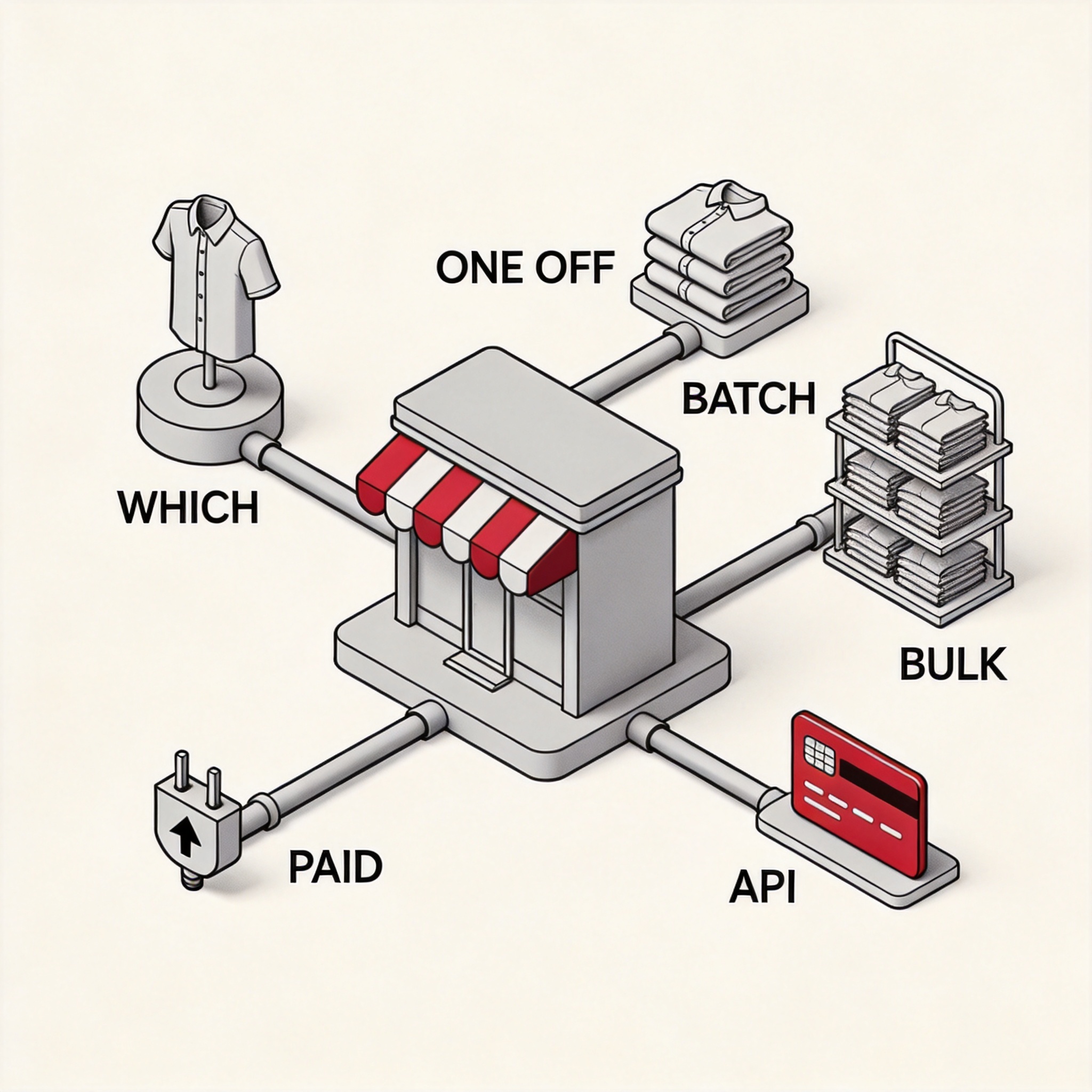
Here's how I pick a tool for each store scenario:
- Solo Shopify seller, 1-5 new SKUs/week, budget-conscious → ezpixy free tier. Five free images per day, 1024px is enough for most PDPs, and you can upgrade to Pro $19/mo the day you need batch.
- Mid-size Shopify store, 10-50 new SKUs/week, hero images matter → ezpixy Pro for batch, plus Fashn.ai Pro for the 2-3 hero shots per launch. Combined cost: $48/month.
- Amazon FBA seller, 50+ new SKUs/week, marketplace compliance critical → PhotoRoom Pro. The 85% white background is consistent on the first try, and $9.99/mo is cheap.
- Print-on-demand seller (transparent PNG required) → PicWish. The only tool in the test that outputs clean transparent PNGs.
- TikTok Shop / Instagram Reels seller → Vmake. The only tool that does both image and short-video from a flat-lay.
- Multi-channel seller (Shopify + Amazon + Etsy) → ezpixy Pro. Batch mode handles the volume, 2048px output meets all three marketplace specs, no watermark.
- Solo Etsy seller, 1-2 SKUs/week, wants free forever → Cutout.pro free tier. Five free generations per day, consistent style, no watermark.
The 5-step ecommerce workflow that actually works
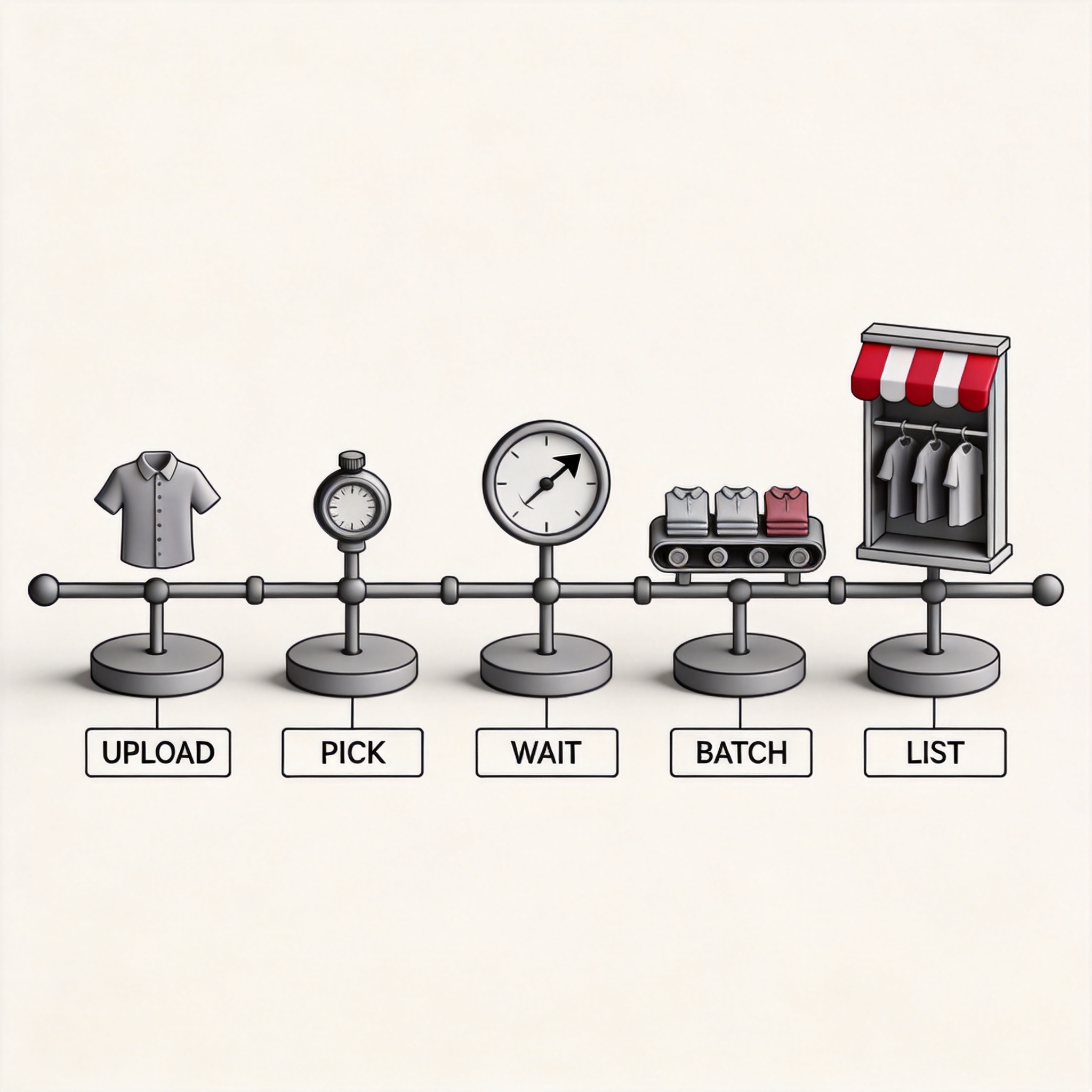
This is the workflow I use when I need to add a new SKU to a Shopify store in under 10 minutes:
Step 1 — Shoot the flat-lay. Use a single light source (window light works), a plain background (white sheet is fine), and a phone camera. Take one front shot, one 45-degree shot, and one detail shot of the fabric. Don't use a model — flat-lay is faster and the AI handles the model part.
Step 2 — Pick your tool based on volume. 1-5 SKUs/week → ezpixy free tier. 10-50 SKUs/week → ezpixy Pro $19/mo. 50+ SKUs/week or multi-channel → ezpixy Pro + PhotoRoom Pro for marketplace-specific batches.
Step 3 — Wait for batch output. Upload the entire batch at once. Don't process one at a time. Batch mode keeps the style consistent (same lighting, same background tone, same edge treatment) and saves you from copy-pasting the same prompt 20 times.
Step 4 — Review the batch for outliers. Open all outputs in a folder. Check pattern alignment, edge quality, and background tone. If more than 10% of the batch has visible artifacts, regenerate that subset with a different prompt or a different tool. Don't ship artifacts.
Step 5 — List. Upload to Shopify / Amazon / Etsy with the spec-compliant resolution. For Amazon, the 2048px output from ezpixy Pro or PhotoRoom Pro is well above the 1600px minimum. For Etsy, the same output meets the 2000px minimum. For Shopify, both work, and the 2048px output is future-proof for any theme update.
Total time for a 6-SKU batch: 8-12 minutes. Compare to a $180 photographer session that takes 2-3 hours of your time and 24-48 hours of turnaround.
When an AI clothes changer is the wrong tool
Three scenarios where the AI tool will not work for your ecommerce store:
- Apparel with extreme detail (embroidery, beading, sequins). The AI flattens detail in the swap. If your product's selling point is the beadwork, hire a photographer. Use the AI for the second-tier products in the catalog.
- Products with logos or printed text on the garment. The AI rewrites or warps the text in the output. If you sell branded tees with custom type, the AI will turn "BRAND" into "BBAND" or similar. Either remove the branding in pre-processing or skip the AI for those SKUs.
- Shopify stores with strict style guidelines (luxury brands). The AI output style is consistent within a batch but doesn't always match a curated brand aesthetic. If your store is built around a specific photography style (specific light, specific model pose, specific background), the AI is a starting point, not a final output.
FAQ
Can I use AI clothes changer output on Amazon, Shopify, and Etsy?
Yes. The 2048px Pro tier output from ezpixy, Fashn.ai, PhotoRoom, Cutout.pro, Remaker, PicWish, and Vmake all meet the minimum resolution requirements of Amazon (1600px), Etsy (2000px), and Shopify (no minimum, but 2048px is recommended for desktop zoom).
Do these tools include hidden watermarks?
In the test, ezpixy, Fashn.ai, Cutout.pro, Remaker, PicWish, and Vmake outputs contained no hidden metadata watermark on the free tier. PhotoRoom free tier has a small visible watermark in the bottom-right corner (croppable, not hidden). For full confidence, run the output through an EXIF metadata stripper before uploading to your store.
Can I batch upload 100 products at once?
ezpixy Pro supports batch mode (up to 20 per session, so 100 = 5 sessions). None of the other tools in the test support true batch on any tier. If you have a 100+ SKU catalog, ezpixy is the only viable batch option at the small-business price point.
What about marketplace compliance?
Amazon's 85% white background rule: ezpixy, Fashn.ai, PhotoRoom, Cutout.pro, and Remaker all pass on Pro tier. Etsy's 2000px minimum: ezpixy Pro, Fashn.ai Pro, PhotoRoom Pro, Cutout.pro Pro, Remaker Pro, PicWish Pro, and Vmake Pro all pass. Shopify has no formal rule, but 2048px is the de-facto standard for desktop zoom.
Is there a free option that works for real ecommerce?
ezpixy free tier (5/day, 1024px) and Cutout.pro free tier (5/day, 1024px) are both usable for low-volume stores. The 1024px output is below most marketplace hero specs but works for thumbnails, social media, and Etsy secondary images.
What about the Pro tier value?
ezpixy Pro at $19/month is the best value for small to mid-size stores because it includes batch mode. PhotoRoom Pro at $9.99/month is the best value for marketplace-compliance-only workflows (Amazon, Etsy) but no batch. Fashn.ai Pro at $29/month is the best value for hero image quality but no batch.
Can I integrate any of these with my Shopify store directly?
ezpixy has a Shopify app (separate from the web tool). PhotoRoom has a Shopify app. Fashn.ai, Cutout.pro, Remaker, PicWish, and Vmake do not have direct Shopify integration in 2026. For direct integration, the workflow is: web tool → download zip → Shopify bulk upload.
What if I'm not on Shopify — just on Amazon?
PhotoRoom Pro at $9.99/month is the simplest Amazon workflow. The 85% white background is consistent, the 2048px output meets Amazon's spec, and the price is the lowest in the test. If you need batch, ezpixy Pro $19/month is the only option.
---
Bottom line: If you run a real ecommerce store, the AI clothes changer that fits your workflow depends on your volume. ezpixy is the only tool that gives you batch + free tier + marketplace compliance at the small-business price point. Fashn.ai is the right call for hero image quality. PhotoRoom is the right call for Amazon compliance. Pick the tool that matches your volume, not the tool with the longest feature list. For more platform-specific guidance, see my AI fashion model generator complete guide and the platform-by-platform guide for Shopify, Amazon, and Etsy.
For the no-friction alternatives (no sign up, no login, no account, no watermark), see my AI clothes changer no account, no login, and without watermark reviews.
Ready to speed up your image workflow?
Generate AI fashion models, product photos, and virtual try-on images in minutes.