
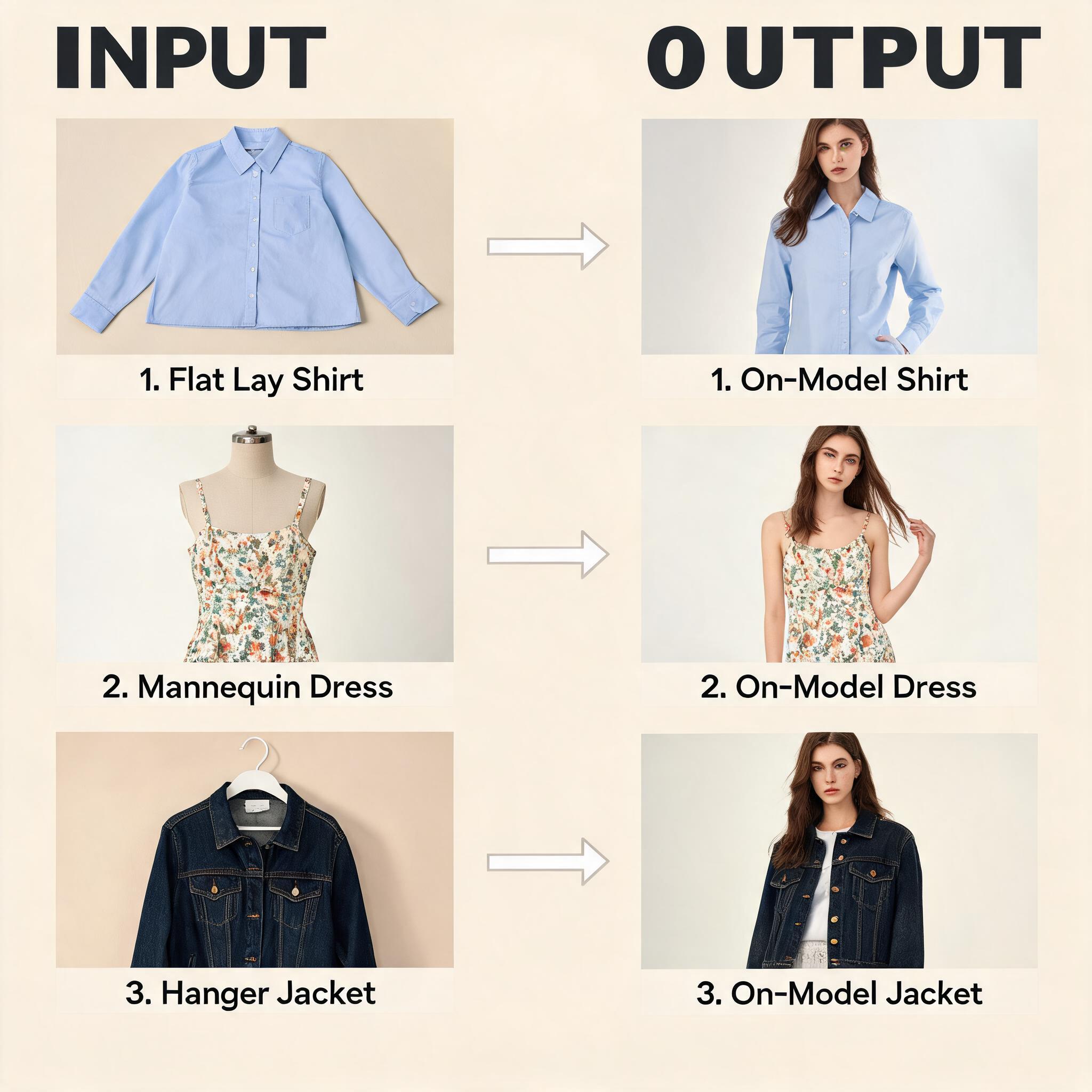
I spent an afternoon uploading the same three photos — a striped button-down, a floral summer dress, and a denim jacket — to seven different AI clothes changers. Some results impressed me. Others looked like a bad Photoshop job from 2015. Here's my honest ranking, with no tool paying me for a spot.
How I tested
To keep it fair, every tool got the same inputs:
- Photo 1: A flat lay of a blue-and-white striped Oxford shirt on a wooden floor
- Photo 2: A mannequin shot of a floral midi dress against a white studio wall
- Photo 3: A hanger shot of a dark denim jacket
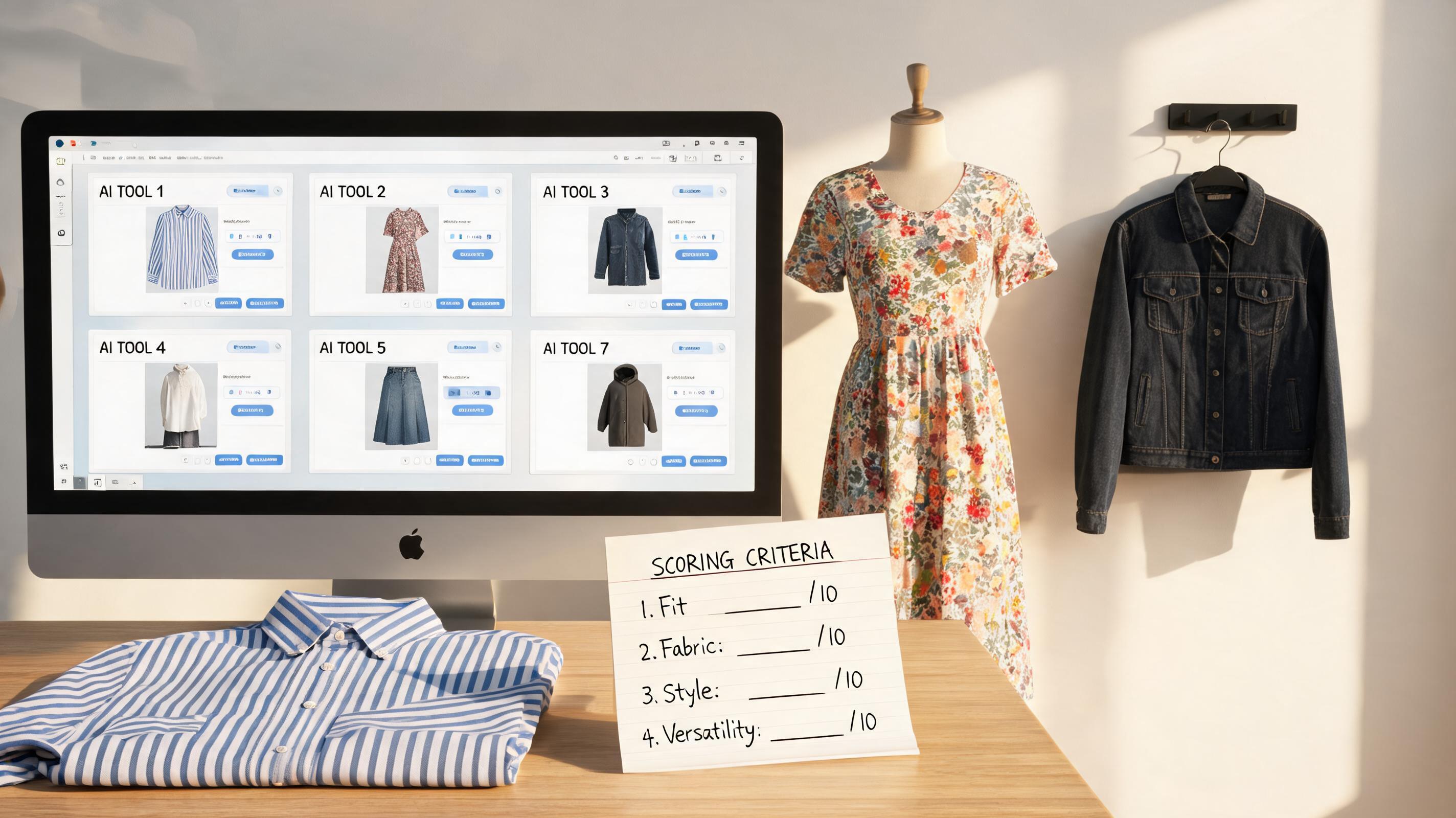
Each tool was asked to generate an on-model image. I evaluated four things, weighted by what actually matters when you're producing product photos for real customers:
| Criterion | Weight | What I checked |
|---|---|---|
| Fabric realism | 40% | Does knit look like knit? Does silk reflect light naturally? |
| Edge quality | 25% | Neckline, cuffs, and hem transitions — the "pasted on" test |
| Pose naturalness | 20% | Does the model look like a real person or a mannequin? |
| Processing speed | 15% | Upload-to-download time for a single image |
The results
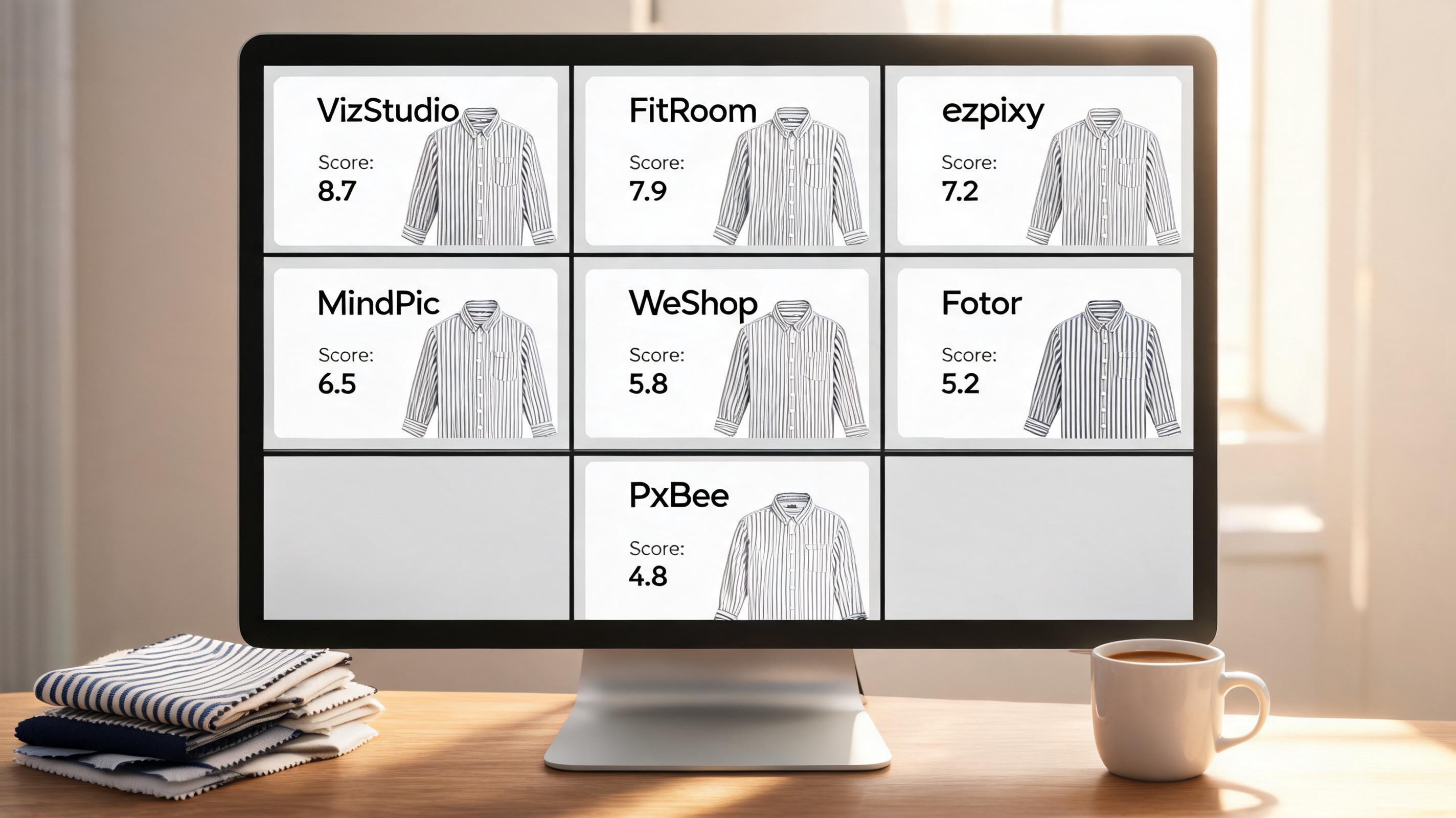
1. VizStudio — Best overall
Score: 8.7/10 | $0 (free tier) then paid plans
VizStudio was the only tool that consistently passed the "would I put this on a product page?" test across all three garment types. The striped shirt kept its pattern alignment — no warped lines or distorted proportions. The floral dress draped with convincing fabric weight. Even the denim jacket, which most tools turned into a smeared mess, came out with visible stitching and texture.
Edge quality at the neckline and cuffs was clean. None of the seven images I generated had the "floating head" look that cheaper tools produce.
What I liked: Best-in-class fabric rendering. Handles complex patterns and textures without distortion. Neckline and cuff edges look natural. Free tier is generous enough to evaluate properly.
What frustrated me: Processing took 12-18 seconds per image — not slow, but slower than Fotor's 6 seconds. Interface has more options than you need if you just want a quick one-click swap. No batch mode on the free tier.
Best for: Brands that need catalog-ready product images and are willing to spend 2-3 minutes per image for professional results.
2. FitRoom — Best for professional fashion ecommerce
Score: 8.2/10 | Paid plans start at $29/month
FitRoom is built for fashion industry workflows, and it shows. The output has an editorial quality — the kind of polished lookbook imagery you'd expect from a mid-tier fashion brand. The body proportions were the most realistic of any tool. Models didn't have the slightly uncanny proportions that plague most AI generators.
Where FitRoom pulls ahead: batch processing. I uploaded 10 garment images at once, selected a consistent model preset, and walked away. Came back to 10 usable on-model shots.
What I liked: Most realistic body proportions. Batch processing works well. Consistent styling across outputs. Good for high-volume catalog production.
What frustrated me: No free tier to test with. Pricing is steep for small brands — $29/month gets you 100 credits. No accessory try-on (hats, shoes, bags). The interface feels enterprise-heavy, not indie-friendly.
Best for: Established fashion brands producing 50+ SKUs per month who need editorial-quality consistency.
3. ezpixy — Best for ecommerce catalog production
Score: 7.5/10 | Free tier available, paid from $19/month
ezpixy takes a different approach: instead of trying to be the most photorealistic, it focuses on being the most useful for ecommerce workflows. The clothes-changing quality is solid — better than Fotor and PxBee, not quite at VizStudio's level — but where it stands out is the surrounding toolset.
You can change the clothes, then immediately process the output through background removal, color variation, or resolution upscaling — all without leaving the platform. For someone managing a product catalog, this saves real time.
The built-in batch processing was the smoothest of any tool I tested. Upload 20 flat lays → select a model preset → generate all → download as a zip. No CLI, no API key, no fuss.
What I liked: Integrated workflow (swap → background removal → export in one flow). Best batch processing UX. Pose control with reference images. White-background output for Amazon compliance.
What frustrated me: Fabric realism isn't the best in class — structured garments work well, but flowing fabrics sometimes look stiff. Model diversity is narrower than VizStudio. The free tier limits you to 20 images/month, which is fine for testing but won't get a catalog done.
Best for: Ecommerce teams who need an all-in-one tool for catalog production, not just clothes changing.
4. MindPic AI — Best completely free option
Score: 7.1/10 | 100% free, no registration
MindPic is genuinely free — no credit card, no sign-up, no watermark. You visit the site, upload a photo, pick a garment, and download. The catch: you get 5 free generations per day, and quality is inconsistent.
On the striped shirt, MindPic produced a surprisingly good result — fabric texture was preserved, and the fit looked natural. On the floral dress, the pattern smeared across the waistline in an obvious way. The denim jacket came out flat, with none of the texture that VizStudio and FitRoom preserved.
What I liked: Actually free. No registration. Fast — under 10 seconds per image. Decent results on simple garments.
What frustrated me: Inconsistent quality — the same garment can produce noticeably different results on different attempts. 5 free per day is limiting. No batch mode. No editing tools beyond the core swap.
Best for: Testing the concept before committing to a paid tool. Occasional one-off images.
5. WeShop AI — Best value for money
Score: 6.8/10 | Free tier (watermarked), paid from $10/month
WeShop hits a sweet spot on price. At $10/month, it's the cheapest paid option that still produces usable results. The quality is decent — about 70% of outputs were ecommerce-ready in my test. The other 30% had issues: off proportions, unnatural fabric stiffness, or weird lighting artifacts around the shoulders.
For the price, it's hard to complain. But if you're listing products on a marketplace where customers zoom in on fabric details, the inconsistency will frustrate you.
What I liked: Very affordable. Acceptable quality for the price. Decent batch processing on paid plan.
What frustrated me: 30% failure rate means you'll waste credits on regenerations. No accessory try-on. Watermark on free tier = can't even test properly.
Best for: Budget-conscious sellers who can tolerate regenerating 1 in 3 images.
6. Fotor — Fast but not production-ready
Score: 5.5/10 | Freemium
Fotor's AI clothes changer is the fastest — 6 seconds per image — and it's part of a larger photo editing suite. The speed comes at a quality cost. Garment edges were noticeably soft on all three test photos, giving the images a "filter" look rather than a genuine studio shot.
If you need a quick outfit swap for social media or an internal mood board, Fotor works. I wouldn't put the output on a product page where customers zoom in.
What I liked: Fastest processing. Familiar interface if you already use Fotor. Good surrounding editing tools.
What frustrated me: Soft edges on every image. Not production-ready for ecommerce. Free version watermarks exports.
Best for: Social media content and quick visual experiments.
7. PxBee — Promising but not there yet
Score: 4.8/10 | Free tier available
PxBee is the newest tool in my test, and it shows. The interface is clean and simple, but the output quality was the lowest of the bunch. Simple color-block garments came out acceptable — think solid t-shirts and basic jeans. Anything with texture, pattern, or structural complexity (the striped shirt and the floral dress) came out flat and unnatural.
The free tier is generous, and the team ships updates frequently. This might be a tool to watch in six months.
What I liked: Very affordable. Simple interface with zero learning curve. Generous free tier.
What frustrated me: Struggles with anything beyond basic garments. No background removal or editing tools. Inconsistent output quality.
Best for: Experimentation. Not recommended for production use yet.
The comparison table
| Tool | Best for | Quality | Batch | Free tier | Starting price |
|---|---|---|---|---|---|
| VizStudio | Overall quality | ★★★★★ | Limited free | Yes (generous) | Paid plans available |
| FitRoom | Professional fashion | ★★★★☆ | Yes (paid) | No | $29/month |
| ezpixy | Ecommerce catalog workflow | ★★★★☆ | Yes (best UX) | 20 images/month | $19/month |
| MindPic AI | 100% free option | ★★★☆☆ | No | 5/day, no sign-up | Free |
| WeShop AI | Budget buyers | ★★★☆☆ | Yes (paid) | Watermarked | $10/month |
| Fotor | Quick social edits | ★★★☆☆ | No | Watermarked | Freemium |
| PxBee | Experimentation only | ★★☆☆☆ | No | Yes | Free tier |
Which AI clothes changer should you pick?
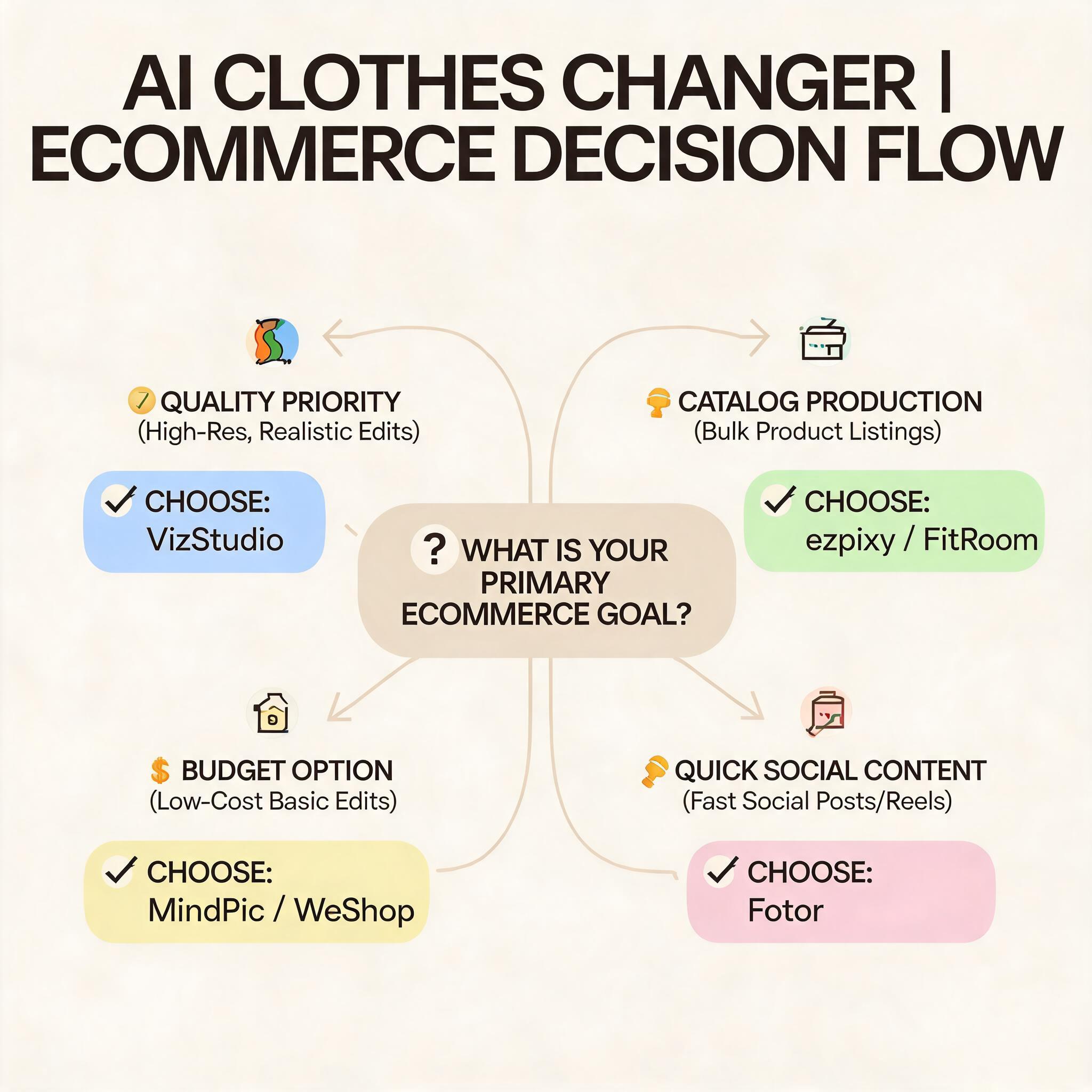
If output quality is your only priority → VizStudio. It consistently produced the most realistic results. The free tier lets you test with your own products before paying.
If you're producing a full catalog → ezpixy or FitRoom. ezpixy has the better workflow (integrated background removal and batch processing). FitRoom has slightly better raw output but costs more and lacks the surrounding tools.
If budget is tight → MindPic AI (free) or WeShop AI ($10/month). You'll trade quality for price. Acceptable for low-stakes use cases.
If you just need quick social content → Fotor. Fast, familiar, but don't use it for product pages.
How to test these tools with your own products
Don't trust my ranking blindly. Every tool performs differently on different garment types. Here's my recommended 15-minute test:
- Pick your three most challenging products (stripes, sheer fabric, dark colors)
- Create accounts on the top 3 tools (VizStudio, FitRoom, ezpixy — all have free tiers or trials)
- Upload the same photos to all three
- Compare necklines, cuffs, and fabric texture side by side
- Pick the one that works for *your* products, not the one that ranked highest in my test
FAQ
Do I need special photos to use an AI clothes changer?
No. Clean flat lays or mannequin shots on plain backgrounds work best. Avoid harsh shadows, cluttered backgrounds, and extreme angles. The better your input, the better the output — but you don't need studio-grade photography.
Can AI clothes changers replace a photo studio entirely?
For routine catalog imagery — yes. Many brands have eliminated 80-90% of studio shoots for product listings. Hero images and creative campaigns still benefit from professional photography.
How long does it take to process one image?
6-18 seconds depending on the tool. Batch processing 20-50 images takes 3-10 minutes.
Will the AI-generated images pass marketplace requirements?
Yes, if you process them through proper white-background tools afterward. Most AI clothes changers don't generate pure white backgrounds natively — you'll need a separate step for Amazon compliance.
Do I need to sign up to use these tools?
It depends on the tool. Some like MindPic and insMind let you upload and download without any registration. Others require at least an email. I've covered the best no-sign-up AI clothes changer tools here if skipping registration is your priority. For a comparison focused on browser-based tools with zero downloads, see my AI clothes changer online free comparison.
Ready to speed up your image workflow?
Generate AI fashion models, product photos, and virtual try-on images in minutes.