A surprising number of AI clothes changer tools require you to create an account before you can even test whether they work on your photos. I wanted to find the ones that don't.
I spent a day testing AI clothes changers that claim to work without sign-up. Some delivered impressive results in seconds with zero friction. Others required email registration after a single image, or pushed watermarked previews unless you logged in. Here's what I found after testing each tool's actual onboarding flow.
Why "no sign up" matters for AI clothes changer tools
When you're evaluating AI clothes changer tools for your product photography workflow, every extra step between you and a usable result adds friction. Creating an account — even a free one — introduces:
- Decision overhead: Should I use my work email? Personal email? Google sign-in? Create yet another password?
- Privacy concern: Do I want another company storing my email and maybe my uploaded photos?
- Time cost: Email verification, onboarding tours, profile setup — these add 2-5 minutes per tool
- Commitment barrier: Creating an account feels like a commitment. If you're evaluating 5-6 tools, that's 5-6 accounts you'll need to remember and eventually delete
For ecommerce sellers testing AI clothes changers for the first time, the "no sign up" workflow is critical. You want to upload a product photo, see the result, and decide if the tool works for your specific garments — without committing to yet another SaaS account.
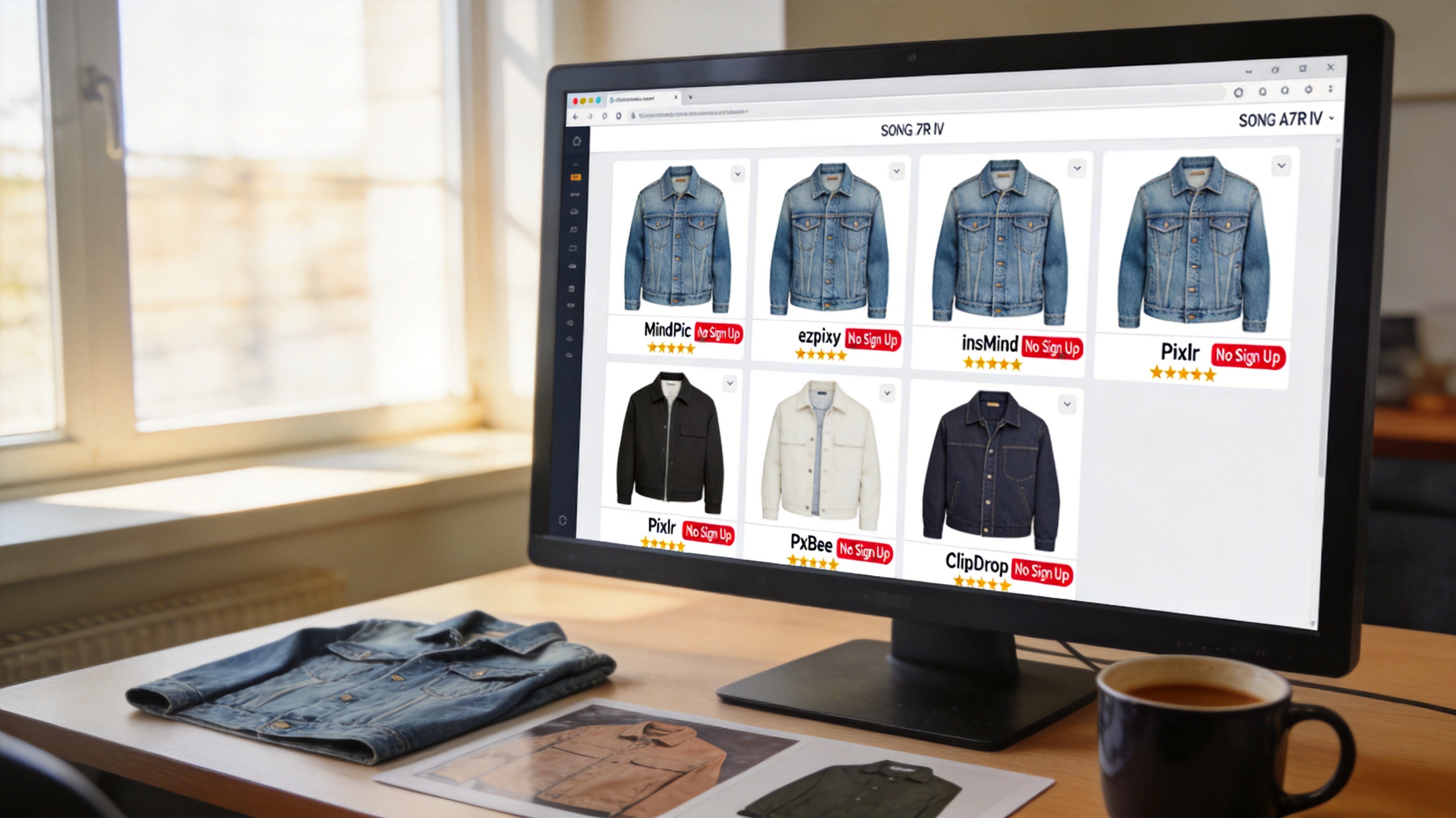
How I tested
Every tool was evaluated on the same criteria:
| Criterion | Weight | What I checked |
|---|---|---|
| Can I test without signing up? | **40%** | Upload → result without any account creation |
| Output quality | **30%** | Fabric realism, edge quality, natural lighting |
| Free tier usefulness | **20%** | How many images before hitting a paywall or sign-up wall |
| Speed | **10%** | From opening the URL to downloading a usable image |
I used the same three test images across every tool — a denim jacket flat lay, a striped shirt on a mannequin, and a floral dress on a hanger.
Tools that let you start without signing up
1. MindPic — Truly no sign-up, best for quick tests
MindPic is the easiest tool to start using. Open the URL, upload a photo, and you get a result. No email, no Google sign-in, no popup asking you to create an account on the third use.
What I liked:
- Zero registration — no email, no password, no social login
- 5 free images per day with no watermark
- Clean interface, straightforward upload-and-go workflow
- Results are decent for simple garments (solid colors, clean backgrounds)
What frustrated me:
- 5 images per day is limiting if you're evaluating multiple garments
- Struggles with complex textures and patterned fabrics
- No batch processing on the free tier
- Output resolution is lower than premium tools
Best for: Quick one-off tests and casual use. If you want to see what an AI clothes changer can do with your specific product photos, MindPic is the fastest way to find out — no commitment required.
2. ezpixy — Email sign-up, but worth the 30 seconds for apparel
ezpixy requires an email to create a free account, but there's no credit card, no email verification delay, and no approval process. You enter an email, set a password, and you're in.
What I liked:
- 20 free images per month — generous for evaluation
- Purpose-built for apparel (handles fabric edges well)
- Browser-based batch processing on the free tier
- Output is marketplace-ready (2048px, no watermark)
- Dedicated white background mode for Amazon/Shopify compliance
What frustrated me:
- Requires email registration (no Google sign-in option)
- 20 images/month is good for testing but tight for production
Best for: Apparel ecommerce sellers who are evaluating a dedicated tool. The 20 free images let you run a meaningful test across different garment types. If you're serious about using AI clothes changing for your catalog, ezpixy is worth the email.
3. insMind — No sign-up, limited but functional
insMind offers a true no-sign-up experience. Open the site, upload a photo, and process it immediately. No account creation asked.
What I liked:
- Completely free to start — no registration at all
- 3-5 free images per day
- Simple interface, easy to navigate
- Decent quality for basic garments
What frustrated me:
- Limited to 3-5 images per day
- No batch processing
- Output quality is inconsistent — some images look great, others have visible artifacts
- Watermark on lower-resolution exports
Best for: Spare-of-the-moment tests when you just need to see one or two results quickly.
4. Pixlr — Email sign-up, robust feature set
Pixlr requires an email to create a free account but offers a full photo editing suite alongside AI clothes changing.
What I liked:
- Generous free tier with substantial features
- Built-in photo editor for post-processing
- Good quality output for structured garments
- Browser-based, no download required
What frustrated me:
- Requires email registration
- The AI clothes changer is one feature among many — the UX isn't specialized
- Batch processing requires paid upgrade
Best for: Users who already have a Pixlr account or want a combined editing + AI tool. Not ideal if you only need AI clothes changing.
5. PxBee — Significant free tier, but app-dependent for best results
PxBee offers a generous ~50 free images per month with email sign-up. The browser version works but the best features (including batch processing) require the desktop app.
What I liked:
- ~50 free images per month is the most generous free tier
- Good output quality for a wide range of garments
- Desktop app handles batch processing well
What frustrated me:
- Requires email registration
- Best features are in the desktop app, not the browser
- The browser version is limited compared to the app
Best for: Users who don't mind installing a desktop app and want the most free images per month.
6. ClipDrop — No sign-up, excellent quality, limited free uses
ClipDrop (by Stability AI) offers true no-sign-up access with excellent quality output. You can upload and process without any account.
What I liked:
- No registration required
- Excellent output quality — best fabric realism among no-sign-up tools
- Clean, professional UI
- Stable diffusion-powered, handles complex garments well
What frustrated me:
- Very limited free tier — effectively 1-2 images before hitting limits
- Requires a paid plan for any meaningful use
- No batch processing on free tier
- Focused on general image generation, not specialized for apparel
Best for: A quick quality benchmark. Use ClipDrop to see what high-end AI clothes changing looks like, then find a more practical tool for regular use.
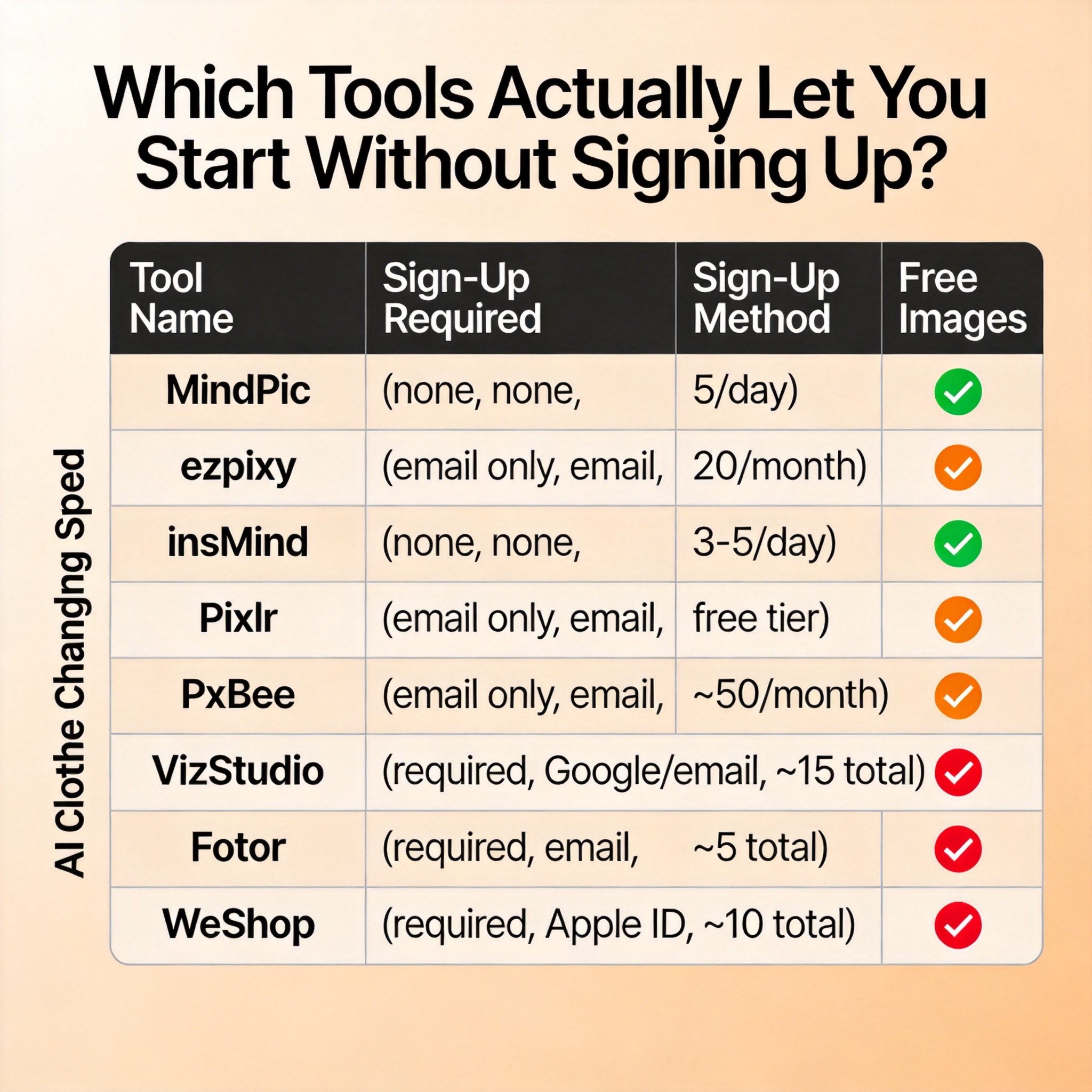
Comparison table
| Tool | Sign-Up Required | Sign-Up Method | Free Images | Batch Mode | Quality | Best For |
|---|---|---|---|---|---|---|
| MindPic | None | — | 5/day | No | ★★★ | Quick tests |
| ezpixy | Yes | Email only | 20/month | Yes (browser) | ★★★★ | Apparel evaluation |
| insMind | None | — | 3-5/day | No | ★★★ | One-off tests |
| Pixlr | Yes | Email only | Free tier | Paid only | ★★★★ | Combined editing |
| PxBee | Yes | Email only | ~50/month | Desktop only | ★★★★ | Large free volume |
| ClipDrop | None | — | 1-2/session | No | ★★★★★ | Quality benchmark |
When to choose which tool
The right tool depends entirely on what you're trying to do:
If you want to quickly test AI clothes changing with zero commitment: Start with MindPic or insMind. Open the URL, upload a photo, see the result — no account needed. This takes 30 seconds total.
If you're evaluating for serious ecommerce use: Sign up for ezpixy with your email. The 20 free images let you test across multiple garment types, and batch processing shows you what production-scale work looks like. The output is marketplace-ready without watermarks.
If you want to see what the best possible quality looks like: Try ClipDrop for one or two images. The quality ceiling is the highest, but the practical usefulness is limited by the tiny free tier.
If you need maximum free volume: PxBee's ~50 free images per month gives you the most room to experiment. Just keep in mind that batch processing requires installing the desktop app.
If you already have a photo editing workflow: Pixlr might make sense if you want to keep everything in one tool. The free tier is generous enough for evaluation, and the built-in editor can replace a separate post-processing step.
The two-workflow strategy that most sellers use
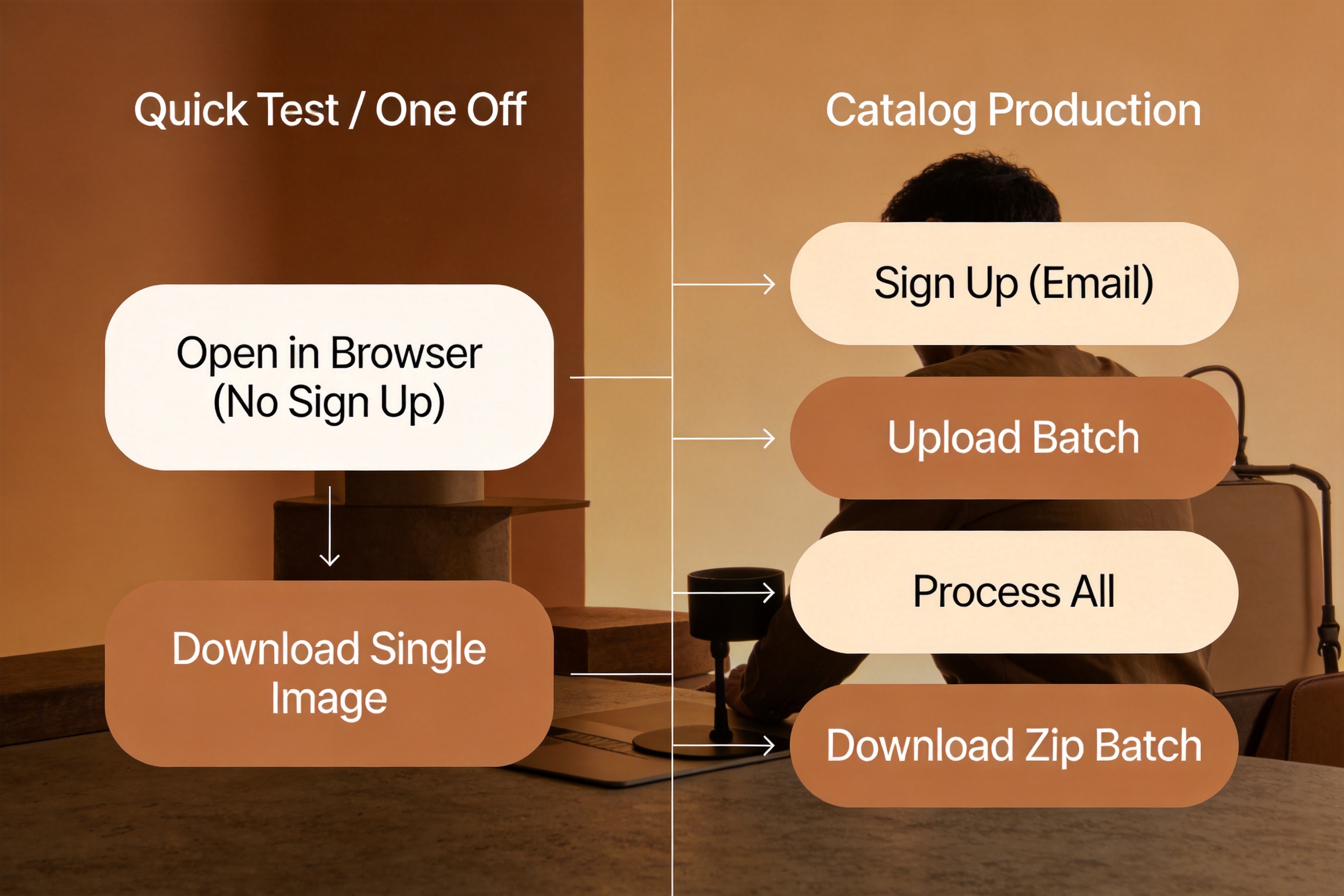
After testing all these tools, I've found that the most practical approach uses two tiers:
Quick tests (no sign-up): Keep MindPic or insMind bookmarked for ad-hoc use — a new product arrives, you want to quickly see how AI clothes changing would look, and you don't want to log into anything. This workflow handles the "I just need to see one image" use case.
Catalog production (email sign-up): Use ezpixy or PxBee for actual catalog work. The 30-second sign-up buys you meaningful free volume, batch processing, and marketplace-ready output. For the tools that require sign-up, the trade-off is worth it when you're generating more than a handful of images.
FAQ
Do I really need to create an account for any AI clothes changer?
Most tools with meaningful free tiers require at least an email sign-up. For truly no-sign-up use, MindPic and insMind are your best options — both let you upload and download without any account creation.
Is it safe to upload product photos to no-sign-up tools?
Treat any tool the same way: don't upload proprietary designs or unreleased products. For existing catalog items that are already live on your store, the risk is minimal. Check the privacy policy of any tool you use regularly.
Which no-sign-up tool has the best quality?
ClipDrop has the best output quality among truly no-sign-up tools, but its free tier is so limited (1-2 images per session) that it's only useful for a quick benchmark. For practical use, ezpixy (email sign-up) delivers the best balance of quality and free volume.
How many free images can I get without signing up anywhere?
With MindPic (5/day) and insMind (3-5/day), you can test roughly 8-10 images per day across both tools without creating a single account. That's enough to evaluate whether AI clothes changing will work for your specific products.
Can I use these tools on my phone?
Yes — all the tools listed work in a mobile browser. MindPic and insMind are particularly mobile-friendly since they require no sign-up and have simple upload-to-download workflows that work well on smaller screens.
What happens after I use up the free images?
Each tool handles limits differently. MindPic resets daily (5 images per day). ezpixy resets monthly (20 images per month). Most tools will prompt you to upgrade to a paid plan or create an account when you hit the limit. For casual use, the daily resets on no-sign-up tools are usually sufficient.
Verdict
If you want zero commitment, MindPic is the best truly no-sign-up option — upload, process, download, done. If you're evaluating AI clothes changers for actual ecommerce use, the 30-second email sign-up for ezpixy is worth it: 20 free images per month, browser-based batch processing, and marketplace-ready output.
The key takeaway: don't let "requires sign-up" stop you from testing a tool if it looks like the right fit for your workflow. A 30-second email registration is a small price to pay to find out whether a tool can save you hours of photography time. But if you just want to see what AI clothes changing looks like with your own photos, there are solid no-sign-up options that let you do exactly that.
For a broader comparison of AI clothes changer tools including paid options, read my full review and ranking. To learn how AI clothes changing works alongside virtual try-on for apparel ecommerce, see AI clothes changer vs virtual try-on.
Ready to speed up your image workflow?
Generate AI fashion models, product photos, and virtual try-on images in minutes.