
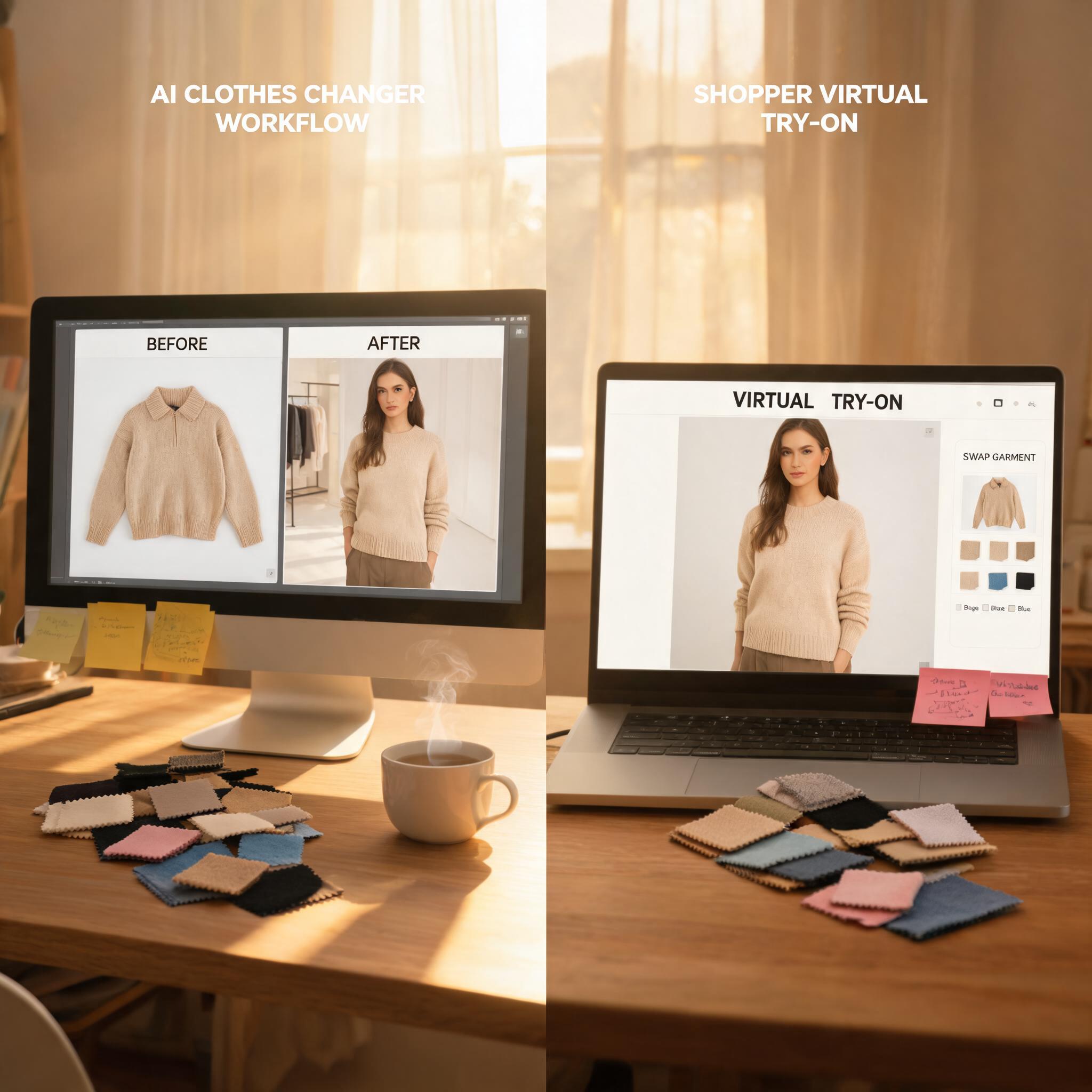
If you're evaluating AI clothes changer vs virtual try on for your store, the short answer is this: they solve different jobs. An AI clothes changer is mainly a content production workflow for merchants. It turns flat lays, mannequin shots, or existing apparel photos into new on-model assets you can use on product pages, marketplaces, and ads. Virtual try-on is mainly a shopping confidence workflow. It helps a customer preview how a garment may look on a person or on themselves before buying. The confusion happens because both workflows place clothing onto a body. But the business outcome, input requirements, and success metrics are different.
For most apparel teams, choosing the right workflow matters because the cost structure is different. If your bottleneck is studio production, reshoots, and launching new SKUs, start with an AI fashion model generator or a production-oriented AI product photo workflow. If your bottleneck is hesitation at the product detail page, outfit exploration, and reducing uncertainty before checkout, focus on virtual try-on for clothing.
The short answer
| Workflow | Best described as | Main user | Typical input | Main output | Best use case |
|---|---|---|---|---|---|
| AI clothes changer | Merchant content production | Ecommerce team | Garment photo, flat lay, mannequin shot, or model reference | New on-model catalog asset | Create PDP, ad, and marketplace images faster |
| Virtual try-on | Shopper decision support | Shopper or merchandising team | Product image plus shopper photo or model photo | Fit-style preview | Help people imagine how the item may look before buying |
If you only remember one thing, remember this: AI clothes changer creates sellable assets; virtual try-on creates decision-support previews.
What an AI clothes changer actually does
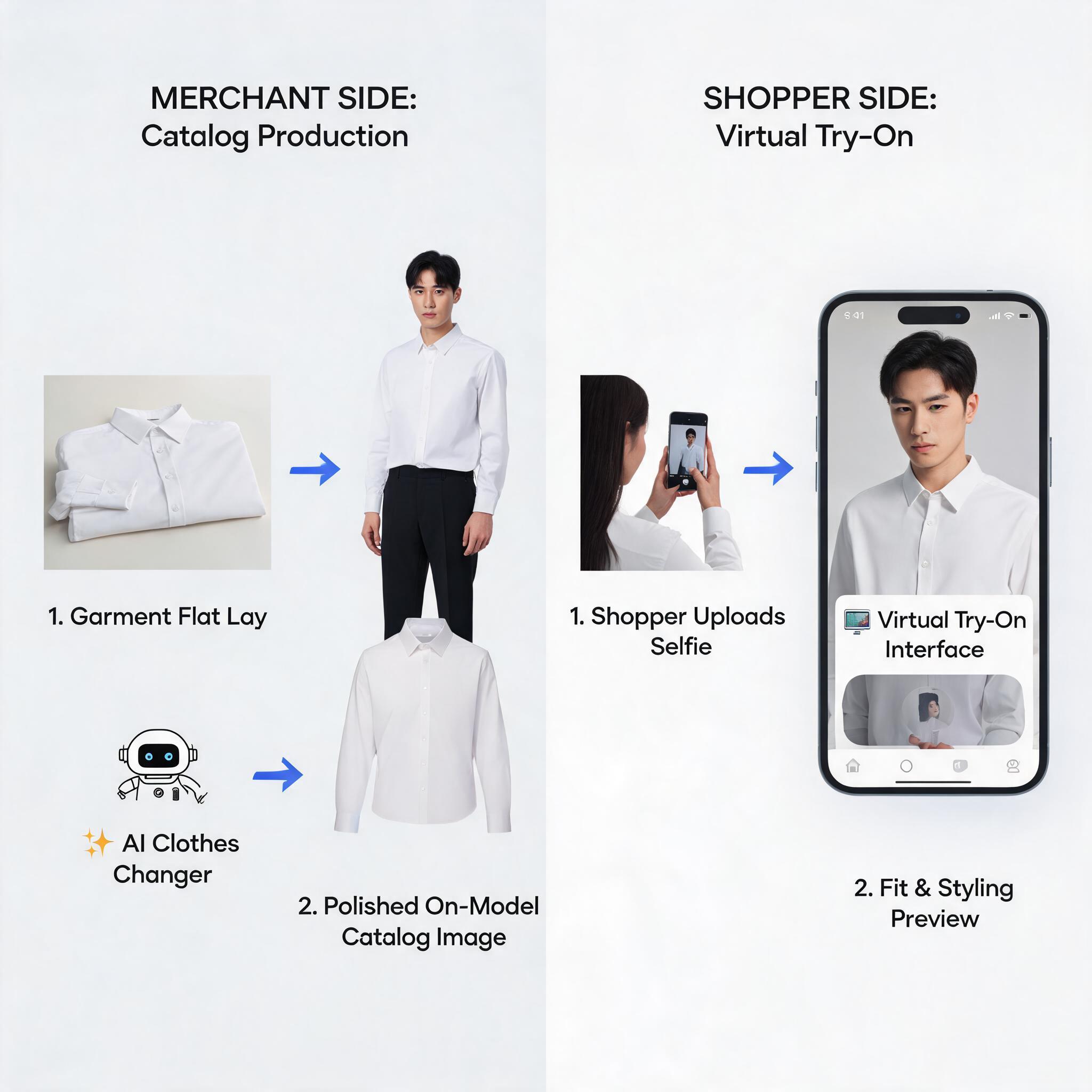
An AI clothes changer starts from the merchant side. You already have a garment photo, a mannequin shot, or a flat lay. The tool maps that clothing onto a model and generates a new image that looks closer to a finished catalog photo. The goal is not "show me what I look like." The goal is "help me publish a clean, consistent product asset without booking another shoot."
That difference changes everything about how you measure quality:
- Garment preservation: Does the neckline, hem, stitching, print placement, and silhouette stay believable?
- Catalog consistency: Can you use the same model direction, crop, and lighting across dozens of SKUs?
- Production speed: Can the team move from input photos to publishable assets in hours instead of weeks?
- Downstream workflow: Can the output feed white background product photos, ads, marketplaces, and email creative?
This is why AI clothes changer tools are often paired with background removal, resizing, and batch export. The buyer never sees the workflow. The ecommerce team does.
What virtual try-on actually does
Virtual try-on starts from the shopping side. The question is not "can my content team ship catalog images faster?" The question is "can a shopper get a better feel for this item before buying?" In practice, that means the output can be less polished than a studio asset but still highly useful if it helps someone understand drape, color, styling direction, or rough fit.
Google's own shopping help documentation describes try-on as a way for shoppers to upload a photo and get a general sense of how apparel may look on them while browsing products in Google Shopping, Search, and Images. Google also explicitly notes that the generated image is a visual representation, not a guarantee of actual fit. That framing matters: virtual try-on is a confidence layer, not a final product image.Google Shopping Help
For a merchant, virtual try-on can be used in two ways:
- Consumer-facing try-on: A shopper uploads or selects a photo and previews the product.
- Internal merchandising try-on: Your team uses model references to compare styling combinations before paying for production.
The first case is about conversion confidence. The second case is about decision speed. Neither is exactly the same as generating a polished catalog hero image.
AI clothes changer vs virtual try-on: the real differences
1. The success metric is different
With an AI clothes changer, success looks like this: your merchandising team publishes more usable images with fewer reshoots. With virtual try-on, success looks like this: a shopper feels more confident clicking "Buy" because the product is easier to imagine on a body.
That is why the same image can fail in one workflow and still succeed in the other. A preview that is helpful enough for a shopper might still be too rough for a marketplace listing. A catalog image that is beautifully art-directed might still fail to help a shopper understand whether the cut works for their body type.
2. The input is different
AI clothes changers usually work best when the merchant controls the input. Clean flat lays, mannequin photos, or standardized product images produce the most consistent outputs. Virtual try-on is usually messier because shopper photos vary: pose, lighting, clothing, camera angle, and background can all affect the result.
Google's requirements for try-on photos underline this challenge. Their guidance asks for good lighting, clean backgrounds, visible hands, and fitted clothing because poor inputs distort the output. That is a shopper-experience constraint, not a studio-production constraint.Google Shopping Help
3. The output is used in different places
AI clothes changer output is often meant for:
- Product detail pages
- Marketplace listings
- Paid social creative
- Email campaigns
- Seasonal landing pages
Virtual try-on output is usually meant for:
- A try-before-you-buy module on the PDP
- A shopping assistant experience
- Merchandising review before a shoot
- Outfit exploration or style discovery
If the output needs to live permanently on your storefront as a hero asset, AI clothes changer is usually the better fit. If the output needs to help a shopper decide in the moment, virtual try-on is usually the better fit.
4. The economics are different
AI clothes changer is usually easier to justify when you have volume. If you are refreshing a catalog, producing color variants, or launching new SKUs every week, reducing studio work has immediate operational value.
Virtual try-on is easier to justify when you already have traffic and want better on-page decision support. It is less about replacing studio cost and more about improving the product discovery and evaluation experience.
The broader ecommerce signal is moving in that direction. NVIDIA's 2026 Zalando case study describes how richer visual merchandising and reusable digital assets helped Zalando speed content production, get products online in 48 hours, and improve add-to-cart rates by 3% to 4% in footwear while reducing returns. The exact stack there is not the same as a simple AI clothes changer or a lightweight virtual try-on widget, but the lesson is relevant: visual confidence and production efficiency are separate levers, and both matter.NVIDIA case study
Where ecommerce teams usually get confused
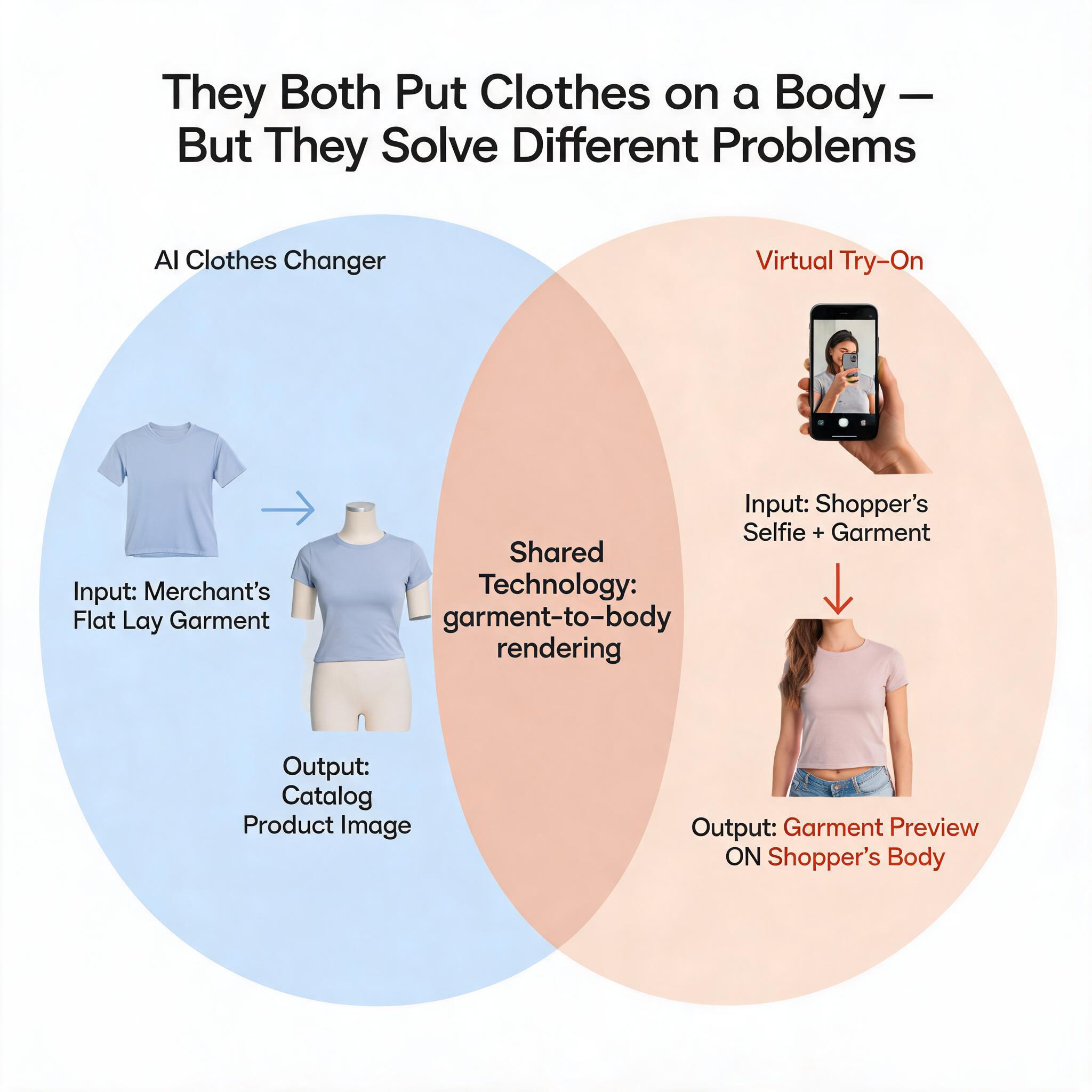
"They both put clothes on a body, so they're basically the same."
This is the biggest misunderstanding. A model-ready catalog image and a shopper preview can look similar at first glance, but they are built for different stakeholders. One is for the merchant's asset pipeline. The other is for the shopper's buying journey.
"If we add virtual try-on, we don't need catalog image production anymore."
Usually false. Virtual try-on does not replace the need for clean storefront assets.
"If we use an AI clothes changer, shoppers will understand fit automatically."
Also false. A clean on-model asset helps, but it does not fully answer the question "Will this look right on me?" If your store serves multiple body types, sizing profiles, or high-consideration fashion purchases, try-on can still add value even after you improve catalog imagery.
Which workflow should you choose?
Choose AI clothes changer first if...
- Your team is still bottlenecked by studio timelines
- You need more on-model images for existing SKUs
- You sell on marketplaces that require consistent image packs
- You need batch production more than interactive shopper tools
This is especially true for smaller ecommerce teams. A practical workflow is often: garment photo in -> AI clothes changer -> review -> background cleanup -> export -> publish. That solves an operations problem immediately.
Choose virtual try-on first if...
- Your traffic is healthy but shoppers hesitate before buying
- Your category depends on styling confidence, not just clean photography
- You want people to explore combinations before checkout
- You already have acceptable catalog images but weak decision-support tools
Virtual try-on is often strongest when you already have good product content and want to add a decision layer on top of it.
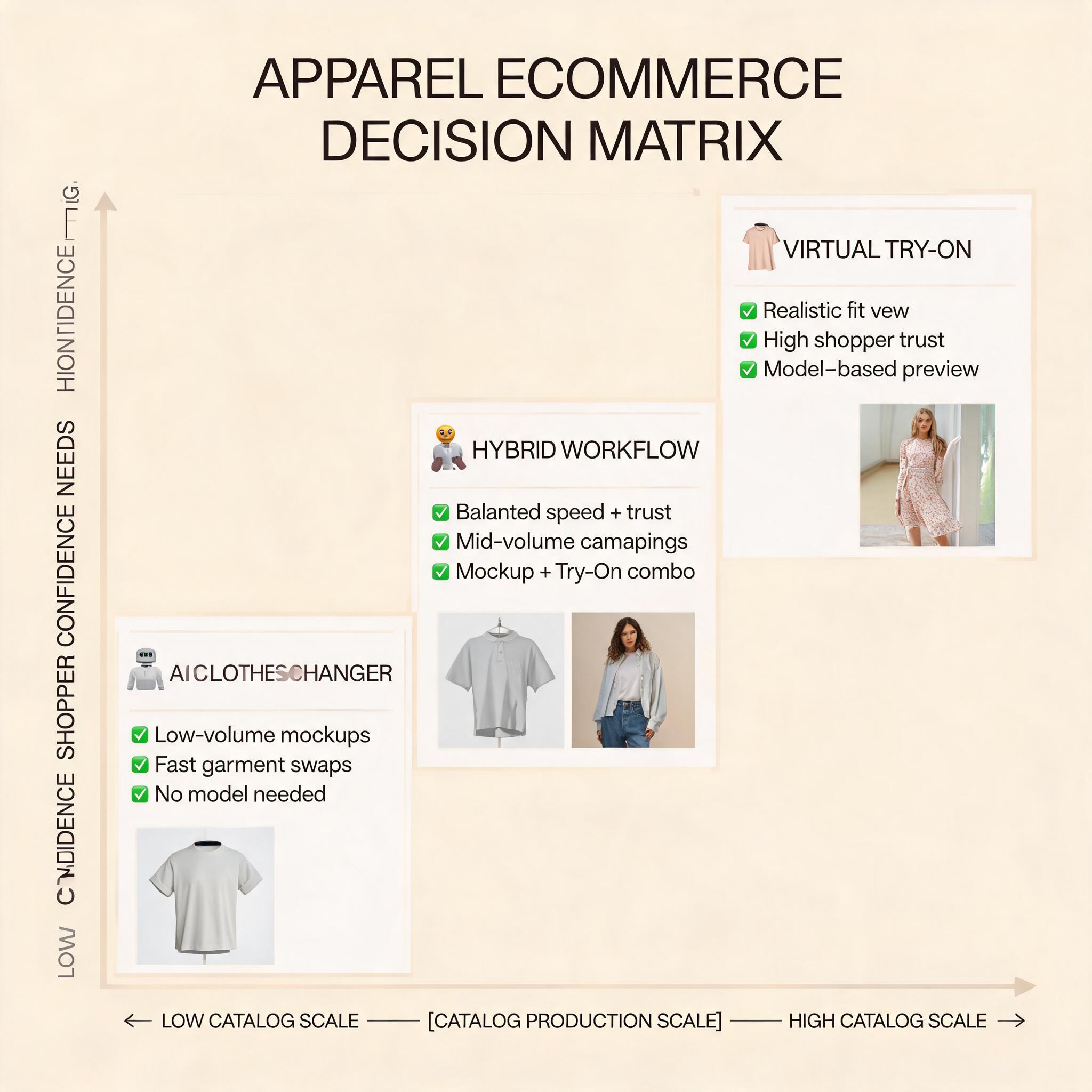
Use both if you are scaling apparel ecommerce
This is where most serious teams end up. The content stack and the conversion stack are related, but they are not identical.
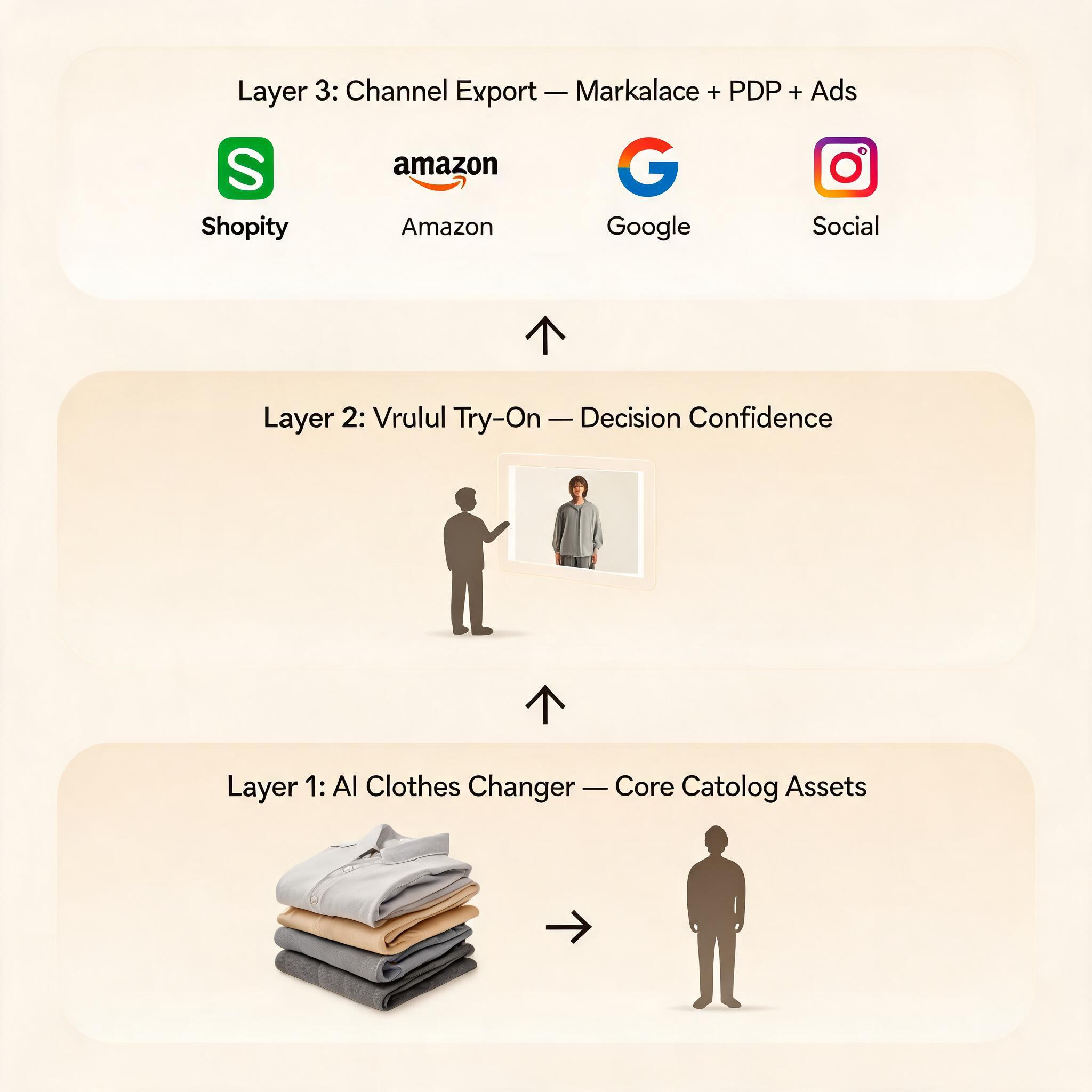
- Use an AI clothes changer to create your core catalog assets.
- Use virtual try-on for clothing where shoppers need extra confidence.
- Feed the best outputs into your AI fashion model generator and AI product photo workflows for channel-specific formats.
- Standardize final export rules for marketplace and PDP use.
That hybrid approach keeps your storefront polished while still giving shoppers a more interactive evaluation experience.
My recommendation for most apparel teams
If you are a small or mid-sized ecommerce team, I would not start with consumer-facing virtual try-on unless your product pages already have strong imagery. Start with the workflow that fixes your most expensive bottleneck.
In practice, that usually means:
- Build a repeatable catalog production flow first.
- Improve garment truth and consistency across every SKU.
- Add white-background and marketplace-safe exports.
- Then layer virtual try-on where it can lift decision confidence on high-consideration products.
Why this order? Because better source assets make everything else better. Cleaner garment photography and stronger product data improve both your AI clothes changer outputs and your virtual try-on previews. If the foundation is weak, both systems struggle.
Final verdict
So, AI clothes changer vs virtual try on is not really a "winner takes all" question. It is a sequencing question.
- If you need to publish more sellable assets faster, choose AI clothes changer first.
- If you need to help shoppers picture the item on a body before purchase, choose virtual try-on first.
- If you are building a more mature apparel stack, use both, but assign each workflow a clear job.
That distinction keeps teams from wasting budget on the wrong problem. Many brands buy a shopper-preview tool when they actually have a production bottleneck. Others generate beautiful catalog images and wonder why customers still hesitate. The answer is usually that they solved only one side of the workflow.
FAQ
Is virtual try-on more accurate than an AI clothes changer?
Not necessarily. They are optimized for different outcomes. AI clothes changers are often better for merchant-controlled, repeatable catalog assets. Virtual try-on is better for shopper-facing previews, but the output depends heavily on photo quality, pose, and the specific implementation.
Can I use virtual try-on images as product page hero images?
You can, but it is usually not the best default. Hero images need consistency, brand control, and channel-safe formatting. Virtual try-on previews are more useful as decision-support modules than as your primary catalog asset source.
Does an AI clothes changer help reduce returns?
Indirectly, yes. Better and more truthful product imagery can reduce expectation gaps. But if your biggest issue is shopper uncertainty around fit or personal styling, a virtual try-on layer may have a more direct effect on that problem.
What should a new apparel brand implement first?
Usually an AI clothes changer or a structured catalog production workflow. New brands often suffer more from content gaps and inconsistent merchandising than from missing interactive try-on features.
When does the hybrid approach make sense?
It makes sense when you have enough catalog volume to justify production automation and enough traffic to benefit from decision-support experiences. That is the point where AI clothes changer and virtual try-on stop competing and start complementing each other. For a practical ranking of browser-based online free tools, see my AI clothes changer online free comparison.
Ready to speed up your image workflow?
Generate AI fashion models, product photos, and virtual try-on images in minutes.