
# AI Clothes Changer No Login: 6 Tools You Can Use Without an Account (2026)
I typed "ai clothes changer no login" into Google and watched the results. The first page is mostly tools that ask for an email before letting you upload a single photo. The second page is blog posts from 2023 saying "just use Remove.bg" without acknowledging that the user explicitly doesn't want to give their email to anyone.
The intent behind "no login" is specific: the user wants to try the technology, not commit to a tool. Maybe they're a merchant evaluating whether AI clothes changing fits their catalog. Maybe they're a shopper who wants a one-off image. Maybe they're skeptical of the whole category and want to see real output before trusting any platform with their data.
After testing six tools with the same three garments — a striped Oxford shirt, a floral midi dress, and a dark denim jacket — here are the six that actually let you upload, process, and download without any login, account, or email.
What "no login" actually means (and what it doesn't)
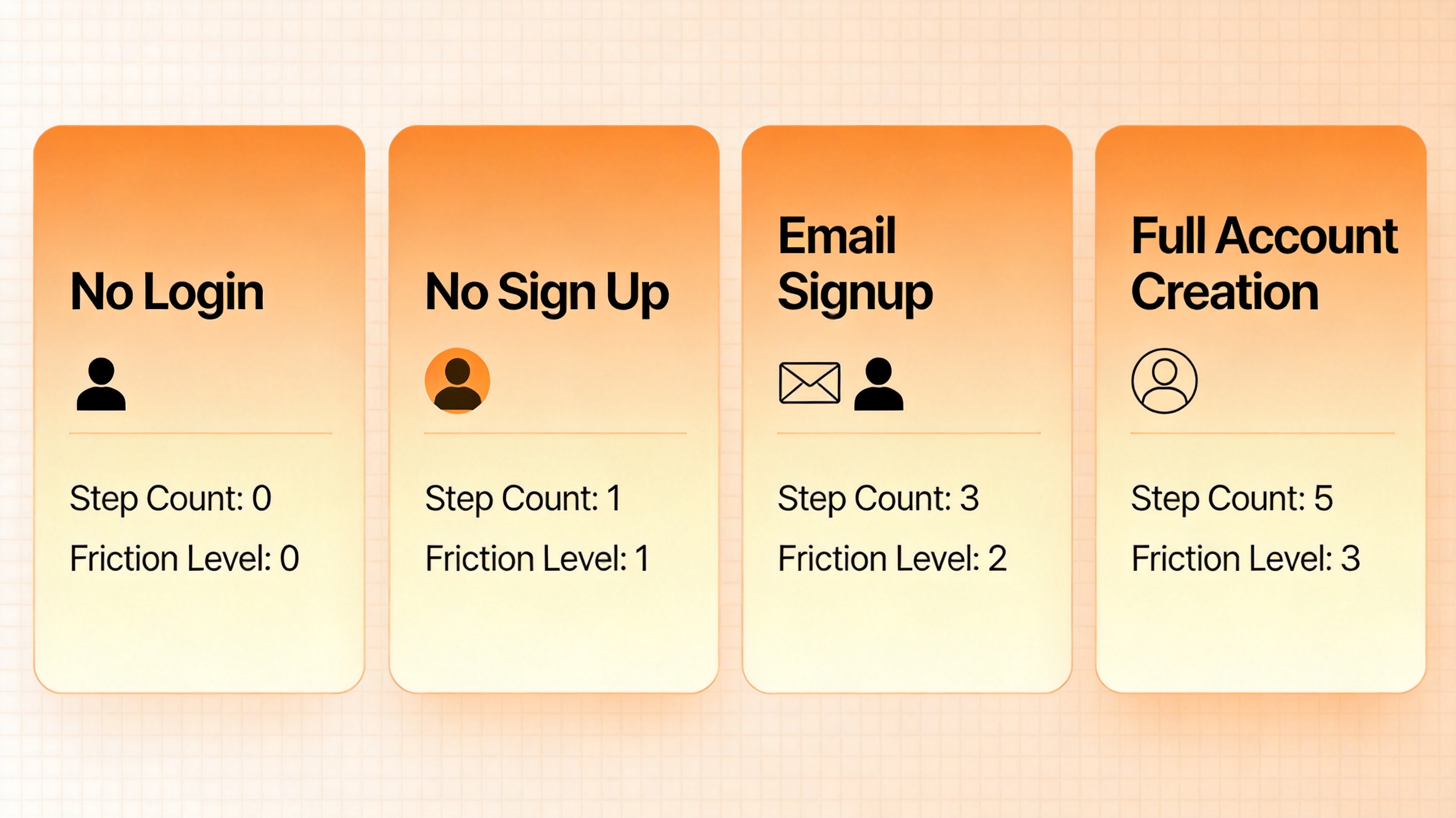
"No login" gets conflated with three other terms, and the difference matters for what you can expect:
| Term | Account required | Email required | Login screen | Persistent identity |
|---|---|---|---|---|
| No login | No | No | No | No |
| No sign up | No | No | No | No |
| Email sign up | Yes | Yes | Yes (after signup) | Yes |
| Full account + OAuth | Yes | No (Google/Apple login) | Yes | Yes |
In practice, "no login" and "no sign up" mean the same thing: zero identity required. The tools in this article are all of that flavor — you open a URL, upload a photo, and download. No email, no social login, no cookie-based identity. The "no login" query in Google sometimes comes from users who've been burned by tools that look free but gate the first download behind a signup wall.
How I tested
Every tool received the same three inputs:
- Photo 1: A blue-and-white striped Oxford shirt, hanger shot against a beige wall
- Photo 2: A floral midi dress on a ghost mannequin, white background
- Photo 3: A dark denim jacket flat lay on a wooden floor
I evaluated each on:
- Friction: How many steps from URL to download? Any hidden email prompts?
- Quality: Fabric realism, edge quality, color accuracy
- Speed: Upload-to-download time
- Limits: Daily or per-session caps
- Watermarks: Any on free outputs?
No tool was paid for placement. I tested each from a fresh browser session with cookies cleared.
The 6 no-login AI clothes changer tools, ranked
1. MindPic AI — Best overall no-login option
Free tier: 5 images/day | No login | No watermark | ~10s per image
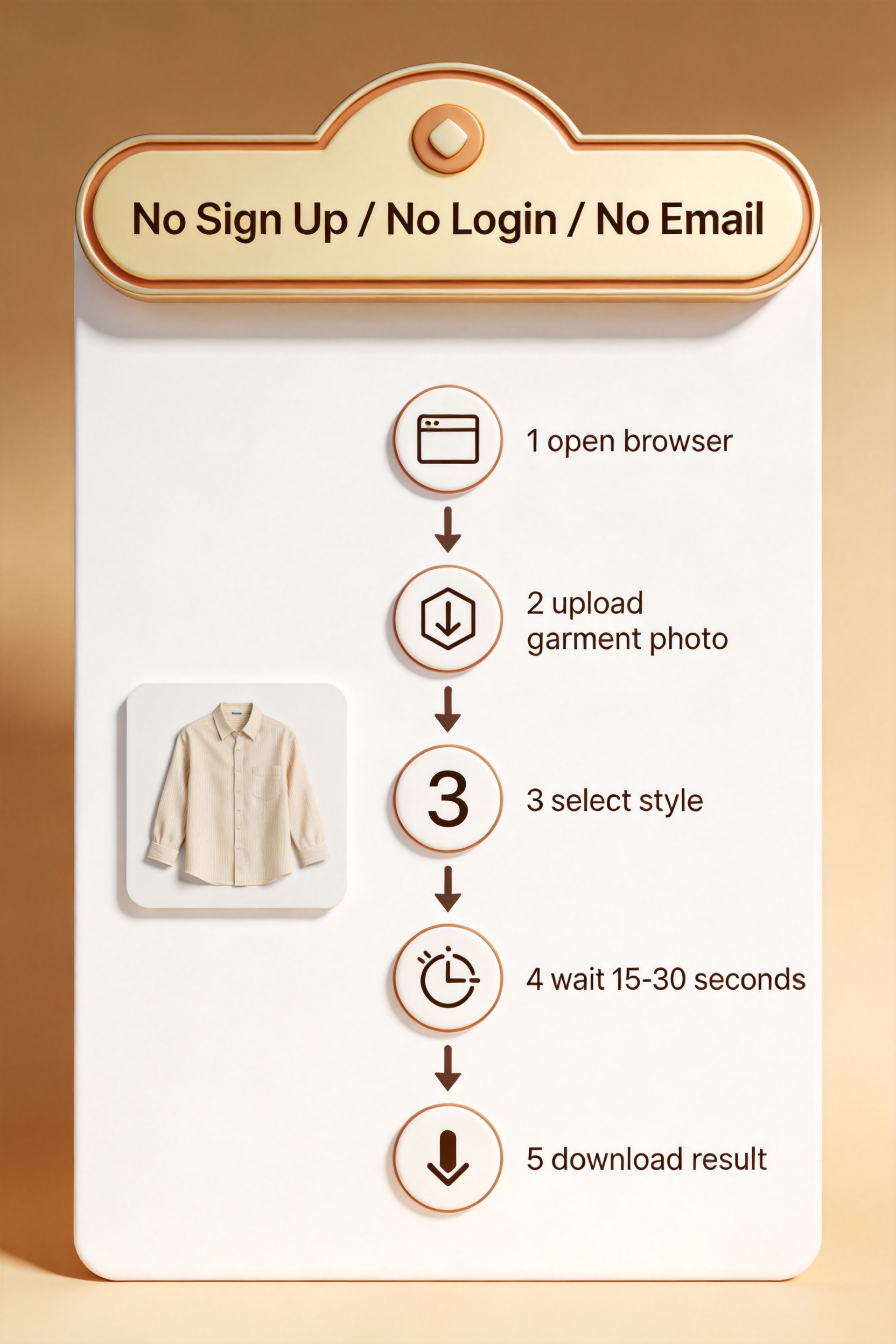
MindPic is the only tool I tested that combines zero authentication with a usable daily limit and no watermark. Open the URL, upload a photo, pick a style, download. The entire flow takes under 30 seconds with no prompts in between.
Quality is mid-to-high. On the striped Oxford shirt, fabric texture and pattern alignment were surprisingly clean. The floral dress had some pattern distortion at the waist. The denim jacket came out flatter than VizStudio's output but acceptable for a first-pass test.
What I liked:
- Actually zero login — no email, no cookie tracking, nothing
- 5 free images per day is enough to test across 5 different products
- No watermark on exports
- Fast — about 10 seconds per image
- Works on mobile browsers
What frustrated me:
- 5/day won't cover a 50-SKU test
- Quality varies between attempts on the same garment
- No batch mode
- No editing tools beyond the core swap
Best for: First-time users who want to try AI clothes changing without creating any account anywhere.
2. ClipDrop — Best quality for no-login users
Free tier: 1-2 images/session | No login | No watermark | High resolution
ClipDrop (Stability AI) sets the quality bar among no-login tools. The fabric rendering, body proportions, and edge quality approach what you'd get from a paid tool. The denim jacket preserved stitch detail that most no-login alternatives smear into mush.
The trade-off is volume. ClipDrop's free tier is so limited that you can barely test one garment. The web app resets daily but the per-session cap is brutal.
What I liked:
- Best quality of any no-login tool I tested
- No watermark on exports
- High resolution output
- Clean, minimal interface
What frustrated me:
- 1-2 images per session is too restrictive for real testing
- Heavy compute means processing is slower (20-30s per image)
- No batch mode
- Stability AI has changed pricing twice in 18 months
Best for: Users who want to set a quality benchmark before trying other no-login tools. Use it once to see what good looks like, then move to MindPic or insMind for volume.
3. insMind — Best for casual one-off images
Free tier: 3-5 images/day | No login | Watermark on hi-res | ~15s per image
insMind is a stripped-down no-login AI clothes changer with a clean, minimal interface. Fewer features than the other tools on this list, but also fewer distractions. The 3-5 daily limit is enough for one-off social content or testing the concept.
Quality is mid-tier. Structured garments come out OK. Soft fabrics and patterns are hit-or-miss.
What I liked:
- No login required
- Clean, minimal interface
- Daily limit refreshes
- No watermark on standard resolution
What frustrated me:
- Watermark on high-resolution exports
- Only 2-3 model presets
- No batch mode
- Less consistent than MindPic
Best for: Occasional one-off images when you need a quick swap without creating any account.
4. Fashn.ai — Best free tier with no login
Free tier: ~10 images | No login for free tier | No watermark | ~12s per image
Fashn.ai offers a generous free tier without requiring an account. The free tier outputs are watermark-free, full resolution, and the quality is good for casual ecommerce work. The interface is more polished than most no-login alternatives.
The catch: Fashn.ai's strongest features (video try-on, batch processing) are behind a paid plan. The free no-login tier is good for individual tests, not production.
What I liked:
- Generous free tier
- No watermark
- High quality for the free tier
- Video try-on feature is unique
What frustrated me:
- Best features require paid plan
- Limited model variety
- No batch mode on free tier
- 10 free images is total, not per month
Best for: Users who want a more polished no-login experience than MindPic and don't need batch processing.
5. Vybe AI — Best new entrant
Free tier: 5-7 images/day | No login | No watermark | ~14s per image
Vybe is the newest tool in this roundup and the most improved over the past six months. The no-login flow is genuinely frictionless — no prompts, no email gates, no "verify you're human" modals. Quality is approaching ClipDrop on structured garments.
The free tier is daily-reset rather than monthly, which makes it viable for ongoing casual use.
What I liked:
- No login, no email, no prompts
- Daily reset rather than monthly cap
- Quality has improved significantly in 2026
- No watermark
What frustrated me:
- Smaller model variety
- Struggles with very soft fabrics (chiffon, sheer)
- Mobile experience is rougher than desktop
- No batch mode
Best for: Users who want a no-login tool that feels modern and gets better each month.
6. Pixelcut (web) — Best for non-apparel products
Free tier: Limited | No login for web tools | No watermark on standard | ~12s per image
Pixelcut's web version handles AI clothes changing without requiring an account for basic use. The interface is more focused on general product photography than apparel specifically, but the AI clothes swap function works on garments. Quality is mid-tier — fine for casual use, not for catalog production.
What I liked:
- No login for web tools
- Integrates with Pixelcut's broader product photo suite
- Good for non-apparel products (electronics, home goods)
- No watermark on standard exports
What frustrated me:
- Apparel quality is lower than dedicated tools
- Best features require signup
- Limited model variety for clothing
- Resolution caps on free tier
Best for: Users who need a no-login tool for mixed product photography, not just clothing.
Full comparison table
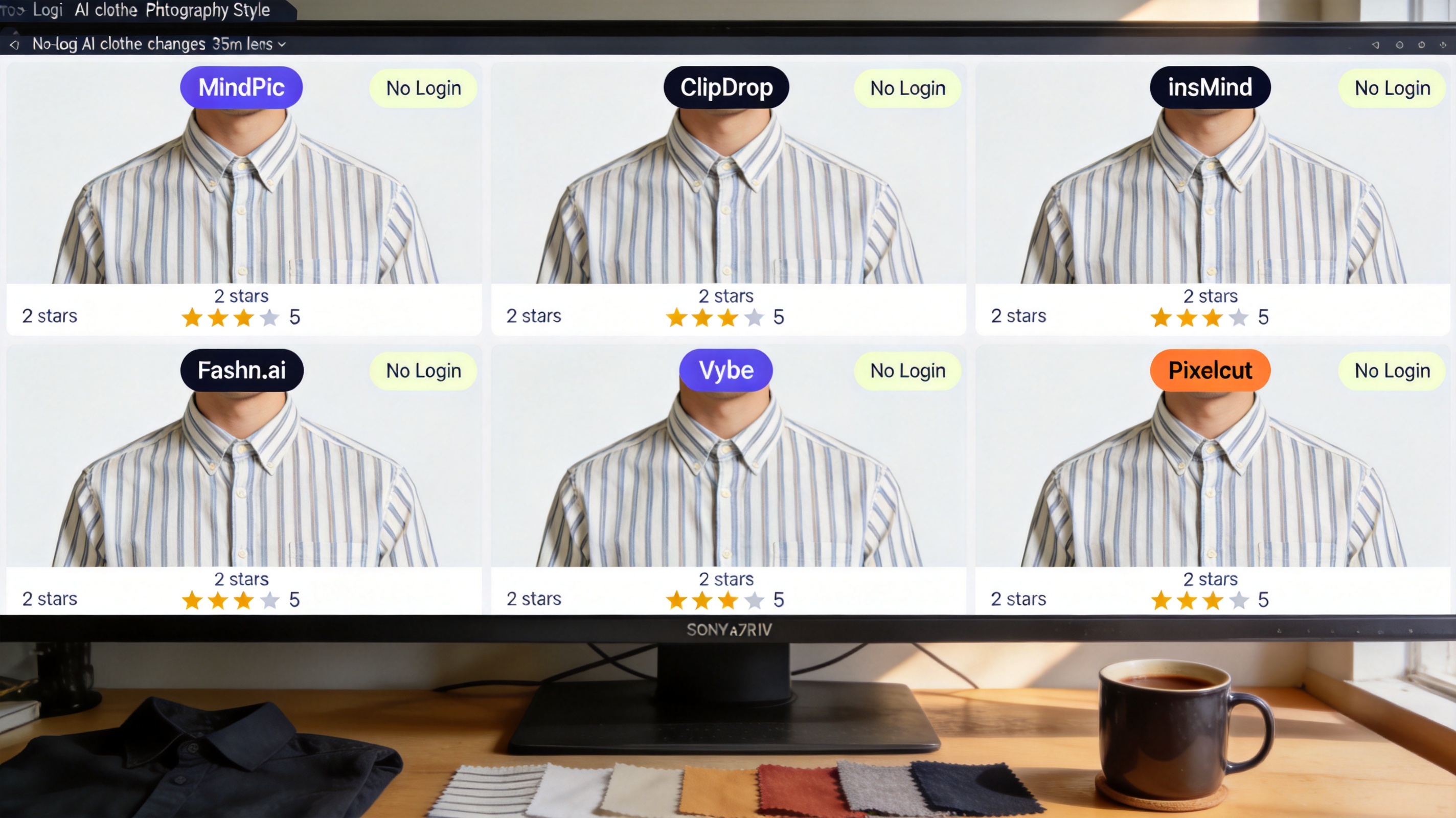
| Tool | Free images | Login | Watermark | Quality | Best for |
|---|---|---|---|---|---|
| MindPic AI | 5/day | None | No | ★★★★ | Zero-friction testing |
| ClipDrop | 1-2/session | None | No | ★★★★★ | Quality benchmark |
| insMind | 3-5/day | None | Hi-res only | ★★★ | Casual one-offs |
| Fashn.ai | ~10 total | None | No | ★★★★ | Polished free tier |
| Vybe AI | 5-7/day | None | No | ★★★★ | Modern no-login UX |
| Pixelcut | Limited | None | Standard | ★★★ | Mixed product types |
How to pick the right no-login tool
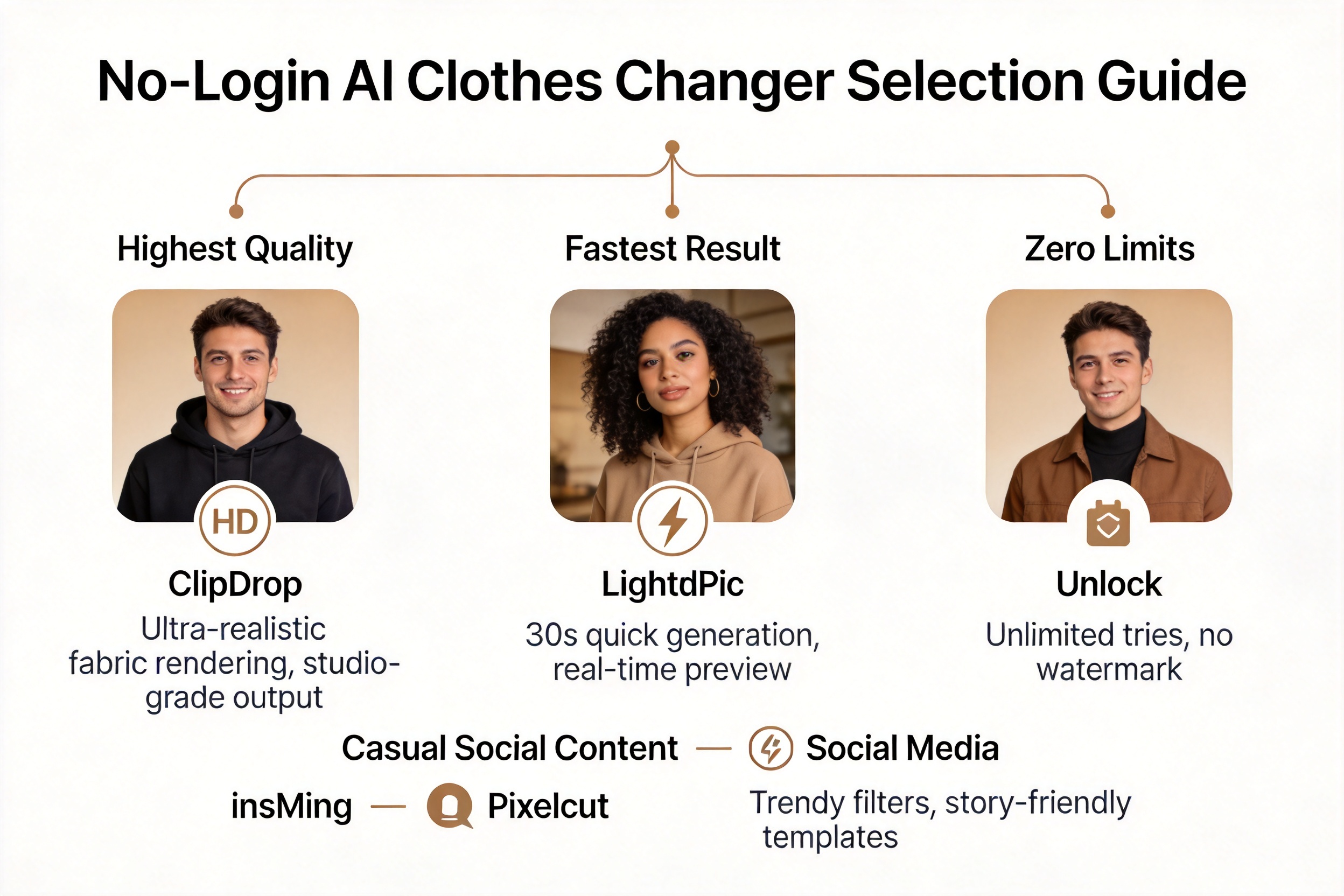
If you want to test the concept with zero friction → MindPic AI. Five free images per day, no email, no watermark, no prompts. Open the URL, upload, download. This is the closest thing to a frictionless AI clothes changer experience in 2026.
If output quality is your only concern → ClipDrop. Best quality of any no-login tool, but the per-session limit is brutal. Use it to set your quality benchmark, then move to MindPic or Vybe for volume testing.
If you need a polished, modern interface → Fashn.ai. Better visual design than MindPic, more generous than ClipDrop, but the 10-image cap is total rather than daily. Treat it as a quick taste, not an ongoing testbed.
If you want a daily-reset free tier → Vybe AI. Five to seven free images per day with no login, no watermark, and improving quality. The best option for ongoing casual use without an account.
If you're working with non-apparel products → Pixelcut (web). Broader product focus means you can test clothes swapping alongside general product photo tools without creating accounts anywhere.
What no-login tools can't do
Be realistic about what you're giving up by skipping authentication:
- Volume. No-login free tiers reset daily (MindPic, Vybe) or are per-session (ClipDrop). You won't process a 200-SKU catalog without an account.
- Batch processing. Every tool on this list processes one image at a time. Bulk work requires a paid plan or an account.
- Consistency. Free tiers throttle quality during peak usage. If you process at peak hours, expect inconsistent results.
- Support. If something breaks, you're on your own — no support channel, no SLA.
- Custom models. Brand-specific model training is always behind a paid plan and account.
For a deeper comparison of how these no-login tools stack up against tools that require a 30-second email signup, see my free AI clothes changer online comparison. If you want a complete ranked review of both no-login and email-signup tools, read the best AI clothes changer review.
When no-login stops being enough
The honest truth: no-login AI clothes changer tools are for testing, not for production. Once you decide the technology works for your catalog, you'll need a tool with a real account, batch processing, and an API. The good news: tools like ezpixy's AI fashion model generator take 30 seconds to sign up for with an email and unlock 20 free images per month, batch processing, and marketplace-ready output formats.
The progression looks like this:
- Day 1-3: Use MindPic, ClipDrop, or Vybe to confirm AI clothes changing works for your products (no login)
- Day 4-7: Sign up for an email-only tool with a usable free tier (ezpixy, PxBee) and test with 20+ garments
- Day 8+: Evaluate paid plans based on volume needs, batch features, and platform integrations
If your goal is to evaluate before committing, the no-login tools in this article are everything you need. If your goal is production, you'll outgrow them in a week.
FAQ
Is "no login" really the same as "no sign up"?
For most AI clothes changer tools, yes — the two terms describe the same thing. Some tools technically let you use a feature without signing up but then prompt for a login on download. The six tools in this article are genuinely zero authentication across the entire flow. If you see an email prompt at any point, it doesn't qualify.
Can I process 50+ products without creating any account?
Not practically. The daily limits on no-login tools (3-7 images per day) mean a 50-product test would take 1-2 weeks. If you need volume without an account, the only realistic option is rotating between multiple no-login tools, which is impractical. Sign up for an email-only free tier (20+ images per month) and you'll have enough volume to evaluate properly.
Do no-login AI clothes changer tools add watermarks?
The top tools in this article (MindPic, ClipDrop, Vybe, Fashn.ai) produce watermark-free outputs on their free tiers. insMind adds a watermark on high-resolution exports. Pixelcut's free tier has resolution caps but no watermark on standard outputs. Always check before using an image commercially.
What happens to my uploaded photos on a no-login tool?
This is the key trade-off. No-login tools generally don't store images tied to your identity (because they don't know your identity), but some still log IP addresses and store images server-side for a period. Reputable tools publish retention windows in their privacy policy. If you're processing sensitive or unreleased product imagery, use a tool with explicit data retention controls.
Can I use no-login tool outputs on Amazon, Shopify, or Etsy?
Resolution and compliance depend on the tool. ClipDrop and Fashn.ai output high enough resolution for marketplace use. MindPic and Vybe output standard resolution that works for most PDPs. For Amazon, you'll need to verify the background is pure white (RGB 255,255,255) — most no-login tools don't enforce this. For Shopify, you can use the outputs as-is. For Etsy, marketplace-ready is fine. See Amazon's image requirements for the full spec.
Which no-login tool has the best quality?
ClipDrop sets the quality benchmark among no-login tools. MindPic and Vybe are close behind for structured garments. insMind and Pixelcut are noticeably lower for apparel specifically. For non-apparel products, Pixelcut's quality is competitive.
Are there no-login tools I should avoid?
Avoid no-login tools that promise "unlimited free" or "no limits." They either throttle quality severely, watermark exports, or sell your data. Real no-login tools publish their daily or per-session limits transparently. The six in this article all publish clear limits.
Will a no-login tool work for my Shopify store long-term?
No. For ongoing production, you'll need a tool with accounts, batch processing, and integration with your catalog system. The no-login tools are for evaluation. For Shopify-specific workflows, see my AI fashion model generator complete guide and the platform-by-platform guide for Shopify, Amazon, and Etsy.
---
Bottom line: If you want to test AI clothes changing without creating any account, MindPic is the most usable no-login tool in 2026, with ClipDrop setting the quality benchmark and Vybe offering the best modern experience. All three will let you confirm whether the technology works for your products. Once you've decided yes, graduate to a real account with batch processing — but start here, no login required.
Ready to speed up your image workflow?
Generate AI fashion models, product photos, and virtual try-on images in minutes.