
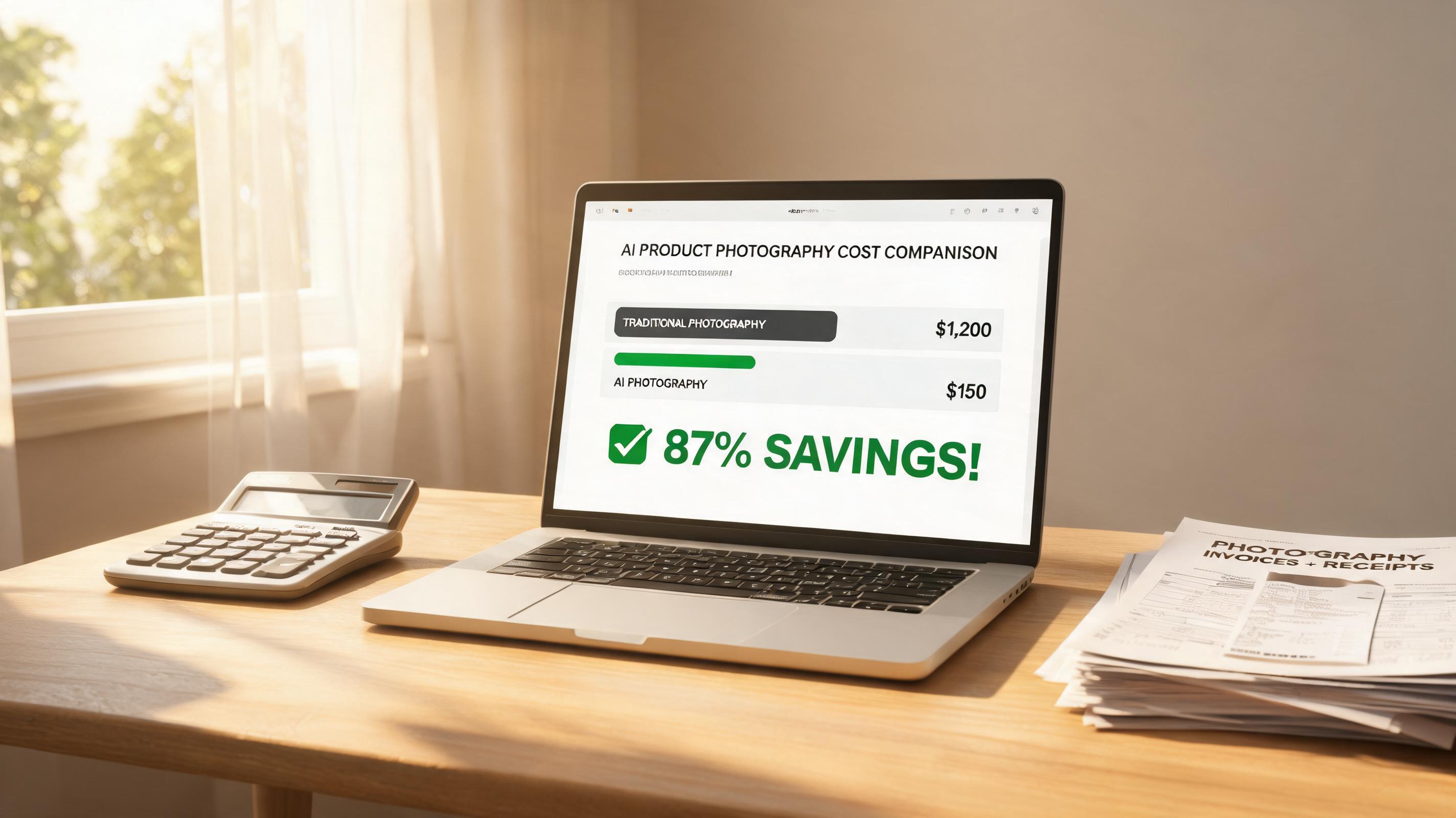
I ran the same calculation most apparel brand owners avoid: what does product photography actually cost, per SKU, per year? Then I compared it to running the same volume through AI tools. The gap is bigger than most people think — because most people only count the photographer's day rate and forget everything else.
The hidden costs nobody includes
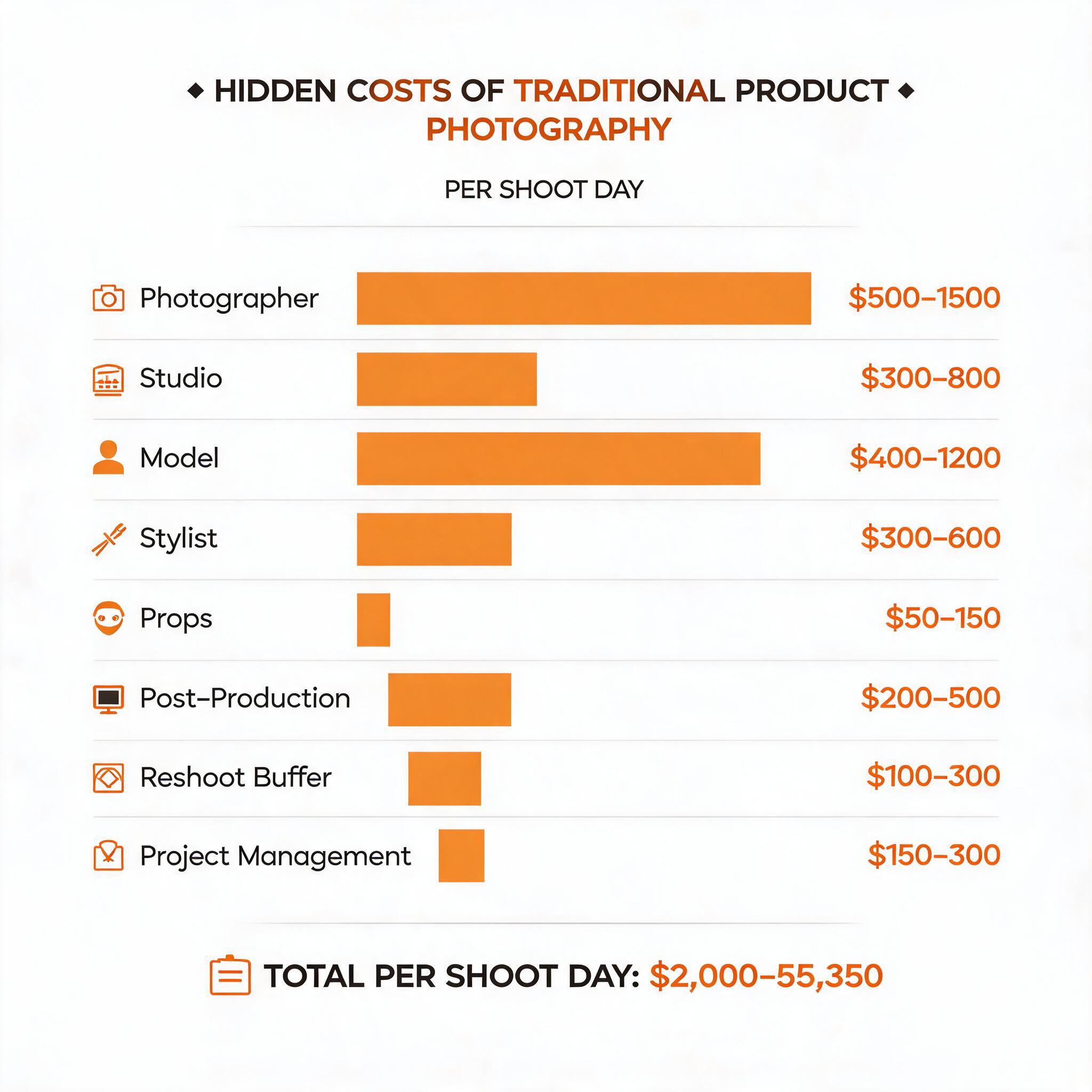
When someone tells you product photography costs "$500 per session," they're counting the photographer. That's maybe 40% of the real number. Here's what a typical single-day studio shoot for 20 garments actually costs:
| Cost item | Low estimate | High estimate | Notes |
|---|---|---|---|
| Photographer day rate | $500 | $1,500 | Varies by market and experience |
| Studio rental | $300 | $800 | Or amortize your own studio build-out |
| Model day rate | $400 | $1,200 | Agency model for ecommerce |
| Stylist (optional but common) | $300 | $600 | Steaming, pinning, outfit pairing |
| Props and consumables | $50 | $150 | Backdrop paper, tape, clips |
| Post-production editing | $200 | $500 | 20 images at $10-25/image |
| Reshoot buffer (1-2 looks) | $100 | $300 | Almost always needed |
| Project management time | $150 | $300 | Coordination, briefs, review cycles |
| **Real daily total** | **$2,000** | **$5,350** | Per 20-SKU shoot day |
| **Per-SKU cost** | **$100** | **$268** | Just photography, not including retakes |
That's the per-SKU cost for one round of photography. Now let's talk about what happens across a full year.
The 500-SKU annual reality
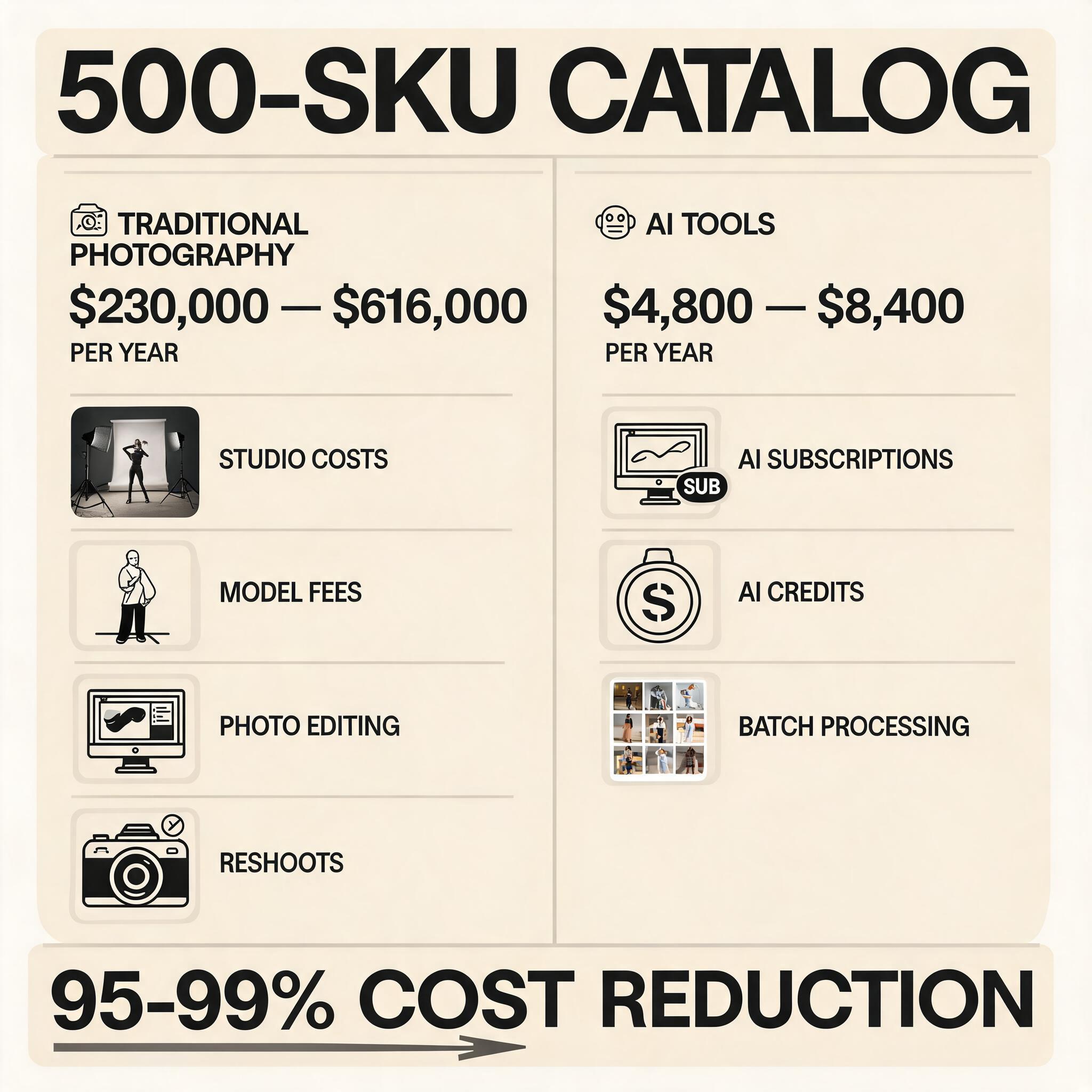
A typical mid-size apparel brand carries about 500 active SKUs, with seasonal refreshes 4 times per year. That means 2,000 product images annually — not counting color variants, which often double the number.
| Line item | Traditional photography | AI tools |
|---|---|---|
| Annual image volume (500 SKUs × 4 refreshes) | 2,000 images | 2,000 images |
| Photography cost ($100-268/SKU) | $200,000 - $536,000 | $0 |
| Post-production ($10-25/image) | Included above | $0 (built into AI tools) |
| Reshoots and corrections (est. 15% of volume) | $30,000 - $80,000 | Near-zero |
| AI tool subscriptions (3 tools, mid-tier) | $0 | $1,200 - $2,400/year |
| Internal time (upload, review, export) | 40 hours/year | 120 hours/year |
| **Annual total** | **$230,000 - $616,000** | **$4,800 - $8,400** |
The AI tool number assumes using three tools in combination — a primary clothes changer ($20-50/month), a background removal tool ($10-20/month), and an upscaler ($10/month). The labor difference is real: AI requires more hands-on management (upload, review, regenerate, export), but it replaces 90% of the studio workload.
Where AI tools actually save money
It's not just the line-item savings. It's the structural changes:
1. Color variants become free
Traditional photography: each color variant is a separate shoot with a separate model change. That's $100-268 per variant. AI: upload one flat lay of each color, generate on-model images in parallel. Marginal cost approaches zero.
2. Reshoots vanish
Wrong pose? Bad lighting? Model blinked? In traditional photography, those are reshoot costs. In AI, you regenerate for free. This alone eliminates the 15% reshoot buffer that every studio budget includes.
3. Speed-to-market changes the math
A traditional shoot means 2-3 weeks between booking and final images. AI means same-day turnaround. If getting a collection online two weeks earlier increases sales by even 5%, that revenue impact dwarfs the photography cost savings.
4. Lifestyle and social content from the same assets
One product photo → white background for Amazon → lifestyle scene for Shopify hero → model shot for Instagram. Traditional photography would require three separate setups or shoots. AI generates all three from one input.
Where AI tools still cost you
Honest assessment: AI isn't free magic. Here's where it costs real money or time:
Learning curve and review time. Someone on your team needs to learn the tools, develop consistent presets, and review every output. In my experience, the first month involves 2-3x the time investment as subsequent months. Budget 20-30 hours for setup and workflow development.
Quality control is manual. AI gets it right about 70-85% of the time. The remaining 15-30% needs a human eye: checking for fabric artifacts, unnatural shadows, or weird proportions around necklines and cuffs. This review time is ongoing.
You still need real photography for hero assets. Homepage banners, lookbook spreads, and creative campaign imagery still benefit from professional photography. The AI workflow replaces catalog product shots — it doesn't replace creative direction.
Tool subscription stacking. Most brands end up using 2-3 tools in combination: one for clothes changing, one for background processing, one for upscaling or batch management. At $60-120/month total, it's still dramatically cheaper than studio photography, but it's not $19/month.
Making the decision: studio vs AI framework
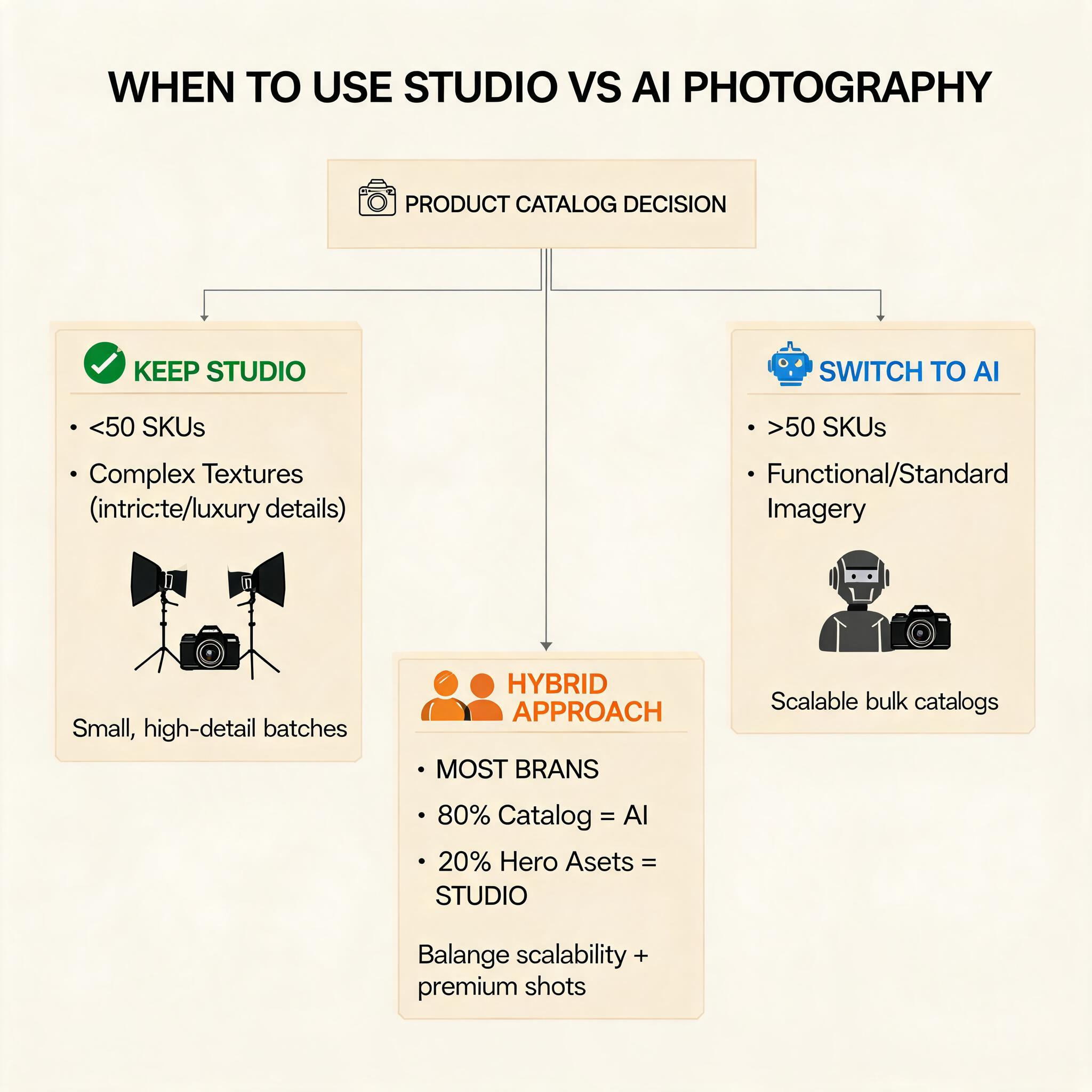
Keep your studio if:
- Your brand identity depends on a specific photographic style that AI can't replicate (yet)
- You produce fewer than 50 new SKUs per year
- Your products have complex textures (sheer, reflective, heavily embellished) that AI struggles with
Switch to AI for catalog work if:
- You produce more than 50 new SKUs per year
- Your product imagery is functional (product page listings, marketplace feeds) rather than creative
- You're currently not doing on-model photography at all because of cost — AI is infinitely better than flat lays alone
Best approach for most brands: Hybrid.
Use AI for 80% of catalog production (standard product pages, marketplace listings, color variants). Keep studio photography for hero assets (homepage, campaigns, lookbooks, new collection launches). This is where the 500-SKU brands I've talked to are landing.
What this actually looks like month to month
Here's a real workflow I've seen work at a 300-SKU apparel brand:
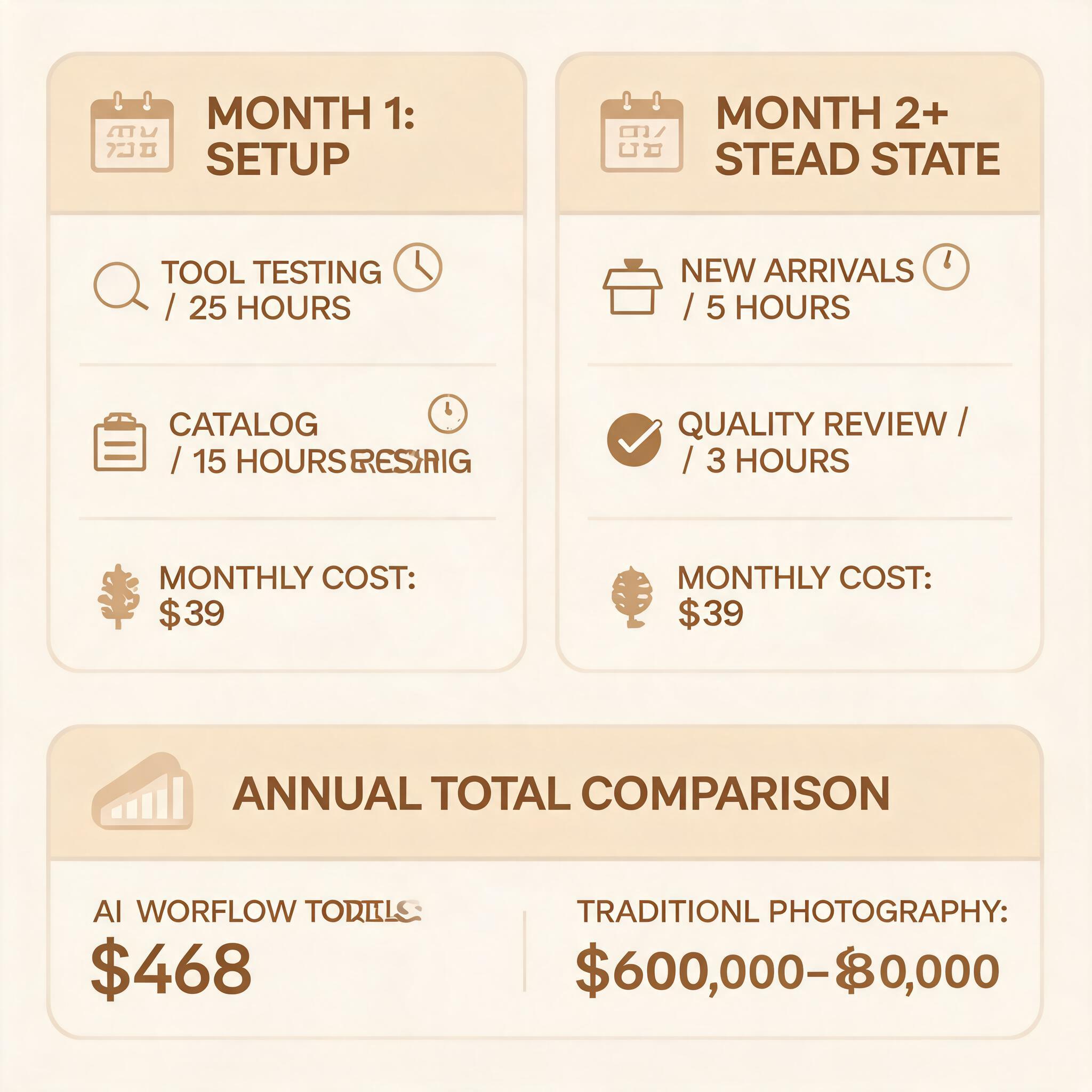
Month 1 (setup):
- 25 hours: test 3 AI clothes changers, pick one, develop presets
- 15 hours: process existing catalog (300 flat lays → on-model images)
- Cost: $39/month tool subscription + 40 hours internal time
Month 2 onward (steady state):
- 5 hours/month: process new arrivals (10-15 products × 4 variants each)
- 3 hours/month: quality review and occasional regeneration
- Cost: $39/month + 8 hours internal time
Annual total: $468 in tool costs + approximately 120 hours of internal work. Compare that to $60,000-80,000 for traditional studio photography at the same volume.
Tools used in this cost model
| Tool | Role | Monthly cost | Annual cost |
|---|---|---|---|
| AI clothes changer (ezpixy/VizStudio) | Primary on-model generation | $29-49 | $348-588 |
| Background removal (Photoroom) | White background for Amazon | $13 | $156 |
| Batch processing + upscaling | Resolution and consistency | $10-20 | $120-240 |
| **Total** | **$52-82** | **$624-984** |
These aren't affiliate links — they're the tools I used to build the cost comparison above.
FAQ
Is AI product photography really good enough to replace studio photography?
For catalog and marketplace images — yes. For creative campaigns and hero assets — not yet. The gap is closing fast, but fabric texture rendering on complex garments (sheer, heavily embellished, reflective) is still a limitation.
How much time does it take to learn these tools?
Plan for 20-30 hours in month 1 to test tools, develop presets, and process your initial catalog. Ongoing time drops to 5-10 hours per month for maintenance and new product processing.
What's the minimum volume where AI tools make financial sense?
If you're producing more than 50 new product images per year, AI tools are cheaper than studio photography. Below that, the learning curve might not justify the savings.
Can I use AI for Amazon product images?
Yes, but you'll need a separate background removal step. Most AI clothes changers don't generate pure white backgrounds. The workflow is: generate on-model image → run through background removal → export for Amazon.
Ready to speed up your image workflow?
Generate AI fashion models, product photos, and virtual try-on images in minutes.