
Not everyone needs to pay $19/month to test AI clothes changers. I spent a week testing every tool that claims to offer free AI clothes changing — and I mean genuinely free, not "free trial that requires a credit card and auto-bills you after 3 days." Here's what I found.
What "free" actually means in AI clothes changers
Before diving into the tools, let's be honest about what free tiers actually deliver. Here's the spectrum I found:
| Tier type | What you get | The catch |
|---|---|---|
| **Truly free** | No card, no sign-up, usable output | Daily limits, lower resolution |
| **Free tier (no card)** | 10-20 images/month, full quality | Limited volume |
| **Free tier (card required)** | 20-50 images, full features | Auto-converts to paid if you forget |
| **Freemium (watermarked)** | Unlimited use, all features | Watermark on every export |
I focused on the first two categories — tools where you can get usable, unwatermarked output without handing over payment information. Here's how they ranked.
How I tested
I uploaded the same three garment photos to every tool: a striped Oxford shirt (flat lay), a floral midi dress (mannequin shot), and a dark denim jacket (hanger shot). Each tool was asked to generate on-model images. I judged on:
- Output quality: Would I put this on a product page?
- Daily/monthly limits: How far does the free tier actually get you?
- Ease of use: Can you get a result in under 2 minutes with zero learning curve?
- Hidden costs: Watermarks, resolution caps, forced sign-ups?
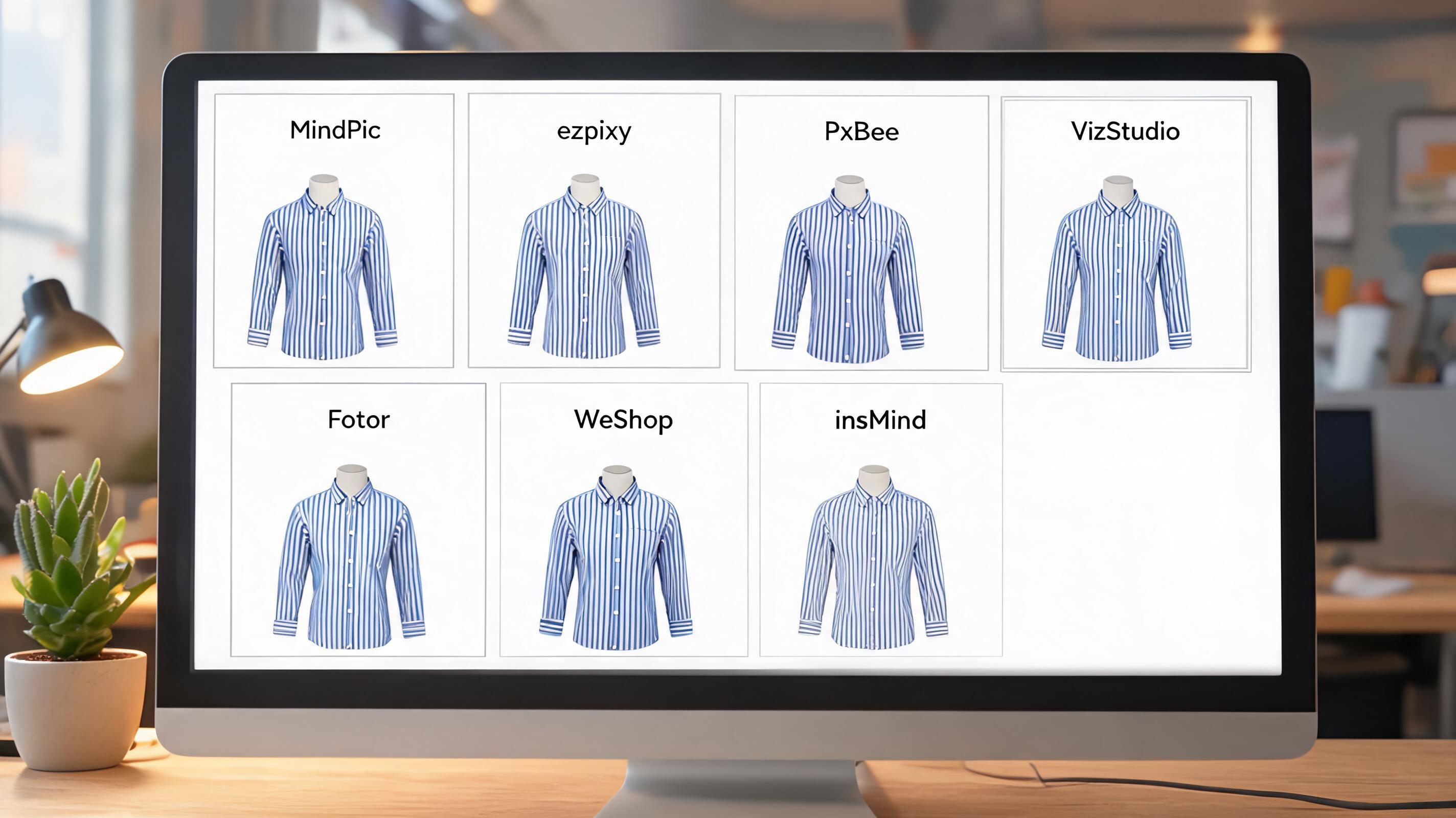
The top free AI clothes changers, ranked
1. MindPic AI — Best 100% free option
Free tier: 5 images/day | No sign-up required | No watermark
MindPic is the only tool I found that's genuinely free with zero strings attached. No credit card, no registration, no watermark. You visit the site, upload a photo, select a garment style, and download. The entire flow takes under 30 seconds.
Quality is inconsistent — but when it works, it works well. On the striped Oxford shirt, fabric texture and pattern alignment were surprisingly good. The floral dress had some pattern distortion at the waist. The denim jacket came out flat, missing the texture that paid tools capture. But for a completely free tool, the hit rate is acceptable.
What I liked: Actually free. No sign-up. Fast — under 10 seconds per image. Decent quality on simple garments. No watermark on exports.
What frustrated me: 5 images/day is limiting if you're testing multiple products. Quality varies noticeably between attempts on the same garment. No batch mode. No editing tools beyond the core swap.
Best for: Anyone who wants to try AI clothes changing without any commitment. Testing whether AI-generated model shots work for your product category before paying for anything.
2. ezpixy — Best free tier for actual ecommerce work
Free tier: 20 images/month | Sign-up required | No watermark | Full resolution
ezpixy's free tier is the most practical for real ecommerce use. You get 20 full-resolution images per month with all features unlocked — clothes changing, background removal, pose control, and batch processing. No watermark, no resolution cap.
The quality is solid: fabric rendering is above average, edge quality at necklines and cuffs is clean, and color accuracy is well-preserved. The batch processing works on the free tier, which is rare — most tools lock batch behind paid plans.
What I liked: Full feature access on free tier. 20 images/month is enough to test with real products. Batch processing included. Integrated background removal means one less tool to manage. No watermark.
What frustrated me: 20 images/month won't cover a full product catalog. Sign-up required (email). Model diversity is narrower than VizStudio.
Best for: Ecommerce sellers evaluating whether AI clothes changing fits their workflow. The 20 free images are enough to process a small batch and decide if the quality meets your standards.
3. PxBee — Best generous free tier for experimentation
Free tier: 50 images/month (estimated) | Sign-up required | No watermark
PxBee is the newest tool in this roundup, and its free tier is genuinely generous. You get a substantial number of free images with no watermark and full resolution. The interface is the simplest of any tool I tested — upload a photo, pick a model, and download. Zero learning curve.
The trade-off is quality. Simple solid-color garments (t-shirts, basic jeans) come out acceptable. Anything with patterns, texture, or structure — the striped shirt and floral dress in my test — comes out noticeably flatter than paid competitors. PxBee is a tool to watch, but it's not production-ready yet.
What I liked: Very generous free tier. Simplest interface. No watermark. Frequent updates — the team ships improvements regularly.
What frustrated me: Struggles with patterned and textured garments. No background removal or editing tools. Inconsistent output quality. Slower processing than competitors.
Best for: Experimentation and learning. If you're exploring AI clothes changing for the first time and want plenty of free attempts to understand the technology, PxBee gives you the most runway.
4. VizStudio — Best free tier for output quality
Free tier: ~15 images (estimated) | Sign-up required | No watermark | Full resolution
VizStudio has the best raw output quality of any AI clothes changer I've tested. Even on the free tier, the fabric rendering, body proportions, and edge quality are excellent. The striped shirt kept perfect pattern alignment. The denim jacket preserved stitch detail that most tools smear into mush.
The free tier is generous enough to test properly — you can run multiple garments through and evaluate the results side by side. The catch: to get more than the free allocation, you'll need a paid plan, and the jump from free to paid is significant.
What I liked: Best output quality in class. Handles patterns and textures exceptionally well. Free tier quality is identical to paid. No watermark.
What frustrated me: Free tier is limited to ~15 images. No clear counter showing remaining free credits. Paid plans are pricier than alternatives. Batch mode is limited on free tier.
Best for: Quality-focused evaluation. If output realism is your top priority and you want to compare the best possible AI result against your current photography, use VizStudio's free tier.
5. Fotor — Best if you already use Fotor for photo editing
Free tier: ~5 images (estimated) | Sign-up required | Watermarked exports on free
Fotor's AI clothes changer is fast — 6 seconds per image — and it's built into a larger photo editing suite. If you already use Fotor for background removal, retouching, or collage creation, the clothes changer is a natural addition to your workflow.
The catch: free exports are watermarked. You can test the quality and speed, but you can't use the output. For actual product images, you'll need the paid plan.
What I liked: Fastest processing of any tool. Integrated with Fotor's editing suite. Familiar interface if you already use the platform. Good for quick social media content.
What frustrated me: Watermark on free exports renders the free tier useless for actual product listings. Quality ceiling is lower than dedicated clothes changers. Soft edges on most outputs.
Best for: Fotor users who want to test AI clothes changing within their existing editing workflow. Not recommended as a standalone free solution.
6. WeShop AI — Best value if you're ready to pay $10/month
Free tier: ~10 images (estimated) | Sign-up required | Watermarked on free
WeShop AI offers the cheapest paid entry point at $10/month, and the free tier lets you test the core features before committing. Quality is acceptable for the price — about 70% of outputs were usable in my test. The remaining 30% had issues with proportions or fabric stiffness.
Like Fotor, the free tier is watermarked, so it's a testing ground rather than a production tool. The $10/month plan unlocks watermark-free, full-resolution exports.
What I liked: Cheapest paid plan of any quality tool. Acceptable output for the price. Quick processing. Clean interface.
What frustrated me: Watermarked free tier. 30% failure rate means wasted generation attempts. Limited model variety. No batch mode on free tier.
Best for: Budget-conscious sellers evaluating whether to commit to a low-cost paid plan. Test with the free tier, then decide if $10/month is worth it for your volume.
7. insMind — Best for single-image quick swaps
Free tier: 3-5 images/day | No sign-up for basic use | No watermark
insMind offers a lightweight AI clothes changer with no sign-up required for basic use. Upload a photo, and it generates a model shot in about 15 seconds. The interface is minimal — fewer options, fewer distractions.
Quality is mid-tier: fine for simple garments and casual use, but not production-grade for ecommerce. The daily limit refreshes, so it's viable for occasional one-off images.
What I liked: No sign-up required. Clean, minimal interface. No watermark. Daily limits reset rather than monthly caps.
What frustrated me: Limited model options. No pose control. No batch processing. Quality ceiling is lower than the top tools. Less consistent than MindPic.
Best for: Occasional quick swaps when you need one or two images and don't want to create an account anywhere.
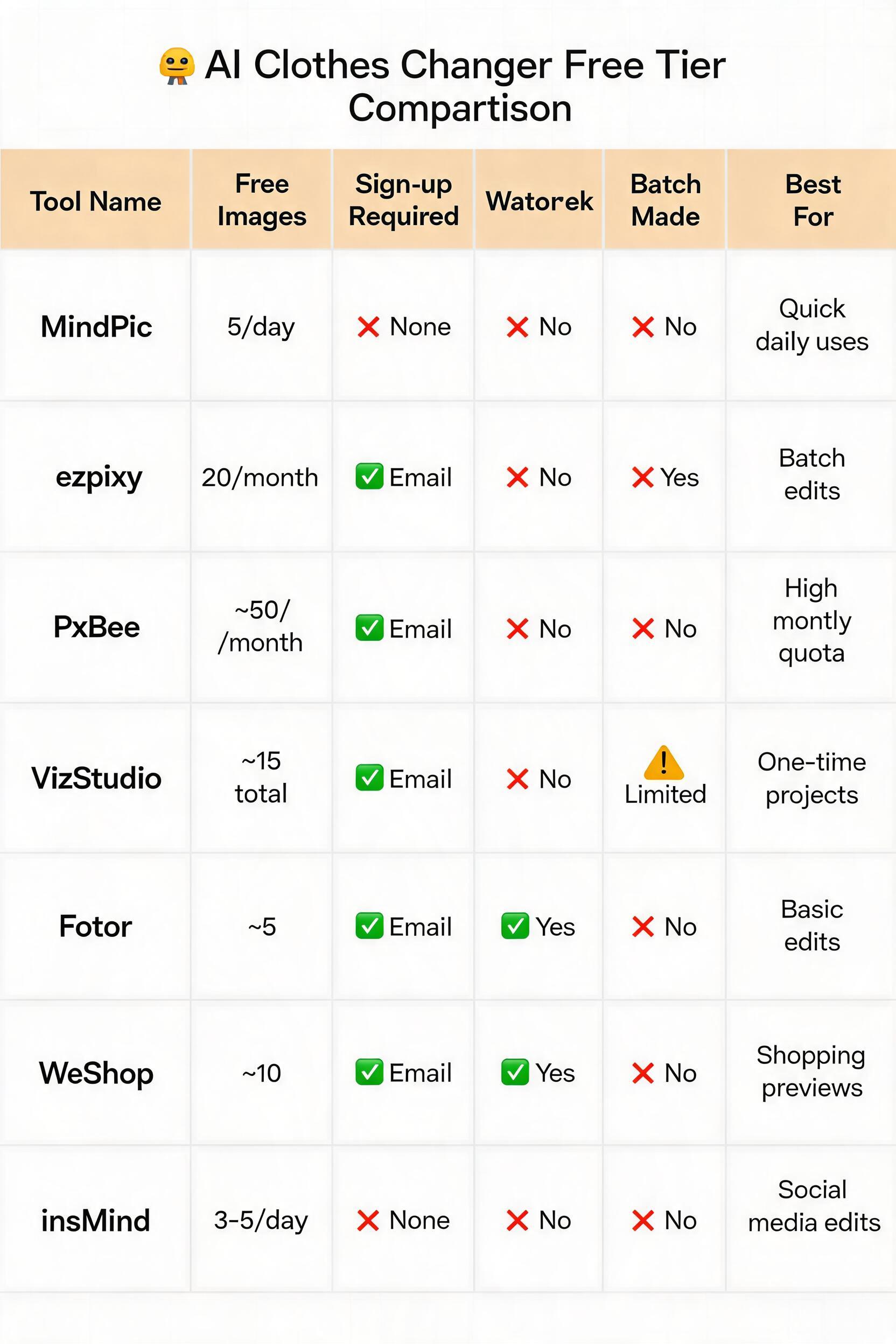
Full comparison table
| Tool | Free images | Sign-up | Watermark? | Batch free? | Quality | Best for |
|---|---|---|---|---|---|---|
| MindPic AI | 5/day | None | No | No | ★★★☆☆ | Zero-commitment testing |
| ezpixy | 20/month | No | **Yes** | ★★★★☆ | Real ecommerce evaluation | |
| PxBee | ~50/month | No | No | ★★★☆☆ | Extended experimentation | |
| VizStudio | ~15 total | No | Limited | ★★★★★ | Quality-first evaluation | |
| Fotor | ~5 total | **Yes** | No | ★★★☆☆ | Fotor ecosystem users | |
| WeShop AI | ~10 total | **Yes** | No | ★★★☆☆ | Budget paid evaluation | |
| insMind | 3-5/day | None | No | No | ★★☆☆☆ | Quick one-off images |
Which free AI clothes changer should you use?
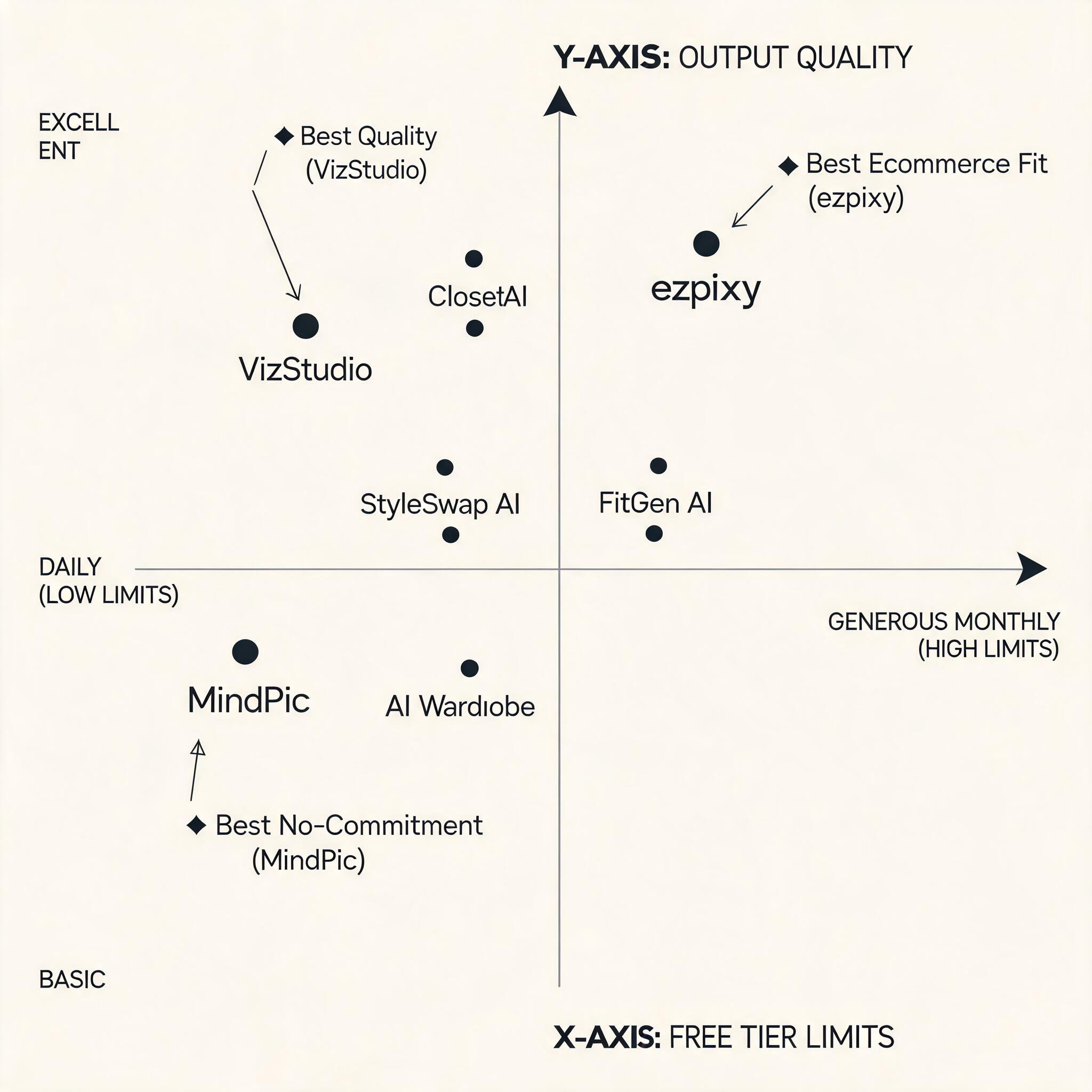
If you want to test the concept with zero friction → MindPic AI. No sign-up, no watermark, genuinely free. Upload a product photo and you'll have a result in 30 seconds. If the output impresses you, graduate to a tool with better quality.
If you're evaluating for your ecommerce store → ezpixy (free tier). 20 full-resolution images with batch processing and background removal included. This is the only free tier that mirrors a real production workflow. Process a small batch of your actual products and decide based on real results.
If output quality is your only concern → VizStudio (free tier). The best image quality on the market, and the free tier gives you identical quality to paid. Use it to set your quality benchmark before trying other tools.
If you want maximum free attempts → PxBee. The most generous free tier by volume. Quality isn't production-grade, but you'll learn the technology without hitting a limit on day one.
The smart way to use free tiers
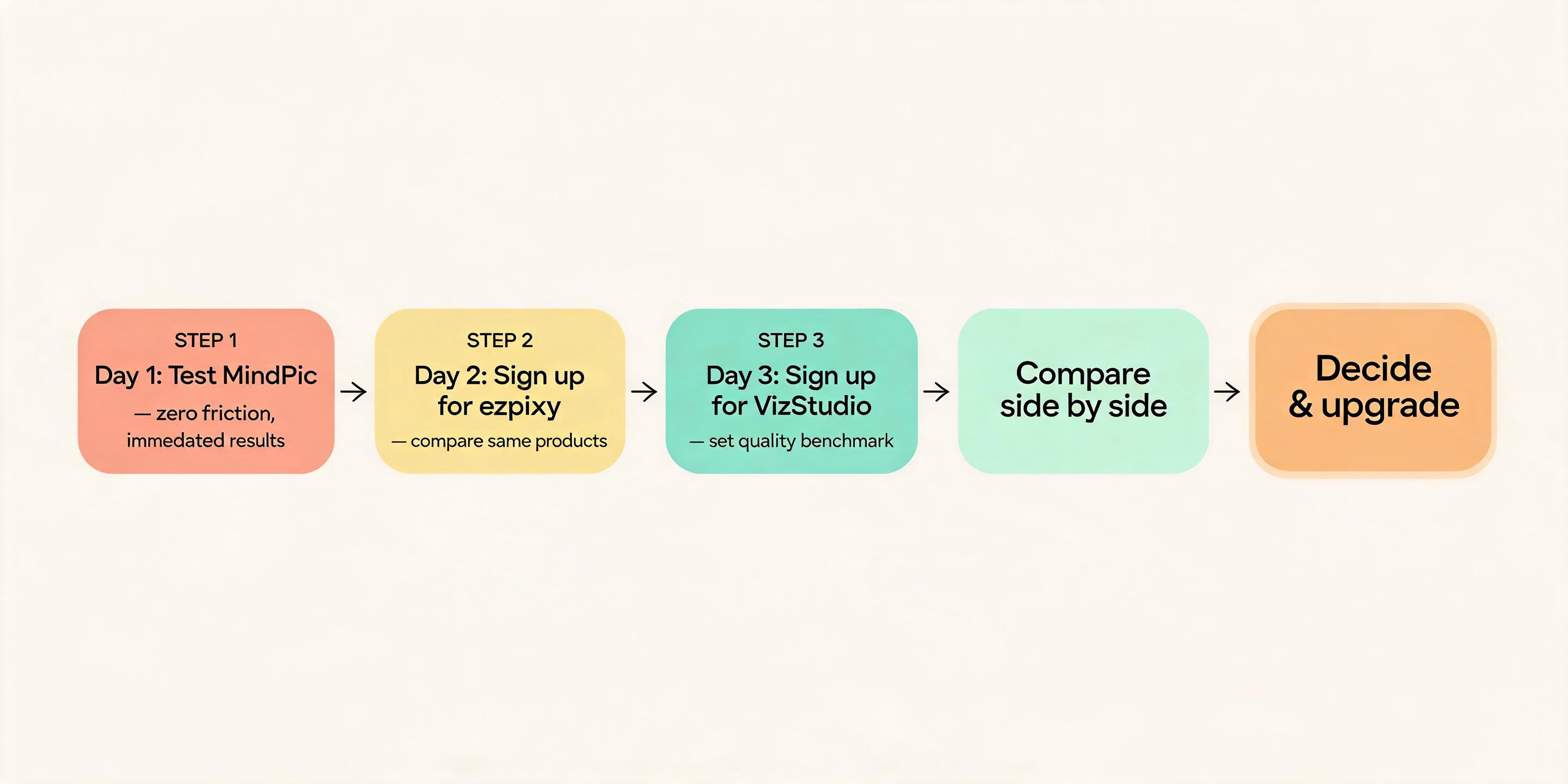
Don't pick one tool and stop. Use the free tiers strategically:
- Day 1: Test MindPic with 2-3 products (zero friction, immediate results)
- Day 2: Sign up for ezpixy free tier, process the same products for comparison
- Day 3: Sign up for VizStudio, run the same products one more time
- Compare: You've now tested the same garments across three tools, all for free
- Decide: Pick the tool that works best for your products, then upgrade to paid
This 3-day evaluation costs nothing and gives you genuine confidence in your decision. I've seen too many sellers commit to a yearly plan after testing one tool — only to discover three months later that another tool handles their specific garment types better.
What free tiers can't do
Be realistic about limitations:
- Volume: No free tier will process a 200-SKU catalog. Free tiers are for evaluation, not production.
- Consistency: Free tiers sometimes throttle quality or speed during peak usage.
- Support: Most free tiers offer community-only support. If something breaks, you're on your own.
- API access: No free tier includes API access for automated workflows.
- Custom models: Brand-specific model training is always behind a paid plan.
FAQ
Can I really use these free tools for my actual product listings?
Yes, for evaluation purposes. MindPic, ezpixy, and PxBee all produce unwatermarked images on their free tiers. But volume limits mean you'll quickly need a paid plan for production use. Treat free tiers as a testing ground, not a permanent solution.
Do free AI clothes changers work for all garment types?
No. Structured garments (shirts, jackets, trousers) work well. Flowing fabrics (dresses, skirts, sheer materials) are more hit-or-miss on free tiers. Complex patterns and heavy embellishments challenge most free tools. Test with your most challenging products, not your easiest ones.
Will I need to provide a credit card?
Not for the top recommendations. MindPic requires nothing. ezpixy and PxBee require an email. VizStudio requires an email. None of the tools I recommend above require a credit card for their free tier.
How does free tier quality compare to paid?
In most cases, free tier output quality is identical to paid — you're limited by volume, not by quality. The exception is Fotor and WeShop, which watermark free exports. For ezpixy, VizStudio, and MindPic, the image quality you see on free is what you'll get on paid.
Can I delete my data after testing?
Most tools allow account deletion and data removal. MindPic doesn't require an account, so there's nothing to delete. For tools that require sign-up, check their privacy policy — some retain uploaded images for model training unless you opt out.
Is there a completely free AI clothes changer with no limits?
No. Every tool has some limit — daily caps, monthly caps, resolution restrictions, or watermarks. AI image generation costs compute resources, and companies need a path to revenue. The tools above offer the most generous free access I've found. For a side-by-side comparison of browser-based tools with no downloads, see my AI clothes changer online free ranking.
Ready to speed up your image workflow?
Generate AI fashion models, product photos, and virtual try-on images in minutes.